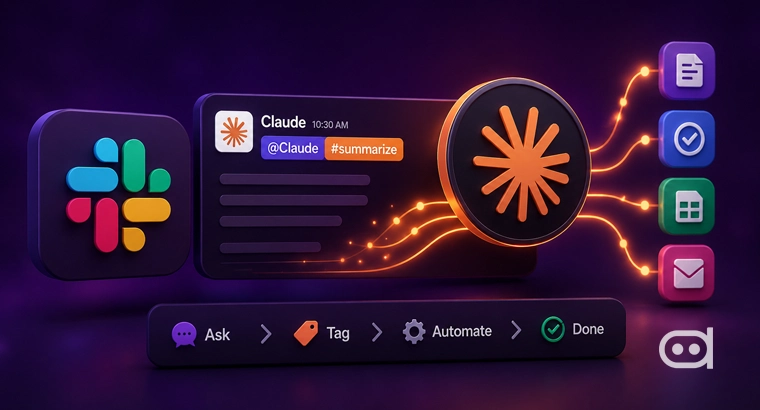
Claude Tags in Slack to help teams coordinate with artificial intelligence as a participant within their workspace. Instead of individual chats or sole prompts, teams can add Claude directly into their Slack channels, grant it scope for tools and data, and assemble them to perform tasks by tagging @Claude. The model shares information over time, works asynchronously, and acts autonomously.
This introduction is the next step for Claude’s Code, making Claude more inclusive and suitable for teams. At Anthropic, tagging Claude is a way that gets the work done, and a majority share of the product team’s code is created through the workflow. With Claude Tags in Slack, the same wavelength is being extended to customer teams across operations, product, and support.
Key Highlights:
- Claude Tags in Slack, apps as a participant, not a conventional chatbot.
- Claude can organize, assimilate, execute, and follow up on work asynchronously.
- Access to data remains tightly controlled by administrators.
What Are Claude Tags in Slack?
Claude Tags in Slack help the teams to treat Claude as a participant rather than an AI model. Once Claude is embedded in a Slack channel, anyone in that particular channel can tag @Claude and facilitate a request. Claude then breaks the request into stages, works through them using the tools and information it has access to, and answers in a thread with the outcome.
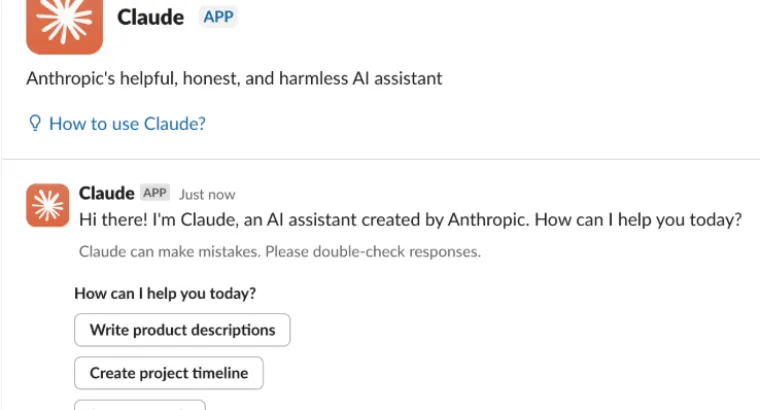
What differentiates Claude Tag from a conventional artificial intelligence chatbot is consistency and shared context. Claude stores crucial and relevant information from the channel and uses that stored information to improve the work ahead. This decreases multiple explanations and allows Claude Tags in Slack to contribute across several projects rather than single tasks.
Claude Tags in Slack also helps with asynchronous and lengthy work. Teams can assign tasks and continue with their other work while Claude works in the background. It can pick up projects sovereignly over hours and days, create a schedule, and follow up on conversations thoroughly. Anthropic presents Claude Tag as the beginning of a comprehensive shift in how AI embeds itself into complex workflows beyond responses towards assistance.
Claude Tags in Slack is a priority launch because it already functions across several teams. Much of Anthropic’s daily work happens within Slack, making it seamless for collaborative artificial intelligence. Slack channels give consistent conversations, boundaries, and shared visibility, which resonate with how Claude’s task will function. Instead of siloed artificial intelligence interactions, work happens in private or public channels where everyone can see what Claude brings to the table and build on prior work.
Claude is available across three domains within Slack: direct messages or private conversations, the AI assistant panel from Slack’s header, and thread participation where users mention @Claude within the conversations. All three offer the same abilities, including tools and data, allowing teams to access AI without closing Slack.
How Does Claude Tags in Slack Automate Work?
Below are 5 everyday automated office tasks performed by tagging @Claude:
1. Automated Code Creations and Workflows
Claude Tag has proven its capabilities in engineering at Anthropic, 65% of the team’s code is created by Claude Tag. Engineers use aggregate Claude with requests and Slack and let it execute coding tasks while the team focuses on creative and higher-level decisions. For enterprise and team plan users, Claude Tag routes coding tasks directly from Claude code when mentioned in Slack.
This allows the developers to begin coding work from a shared channel rather than constantly switching tools to start sessions. Because Claude operates within a shared context, workers can see what is working on, review intermediate outputs, and continue the conversation without beginning again. This makes it efficient for collaborative work when multiple people are involved.
2. Data Analysis and Product Metrics
Claude’s task manager helps the team to track metrics and contextualize data. Teams can task Claude Tags in Slack to get product metrics, trend summaries, and analyze data sources without human intervention. For asking multiple investors for updates, teams can assign the task to Claude Tags in Slack and receive a suitable response in the same thread. Claude embeds itself in-depth with the team and reduces constant manual efforts because Claude can work asynchronously, teams a lot of data-related tasks to review the findings, and performs analysis.
3. Working Through Support Tickets
Operations and support teams use Claude tags in Slack to organize and analyze support tickets. Claude is tagged to review issues, summarize recurring problems, or assist with unresolved threads. As Claude is a part of the channel, it accumulates the knowledge about the products, repeated failures, and historical context. This allows it to provide relevant advice without similar explanations. Claude can also do follow-up on threads that are not assisted, ensuring that the issue does not fall through the cracks.
4. Debugging and Root-Cause Investigations
Claude Tags in Slack are also used to solve bugs. Teams can tag Claude in Slack with the issue description, grant access to tools, and let it understand the problem over the course. Claude can break down investigations into steps and return findings in Slack threads. If an investigation is incomplete, Claude performs a follow-up when the behavior is enabled. This allows the team to debug the code, delegate the work, and let Claude handle the investigations while employees focus on other relevant priorities.
5. Coordinating Asynchronous Tasks
One of the distinct aspects of Claude tags in Slack is its asynchronous work. It is assigned tasks that slowly bifurcate over hours and days, pursuing sovereign work and updating the channels. Claude/Slack’s relevant information is to be accessed across channels, allowing access to follow-up tasks, and keep the teams updated about the recent developments. This transforms it from an assistant to an active participant at manages work.
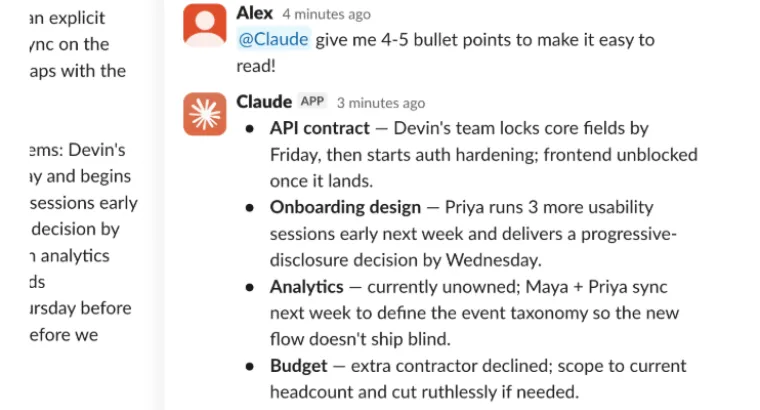
Claude Tag in Slack has several distinct features that make it different from a conventional chatbot. There is one Claude per channel, visible to everyone. Anyone can continue the conversation from where they left off. Claude builds context from channels where there is an active participant, reducing manual intervention. With ambient behavior enabled, Claude surfaces information and updates on unresolved work. Tasks do not need to be completed in one go, and Claude works on the task over extended periods. These features make Claude Tag an active participant rather than a conventional tool.
Access, Eligibility, and Installation
Claude tags are used for organizations that have control over their data. Administrators mention which repositories and text Claude can use and in which specific channel. Each Claude is different than the others. Information and context are defined by administrators, which makes sure that information from different teams is not exchanged. For example, a Claude configured for sales work will not share information with one for engineering. Administrators can define data, set pending limits, view all tasks performed by Claude, and enable or disable direct messages with Claude. Channel usage is linked to the organization, while direct messages are linked to individuals.
The Claude app in Slack is necessary for a Claude task, but the setup is slightly different. Admins run setup once for the organization, choosing which channels Claude will work for. Once complete, everyone in those channels can use Claude immediately. For individual users, once the app is connected, they can begin conversations by tagging @Claude. Claude Tag replaces the existing Claude within the application within a 30-day window.
Anthropic uses a one-time Claude Tag use for adoption and eligibility, $25,000 for Claude enterprise organizations, and $2,500 for Claude team organizations with 10 paid seats. The credits are only for those in Slack channels and are credited to the organization. Direct messages and other Claude products are not covered in the cost. All promotional credits expire at 11:59 p.m. Pacific time on September 1, 2026, regardless of when they were issued.
Claude tags in Slack show how teams integrate artificial intelligence as an active participant. By giving access to Claude in Slack, teams bifurcate the work, communicate in a shared context, and automate tasks. For organizations to achieve efficiency across various niches, Claude tags in Slack is a beneficial tool.
Also Read: Evolution of Claude AI Models
Frequently Asked Questions
Who can use Claude Tag in Slack?
Claude tags are for Claude enterprise customers and Claude team companies with at least 10 paid seats. Slack administrators must receive approval from the Claude app before use.
Is Claude shared across a channel?
Each channel has a single floor that acts as an active participant, facilitating collaboration.
What is the difference between direct messages and channel usage?
Direct messages are on an individual Claude account and are allowed to be disabled by administrators, whereas channel usage is accredited to the organization and users’ configured access.
What happens if Claude is disconnected?
If Claude is disconnected, then Claude’s Slack conversation through Claude will be deleted within 30 days, while Slack will retain the messages under its own policies.