


12 Best AI Tools for Teachers in 2026 to Save Time & Boost Learning
-
 Arshiya Kunwar
Picture of Arshiya Kunwar
Arshiya Kunwar
Picture of Arshiya Kunwar
- Last Updated: August 24, 2026
Teaching in 2026 means a lot more than just preparing lessons and standing in front of the classroom. Teachers are expected to differentiate materials, build assessments, give individualized feedback, talk with families, document progress, and keep learners engaged, all with limited planning time. In 2026, the best AI tools for teachers are increasingly useful because they take specific parts of that workload and turn them into repeatable workflows.
The best AI tools that teachers use usually cover four jobs:
- Planning, with tools like MagicSchool.ai and TeachShare;
- Delivery and classroom productivity, with Brisk Teaching, Otter.ai, Curipod, and Notebook;
- Assessment, with Socrative, Diffit, and Quizgecko;
- Student-facing learning, with Khanmigo, SchoolAI, and Hello History.
A practical stack usually combines a planning platform, an assessment tool, and a student-engagement or tutoring tool.
This guide contains AI education tools that are the best in class for teachers and add practical value. The evaluation considers how quickly each tool produces usable classroom material, how much editing teachers typically need to do, where it fits into the teaching workflow, student-facing capabilities, collaboration, integrations, and current pricing. The goal is not to pick one magical tool that does everything, but to figure out which specific tool makes a particular teaching task easier, simpler, and less time-consuming.
Key Takeaways
- The strongest AI tools for teachers in 2026 are workflow-specific: use a planning tool for preparation, an assessment tool for checking understanding, and a student-facing tool for guided practice.
- Free plans are available with most AI tools aimed at education and are also genuinely useful. Khanmigo teacher tools are free, while Brisk’s free plan includes 20+ AI-powered teacher tools.
- This list features the best AI tools for teachers that can not only boost productivity but also eliminate repetitiveness while the teacher stays responsible for accuracy, learning context, and instructional choices.
Top 12 AI Tools for Teachers And Educators
| Tools | Best For | Prices | Platform Compatibility |
|---|---|---|---|
| Brisk Teaching | Lesson creation, feedback, and differentiation |
|
Chrome, Edge, and Web |
| Khanmigo | Planning, differentiation, and student-work insights |
|
Web, Mobile, and LMS |
| Gemini Notebook | Research, source-based teaching, and study materials |
|
Web, Mobile, and Google ecosystem |
| Curipod | Interactive lessons and student engagement |
|
Web |
| SchoolAI | Student AI Spaces, tutoring, and teacher oversight |
|
Web and LMS |
| TeachShare | Standards-aligned resource creation |
|
Web, Mobile, and LMS |
| Hello History | History role-play and interactive learning |
|
Web and App |
| MagicSchool.ai | Best AI tool for teachers to automate daily tasks |
|
Web, iOS, and Android App |
| Otter.ai | Best tool for automated note-takers in any meeting |
|
Web browsers and mobile devices |
| Socrative | Create quizzes and exams with immediate feedback on student learning |
|
ChromeOS, iOS, and Android |
| Diffit | Diffit.me is best for individuals and businesses looking for a hassle-free way to generate written content using AI |
|
Desktops, tablets, and mobile devices |
| Quizgecko | Automatically generate online quizzes, tests, and exams |
| Mobile app available on iOS and Android, and web-based platform |
Let’s Explore the 12 Best AI Tools for Teachers and Educators in Detail:

Introduction
Brisk Teaching is a top option for teachers when choosing AI education tools, because it is designed around the places educators already work, rather than making them build every workflow from scratch. Its current platform brings together the Brisk Extension, Brisk Boost, and Brisk Next for planning, instruction, feedback, and student practice, all in the same space. The standout part is workflow integration. Teachers can generate lesson plans, quizzes, rubrics, presentations, and differentiated materials from existing resources, without feeling like they have to start from zero each time. The free plan includes 20+ AI-powered tools too, like quiz creation, lesson planning, rubric generation, and presentation creation. Meanwhile, the school/district version adds batch feedback, standards alignment, student insights, and bulk workflows for larger groups.
Key Feature
- Lesson Plan Generator makes standards- or UDL-aligned lesson plans in an instant.
- Presentation Maker turns topics or text resources into customizable slide decks.
- Quiz and Resource Maker produces quizzes, rubrics, syllabi, newsletters, and vocabulary lists.
- Podcast Generator turns text content into short audio files for students, improving engagement.
- Change levels to adjust the reading grade level of any digital text or article.
- Batch Feedback uploads multiple student assignments and generates personalized feedback simultaneously.
- Plays back a step-by-step video of a student’s document history, so you can actually see their writing process.
- Flags pasted text and can spot potential AI-generated content in student submissions.
Pros & Cons
Pros
- Over 20 AI tools, free for educators to use.
- Creates quizzes, rubrics, lesson plans, and presentations in just seconds.
- Works inside the tools you already use (Google Docs, Slides, and web pages) using a small floating browser icon.
- Rated well for student data safety, and it aligns with educational privacy expectations.
Cons
- Generated output, especially for math or complex technical topics, can include mistakes, so manual checking is still required.
- Best tuned for Google and Microsoft settings, but if you use fully separate or offline platforms, it can feel less useful.
Pricing
- Educator – Free
- Premium – Custom pricing
- Intelligence – Custom pricing

Introduction
Khanmigo is Khan Academy’s AI teaching assistant, and it’s one of the more education-focused AI tools for supporting teaching and learning. Instead of just acting like a generic chatbot that answers everything, it connects teacher workflows to Khan Academy’s educational content. For teachers, the current offering is free, and it includes standards-aligned lesson planning, differentiation ideas, student-work summaries, learning objectives, rubrics, and exit tickets. The practical advantage is how little prompting it needs. A teacher can use it to turn a learning objective into a lesson structure, adapt activities for different learners, or summarize recent student work.
Key Feature
- Makes customizable, organized lesson plans, with objectives, warm-ups, and exit tickets built in.
- Comes up with fun lesson openers that match student interests, like pop culture or sports.
- Generates questions meant to push real classroom talk, not just “yes/no” responses.
- Drafts scoring rubrics and multiple-choice assessment questions automatically.
- Reworks complicated reading passages or creates custom informational texts for specific grade levels.
- Assists with professional emails to multilingual families, letters of recommendation, or helps structure IEP goals.
- Looks at weekly student learning time, course mastery, and assignment completion patterns.
Pros & Cons
Pros
- Offers strong lesson planning and differentiation.
- It can summarize student work and point out where learners likely need extra support.
- It can generate lesson hooks, exit tickets, and even multi-part lesson plans.
- Socratic Student Support nudges learners with hints instead of just dumping the direct answers.
- Strict content filters help block inappropriate text or unsafe generations meant for children.
Cons
- Teachers can’t independently hand over classroom access; student access currently depends on school or district implementation, which is a limitation.
- Some district-level features require institutional adoption.
- Does not automate bulk essay scoring, rubric application at scale, or heavy grading workflows.
- Copying and pasting, or formatting text coming from a chat window, can feel clunky compared with dedicated document software.
Pricing
- Teachers Plan- Free
- Learner’s Plan – $4/month
- Parent’s Plan – $4/month
- Khanmigo District tools Plan- Custom pricing

Introduction
Notebook is one of the more popular AI tools that is super handy for teachers, especially useful when teaching depends on a defined collection of sources. Instead of asking an AI to answer from general knowledge, teachers can upload or connect materials and use the system to summarize, explain, compare, and explore those sources. This feature makes it quite effective for turning heavy reading into something more classroom-ready. A teacher can drop in a textbook chapter, a research paper, a policy document, lecture notes, or even several sources at once, and the resulting notebook works like a research companion. It’s also great for building discussion questions and helping students move through the more difficult parts of the material.
Key Feature
- Answers stay locked to your provided texts only, with inline citations that point back to the exact passage they came from.
- Automatically turns reading content into study guides, quick briefing notes, common FAQs, timelines, and even data tables.
- Produces presentation slides directly from the source material, with export choices to common editable formats.
- Audio overviews turn text-heavy curricula into realistic, conversational podcast-style talks between two AI hosts.
- Video overviews generate narrated slide decks and visual summaries based on the topic files you upload.
- Mind maps help visualize complicated ideas, themes, and topic relationships as interactive web-like structures.
- Generate study tools and audio formats across 80+ languages, so multilingual learners have an easier time following along.
- Built with education privacy standards so personal data uploaded is not used for public model training.
Pros & Cons
Pros
- Excellent for source-grounded research.
- Useful for lengthy documents and multiple references, allowing you to keep track without feeling like you’re juggling everything at once.
- Every response includes clickable inline citations that take you back to the exact text segment, so fact-checking is easier.
- Reword or simplify complicated articles into developmentally appropriate reading levels for different grades.
Cons
- The output quality depends a lot on how good and complete the uploaded sources are.
- It’s more helpful for work that is tied to sources, rather than full classroom management.
- Summarizes text brilliantly, but doesn't inherently push the output into standard teaching templates.
Pricing
Standard Plan – Free

Introduction
Curipod takes a different approach to the AI tools it offers for teachers because it focuses on what happens in the lesson. It mixes AI lesson generation with interactive activities like polls, drawings, word clouds, open-ended questions, and AI feedback that feels a little more human. Existing slide decks can also be transformed into interactive lessons. The difference gets pretty clear during actual teaching. Instead of showing slides and then waiting for students to participate, teachers can add response points straight into the flow of the lesson and keep an eye on what students type, choose, or draw.
Key Feature
- Type in a topic, grade level, and standard, and it builds a full interactive slide deck.
- Choose from polls, word clouds, multiple-choice quizzes, short open reflections, drawing tasks, and other formats.
- Students get automated but constructive feedback on what they write or draw.
- Upload a current PowerPoint or PDF, and it automatically injects interactive elements.
- Reduce participation pressure by letting students submit answers anonymously or pick from fun, generated nicknames.
- Stay in control with real-time moderation screens, safety warnings, and after-class engagement analytics.
- Lesson text and prompts can be translated dynamically to help learners follow along without stopping.
Pros & Cons
Pros
- Built specifically for interactive instruction, offering a strong option for classroom engagement and formative assessment.
- Gives formative feedback loops for student answers.
- Complies with major student privacy regulations including COPPA, FERPA, and GDPR, and it does not train public models on user data.
- Generous free tier offers benefits for teachers.
Cons
- Primarily focuses on live delivery and presentation over deep back-end lesson planning.
- Doesn’t really provide strong curriculum structure or specific state/national learning standard mapping like dedicated planning tools do.
- Less effective for specialized lessons compared to other tools dedicated to a particular subject.
Pricing
- Free Plan- Available
- Premium Plan- $24/month
- School and District – Custom pricing
- ELA Curriculum Alignment – Custom pricing

Introduction
SchoolAI is built around controlled teacher-managed AI experiences called Spaces. Touted as the best for automation in education, it features AI tools for teachers that go beyond handing students a totally open chatbot. Teachers can make or pick AI-powered learning scenarios around one specific objective, topic, or activity. So it becomes a more interesting option for automation in education, especially when the aim is to bring student AI use into the classroom without losing classroom oversight. On top of that, there are PowerUps, extra assistants, translation, student uploads, browser tools, AI notetaking, and a student-facing Sidekick-style capability depending on the plan.
Key Feature
- Real-time monitoring dashboard that helps teachers watch student chat streams, analyze whole-class patterns, catch trouble spots, and pause sessions right away.
- Quick drafting tools for full lesson plans, multiple-choice quizzes, assignment rubrics, worksheets, and newsletters.
- Makes passive video watching feel more active, using AI check-ins and comprehension questions at key moments.
- Rewrites and adapts existing text passages instantly to match a target grade level, paired with things like interactive graphing calculators and doodle boards.
- Automatically flags crisis signals, self-harm talk, or other inappropriate wording so teachers can step in on time.
- The AI works as a coach that’ll ask scaffolded questions instead of just giving direct answers.
- Compliant with major student data protections, including FERPA, COPPA, and SOC 2.
Pros & Cons
Pros
- Useful for differentiated, personalized learning, with some room for tuning.
- Teachers can check live student conversations to block off-task behavior or any kind of abuse.
- FERPA, COPPA, and SOC 2-compliant, meaning student information stays protected and isn’t used to train outside AI models.
- Over 200,000 pre-made Spaces, plus templates so educators can save planning time.
Cons
- Advanced analytics and integrations are locked behind paid school plans.
- Building custom, really effective interactive Spaces or inquiry-driven lessons needs a time investment and prompt-writing skills from the teacher.
- Leans on the educator completely for the pedagogical design, rather than delivering a fully automated, pre-sequenced core curriculum.
Pricing
- Free Trial – Available
- Pro Plan- Custom pricing
- Scale – Custom pricing

Introduction
TeachShare is built around a problem teachers know really well: creating high-quality instructional resources repeatedly takes time. Their top AI tools can help generate lesson plans and classroom materials for teachers while keeping standards alignment in mind, and aim for instructional purpose, differentiation, and evidence-based pedagogy. The part that feels most useful is that it focuses on instructional design, not only on producing generic worksheets. You can build resources from PDFs, then make multiple differentiated versions, translate the content, and export everything so it’s ready for classroom use.
Key Feature
- Generates daily outlines, sub plans, or 5E model plans that are mapped to curriculum standards.
- Creates tailored practice sets, assessments, and exit tickets from custom prompts, files, or even YouTube links.
- Turns a simple idea into a more complete, multi-part instructional package with one click.
- Helps simplify vocabulary, modifies reading levels, and adjusts sentence structures right away.
- IEP & 504 support automatically embeds specific student accommodations into any generated resource.
- Customize text boxes, graphics, layouts, backgrounds, or add personal photos and QR codes.
- TeachShare Grader gives immediate conceptual feedback and also tracks student progress.
- Keep assignments and student groupings organized in a centralized dashboard.
- Supports direct posting to Google Classroom, online student sharing, PDF downloads, and even colleague collaboration.
Pros & Cons
Pros
- There’s a strong focus on instructional design and standards alignment.
- Useful for schools that want consistency across teachers and eliminate improvising.
- Automatically adjusts the text, the reading levels, and the overall complexity, which helps with diverse learners without a ton of extra work on your end.
- Translates and adapts content into multiple languages with a single click.
Cons
- Generated materials aren’t always accurate so manual intervention is frequently necessary.
- Works better when you’re tweaking existing ideas or documents rather than building a completely new curriculum from zero.
Pricing
- Free- $0 Forever
- School and District – Custom pricing
- Individual Premium – Custom pricing

Introduction
Hello History is a popular specialist AI tool and not an all-purpose assistant for teachers. It uses AI so students can talk with historical figures more conversationally. For a history teacher, that shifts the whole activity from reading about a historical figure to questioning, debating, and digging into different viewpoints through an interactive dialogue that feels more immediate. Its education platform includes interactive assignments, role-play, AI tutoring, lesson plan generation, and classroom activities. Teachers can also create or request tailored historical figures, then share AI experiences with students using links. Hello History also claims student data isn’t used to train AI models, and it has administrative controls and chat history oversight options.
Key Feature
- Chat directly with historical icons like George Washington, Napoleon, or Sigmund Freud, and get context-aware replies while the AI stays in that historical persona.
- Browse figures across art, science, philosophy, technology, literature, and military strategy.
- Reach organized themes that steer student inquiry and keep learning more focused.
- Straightforward mobile and web layout that works for different classroom skill levels.
- Teachers can design tasks where students interview figures, ask precise questions, and then summarize or verify the responses they receive
Pros & Cons
Pros
- It makes history feel more interactive, transforming flat textbook facts into something more lively and conversational.
- Spans a broad scope so students can meet a mix of historical figures, thinkers, and scientists.
- It also helps with perspective building, because it encourages interactive roleplay and debates so students can visualize different viewpoints.
Cons
- Mostly only suited for history and humanities.
- Acts like a consumer app, without dedicated teacher control layers or curriculum alignment.
- Requires individual user sign-ups, and it doesn’t really offer privacy-compliant classroom links.
Pricing
- Free Plan- Available
- Contact for Custom planing

Introduction
MagicSchool makes it easier, cleaner, and faster to create lesson plans thanks to content generation and customization by AI. This inspiring technology enables teachers to design educational materials in a few minutes. MagicSchool is top AI education tool for teachers that has been designed with schools and teachers in mind. Such tasks include developing lesson plans, writing tests, building rubrics, and offering assistance to educators in particular classes. More than 60 tools are incorporated within the tool.
In the MagicSchool AI application, people can modify their designs according to the class and level of understanding of the students. Besides academic support, the AI tool also offers additional aspects that encourage positive relationships and emotional learning within the students.
Key Feature
- Create custom visuals with the Image Generator and save time on image searches.
- The Research Assistant makes lesson planning quicker and easier.
- Students can avail of personalized learning experiences with college and career counseling.
- Get detailed AI-generated unit plans in no time.
- Foster student collaboration with Team Builder.
Pros & Cons
Pros
- Reduces the time spent on planning lessons and creating assignments
- Experience more direct engagement with students
- Create personalized learning experiences for everyone
- Easy to address unique classroom opportunities and challenges
Cons
- The free version offers limited options
- Users may face a steep learning curve
Pricing
- Free : $0 forever
- Plus: $12.99/month
- Enterprise: Custom Pricing

Introduction
Otter.ai is an indispensable classroom and educational AI tool that offers transcription services and note-taking functionalities that support the learning process. It enables teachers and students to make audio recordings of classes, meetings, and conversations, converting them into legible, easy-to-find, and shareable text. This AI-powered writing assistant helps students remain attentive while lessons are ongoing and also assists them in revising and working together, thus, making Otter.ai a significant technology in today’s learning institutions.
Otter.ai significantly enhanced its product by introducing advanced AI meeting agents for live interaction, extending language support to markets and positioning itself as a core corporate knowledge base that delivers actionable insights & workflow automation across various teams.
Key Feature
- Real-time speech-to-text option that is perfect for meetings or lectures.
- Can distinguish between different speakers to accurately attribute dialogues.
- Available with apps for iOS and Android for on-the-go usage.
- Easily access and manage files with secure cloud storage.
- Collaborative AI tools for easy sharing and editing.
- Add custom vocabulary to improve the accuracy of your transcriptions.
Pros & Cons
Pros
- Offers an efficient live editing feature
- Can be easily integrated with video conferencing apps
- The free plan offers several features
- Well-designed and intuitive to use mobile app
Cons
- Retains words like “umm” in the transcription
- May have trouble understanding accents
- Requires clear audio for transcription
Pricing
- Basic version: Free
- Pro: $16.99 /User/month
- Business: $24/ User/month
- Enterprise: Contact for Pricing
Introduction
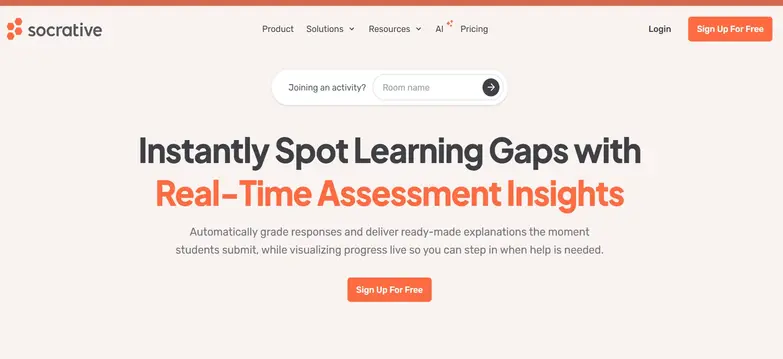
Socrative is an advanced assessment AI tool that facilitates evaluation and feedback of students during the class in real-time. Socrative AI is currently in Beta version. This AI tool is a resource that helps in overseeing and facilitating the teaching and learning process in a way that relieves educators of this burden and, at the same time, affords the learners pleasurable activities.
Feedback is an important layer in every process of education. Instantly develop an extensive catalog of tasks ranging from quizzes and polls to questionnaires to assess how well your students comprehend the subject matter. Be it on-site, online, or a hybrid class, try out activities in classrooms that are simple to set up and retain students’ attentiveness.
Socrative quizzes give you instant results as they are graded in real-time. The quiz reports help one see exactly how to target their teaching efforts so that there is less time spent grading student work and more time spent teaching the students.
Curious about how Socrative works in real classrooms? Read our in-depth Socrative AI tool reviewsocrative to learn how it supports smarter teaching and faster assessments.
Key Feature
- Students can join virtual rooms created by teachers with a unique code.
- Gamification helps challenge students to do better.
- The leaderboard sheds light on weaknesses and helps students improve their knowledge.
- Real-time feedback and assessment are possible.
- Generate and export reports via downloads, email, or Google Drive.
Pros & Cons
Pros
- Quizzes have useful features like adding links and explanations
- Virtual rooms come with smart classroom management features
- Easy-to-use and understand interface
- Online course evaluations reduce administrative work
Cons
- May be more serious in tone than its competitors
- There are limited customization options in the free plan
Pricing
- Free: $0 Per Seat/Month
- Essentials: $14.99 Per Seat/ Month
- Pro: $22.49 Per Seat/Month
- Organization: $14.50 Per Seat/Month

Introduction
Diffit focuses on designing differentiated instructional materials to meet the needs of students of every kind. It is a creative AI tool that helps in the planning process by enabling users to create custom-made learning resources in a matter of minutes. If you want vocabulary lists or assessments, or if you want specific reading passages, Diffit can help you out. You can find content by subject matter, upload a page from a pdf, provide a web address, or copy text, and the Diffit AI tool will provide a range of resources for students.
For a closer look at how Diffit compares with other AI-powered learning tools, explore our detailed comparison of Diffit vs. QuizgeckoDiffit
Key Feature
- simplifies reading passages for different grade levels (2nd-11th) and allows teachers to edit content and sources.
- Generates graphics to visually explain topics, enhancing student understanding.
- provides editable key point summaries for quick topic reviews.
- It highlights and defines key terms, offering examples for context.
- creates customizable assessment questions with answers, adaptable to different difficulty levels.
- The AI tool generates prompts for creative and deeper student engagement, with options for editing.
- Translates learning resources into multiple languages for inclusivity.
Pros & Cons
Pros
- Generate printable or digital resources on nearly any topic
- Quickly alter content for different levels
- Generate ideas for class engagement
Cons
- AI-generated content needs careful teacher review
- Some topics don't provide thorough resources
- No student progress tracking or dashboards are available
Pricing
Teacher subscription plans
- Free Version: Available
- Monthly premium: $ 14.99/month
- Annual premium: $149.99/year

Introduction
The process of generating and assessing quizzes is made easier with the assistance of Quizgecko. This AI teaching assistant makes use of advanced AI tech to develop and implement tests and quizzes for businesses and educational institutions. Users can transform any document whether it is in DOC, PDF, or PPT format, into engaging quizzes or flashcards with ease.
This best ai tool for online teaching supports many languages and is used by over 3000 customers globally including institutions such as Princeton, Stanford, and Yale. The software incorporates AI-driven personalized feedback and a unique Mastery Score™ tool that helps users monitor their learning progress. Quizgecko embraces spaced repetition, a scientifically backed method that enhances memory retention by revisiting challenging concepts at strategic intervals.
Key Feature
- Uses spaced repetition features as a way of learning.
- The Mastery Score™ tool helps keep track of one’s learning growth and stage.
- The mobile app enables the creation of custom quizzes at any time and place.
- Enables quiz designing and learning in different languages.
- Provides custom solutions to facilitate better learning results, teaching activities, and professional training.
Pros & Cons
Pros
- Many interactive quiz formats are available
- Helpful real-time progress tracking
- Comprehensive coverage of all subjects
Cons
- Limited customization options are available
- There could be data privacy concerns with this AI tools
- Requires frequent updates for optimal usage
Pricing
- Free: $0
- Plus: $16/Month
- Ultra Plan: $29/Month
Quick Guide on Using AI Tools in Education
How AI Is Used in Education: Key Applications
1. Personalized Learning
Using data analytics and AI on student performance results helps in the establishment of a personalized learning journey for each. These machine learning algorithms adjust the content level and speed to the learner’s individual growth so that every learner’s educational goals are achieved.
2. Automated Grading
Grading assignments, tests, and quizzes through AI-based grading tools can be done accurately and quickly. Such automation enables enhancing instruction and interaction with students while keeping grading standards constant.
3. Interactive Lessons
Artificial intelligence applications promote the use of lesson materials in a creative and interactive manner by offering customized content, instant feedback, and engaging gamification. This facilitates higher levels of student participation and also retention of knowledge.
4. Student Assessment
With the use of AI in education, student performance is thoroughly analyzed and learning gaps are easily detected so that appropriate remedies are prescribed. Such a data-driven approach allows for corrective action in advance and enhances teaching techniques.
How to Choose the Top AI Education Tools for Teachers
Choosing the correct artificial intelligence technology that fits educational purposes is not an easy task and therefore there are several key aspects to consider when doing so. Here are tips for you to consider:
1. Ease of Use and Accessibility
The AI tool should have a user-friendly design for both the teachers and the students so that no elaborate training is needed to operate it. Choose applications that have both desktop and mobile devices and offer the same user experience. For instance, Socrative offers a coherent and simple interface making it easy to use.
2. Adaptability and Personalization
Educational tools for teachers should be flexible to accommodate a range of teaching and learning styles. The AI-powered tool should be able to allow alterations in how content is presented and how tests are assessed. For instance, reporting tools in MagicSchool.ai allow the content level to be changed depending on the understanding of the students.
3. Data Privacy and Security
Focus on solutions that address applicable education privacy laws and standard security practices such as FERPA Quizgeckoand COPPA. Verify user authentication protocols, data encryption standards, and transparent data handling policies. Ensure the AI tool you use provides clear documentation about their data storage and sharing practices.
4. Cost and Scalability
Examine the upfront costs and the future feasibility of the AI tool. Pay attention to the pricing structure (eg. Pay per user, pay per class, or institution-wide licenses) and make sure it is within your budget. Identify AI solution providers who can meet your growth without considerable extra expenditure or technological hassles.
5. Content Quality and Updates
Look into the effectiveness and applicability of the content produced by the tool. The application should have periodic enhancements to avoid being obsolete and to comply with the present educational requirements. Find out the frequency of the updates and whether the content provided can be altered by the teachers.
Benefits of using AI tools in Education
Best AI tools for educators serve as a powerful ally for teachers, enhancing their capabilities rather than replacing their essential role. It provides several transformative benefits that streamline teaching and learning processes.
Efficiency in Content Creation
AI has made a lot of positive changes but its most striking contribution is to content generation where it helps reduce the time of preparation by about 60% of what was spent before. There is no need for teachers to spend excessive time coming up with customized worksheets, quizzes, and teaching plans for classroom activities. Rather, teachers have more time available for interaction with students and personalized instruction.
24/7 Learning Support
With the usage of Artificial Intelligence, students are more engaged since they do not have specific hours that learning activities are limited to. The best AI education tools answer frequently asked questions instantly along with providing automated help for school assignments as well as exercises that vary based on the child’s ability. Students also do not have to wait for class and can use these supportive learning materials anytime, promoting more independent studying.
Data-Driven Insights
Pretty much the most obvious benefit of generative AI, especially in education, is the management of student performance data, its collection, and analysis. These tools can scan for and evaluate learning patterns and gaps, predict potential academic challenges, track progress in real-time, and recommend personalized interventions. This makes it possible for the teacher to best support each student, tailoring instruction to individual needs.
Automated Administrative Tasks
AI technology takes care of teacher workload as it takes care of repetitive tasks for them. Some of these tasks include grading, attendance tracking, and managing schedules and calendars. By taking care of such burdensome and monotonous duties, generative AI allows teachers to devote their attention to more relevant interactions.
Key Technology Behind the Best AI Tools for Automation in Education
Modern educational AI harnesses diverse and complex technologies in the quest for efficacious teaching. These generative AI tools for education are based on Natural Language Processing (NLP) at the foundational level and have Machine Learning algorithms that hone in on patterns of interactions with students. Deep Learning neural networks enable complex functionalities such as handwriting and speech recognition, hence giving room for a more fluid human interface for the computer. All these mechanisms are aimed at profiling and analyzing the learners’ interactions to develop appropriate materials and enhance interactive learning by incorporating feedback, hence changing the static mode of teaching and making it dynamic.
Why Teachers Should Use AI Tools?
1. Save Time
Best AI tools for teachers are capable of performing tasks such as marking multiple-choice exams, preparing simple lesson plans, and other similar repetitive tasks. Such automation can help teachers find up to six to eight extra hours in a week for more productive teaching work rather than engaging in mundane routine tasks.
2. Get Helpful Information
AI applications can track student achievement as well as other metrics and student trends in a detailed manner. Teachers can understand individual student needs, and get actionable and valuable insights about class progress, and areas requiring additional attention.
3. Increase Creativity
AI supports teachers in streamlining tasks by reducing mundane activities thanks to AI systems, hence they can come up with new lesson ideas and enhance the way that teaching is done. This technology still offers ideas and ways of working that have proven to be successful in teaching, for example, offering activities and ways of working that are more creative.
4. Make Learning Personal
Such systems detect trends in the performance of each learner and subsequently address them with unique teaching strategies. They also alter how the generative AI tools for education present the information to the learner depending on their level of understanding to keep them engaged without straining them too much.
How to Write Effective AI Prompts: A Guide for Educator
1. Lesson Planning: “Create a [subject] lesson plan for [grade level] that covers the topic of [specific topic] to include activities for other types of learners as well.”
2.Content Creation: “Design an activity about [topic] that incorporates [specific skill].”
3.Student Support: “Explain [concept] using analogies suitable for [age group].”
4. Enrichment & Extension: “Create an extension project for students who excel in [subject], allowing them to explore [advanced topic] in greater depth.”
5. Feedback and Reflection: “Generate personalized feedback for a student’s work on [assignment], highlighting strengths and areas for improvement.”
Free AI Tools for Education vs. Paid: Which Should You Choose?
Paid AI learning aids are usually more beneficial to most users, especially to institutions and instructors with growth requirements or data protection concerns. Although effective for first use, free educational resources tend to be less developed compared to the full versions.
The premium versions come with important features such as better security, analytics, and service support priority, which are imperative in dealing with high volumes of students, protecting their data, and ensuring effective learning.
If you want a strong and expandable solution that meets the educational needs over the years, then paid solutions are the ones to choose. Where the use is minimal or even basic, free resources may be enough.
Future of AI in Education: Challenges and Opportunities
Challenges :
Data Privacy
A multitude of legal regulations such as GDPR, FERPA, or COPPA, pose different compliance requirements that educational institutions have to comply with. Maintaining high-level security is an ongoing problem for schools, while at the same time, hassle-free functioning is also desirable.
Infrastructure Gaps
Lack of good internet access and modern devices in some areas leads to a digital divide between well-off institutions and poorly funded ones. More recently developed AI tools for education can be particularly problematic for schools situated in the countryside due to their limited bandwidth.
Training Needs
There is much need for increased professional development for educators on the use of these AI tools, but most often, the bigger elephant in the room is finding the appropriate time to do this training after teaching. Due to the advanced rise of AI technologies, the need to keep on refreshing one’s skills is unending, and this is made worse by the fact that there are few or no trained personnel in the field of AI education.
Cost Barriers
Apart from the normal buying cost, the expenses that an organization should look for include the costs associated with rollout, upkeep, and periodic updates. Also, the costs associated with licensing for multiple users or classrooms can be overwhelming.
Scope :
Expanded Accessibility
The advancements in AI-based technologies in the context of language translation will ease communication, hence enabling every student to access quality education without barriers. Adaptive technologies will revolutionize learning for students with different abilities and provide personalized learning experiences and guides.
Enhanced Personalization
In terms of personalization, next-generation adaptive learning AI-powered tools will create unprecedented personalized learning experiences. AI in education helps unlock opportunities by employing sophisticated machine learning algorithms to analyze student behavior patterns and predict potential learning difficulties before they become significant obstacles.
Improved Assessment
The speed at which a real-time evaluation AI-powered tool provides feedback towards completion of tasks by students will be very rapid as it will be both qualitative and quantitative in nature.
Global Collaboration
In turn, the utilization of virtual and augmented reality technology will assist in the development of international classrooms in which students from all over the world can learn global education like never before. Due to the AI-based project matching, students from different countries will be able to work together by connecting their interests and skills, which will help to achieve international teamwork.
Conclusion
The best ai tools for online teaching considered in this article are at the cutting edge of technology, providing compelling responses to the demands of today’s education. These systems have proven their worth by enhanced student engagement, minimal paperwork, and better learning results. Systems such as MagicSchool.ai and Otter.ai are content and document development tools, while others such as Socrative and Quizgecko change the game in terms of assessment and feedback. The cost of these AI systems is not burdensome for organizations that seek to change their learning system and offer differentiated learning.
FAQs
How can AI tools automate repetitive tasks in education?
AI can draft lesson plans, worksheets, quizzes, rubrics, differentiated materials, summaries, feedback, and classroom communications, reducing repetitive preparation work.
Which AI tools improve teacher productivity the most?
Often ranked as top AI productivity tools most useful for teachers, Brisk, Khanmigo, MagicSchool, and TeachShare are particularly useful for planning and resource creation, while Otter.ai and Notebook help reduce information-processing work.
What's the difference between AI tools for teaching and AI tools for learning?
Teacher-focused tools automate planning, assessment, feedback, and classroom administration, while learning-focused tools support students through tutoring, practice, feedback, and guided exploration.
How do AI tools protect student data privacy?
Look for education-specific privacy commitments, encryption, access controls, FERPA/COPPA compliance, and clear policies about whether student data is used to train AI models. MagicSchool, Curipod, and SchoolAI publish education-specific privacy and security information.
Do I need training to use AI tools as a teacher?
Most teacher-focused platforms are designed for quick adoption, but basic training in prompting, fact-checking, privacy, and responsible classroom use can significantly improve results. Khanmigo and MagicSchool also provide educator-focused guidance and professional learning resources.
Table of Contents
- Key Takeaways
- Top 12 AI Tools for Teachers And Educators
- Quick Guide on AI Tools For Education
- Key Applications: How AI Is Used in Education
- Choose the Best AI Tool for Teachers
- Benefits of AI tools in Education
- Key Technology Used in AI Education Tools
- Why Teachers Should Use AI Tools
- Mastering AI Prompts for Educators
- Free vs. Paid AI Education Tool
- Future Trends
- Conclusion
- FAQs
SHARE
Related Articles