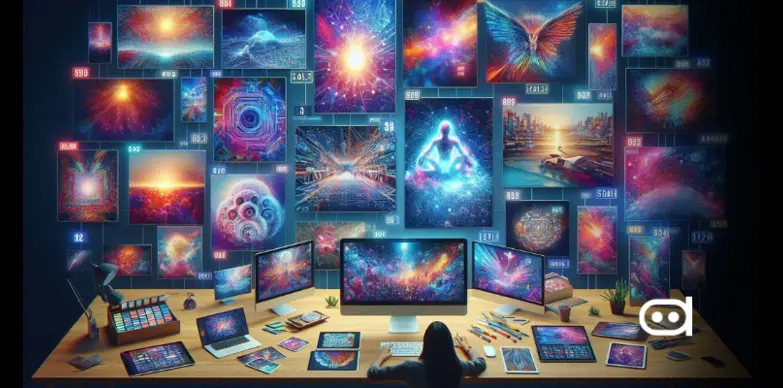
Midjourney’s 2025 updates include the smarter V7 model and the ultra-fast Draft Mode.

9 Best AI Image Generators to Try in 2026 for Stunning Photos
-
 Arshiya Kunwar
Picture of Arshiya Kunwar
Arshiya Kunwar
Picture of Arshiya Kunwar
- Last Updated: June 30, 2026
The emergence of AI image generators has completely changed the way we design or even edit images and it has brought a lot of ease and creativity to the process. From novices to experts, these platforms have become a go-to for everyone.
In this article, we talk about how this technology works, and how it has also eased the workload, taking into account the scope of the project and the availability of advanced individual features. We also discuss the prospects of generative AI, stressing the developments of multi-functional systems and interactivity which stimulate active user participation. Along the way, you’ll discover the best AI image generators of 2026, how to choose the right one, real use-case prompts, and key benefits that make these tools essential for modern visual creation.
What Are AI Image Generators?
AI image generators are generative AI systems built on diffusion, transformer, or GAN-based architectures that convert text prompts, reference images, or multimodal inputs into high-quality visuals. These models are trained on large-scale datasets to understand composition, lighting, styles, objects, and semantic relationships, enabling advanced image synthesis, editing, inpainting, upscaling, and style transfer workflows for creative, marketing, and production use cases.
Key Takeaways
- 9 top AI image generators that provide interesting features and pricing.
- Read a detailed guide on AI image-generating tools.
- Explore tips to get the most out of an AI image generator.
- The best AI image generators in 2026 are Midjourney V7 (best for artists), NightCafe (best free option), Deep Dream Generator (best for surreal artwork), Artbreeder (best for character creation), Gencraft (best AI image mobile app), ChatGPT (best for conversational image creation and editing), Adobe Firefly (best for commercial-safe design workflows), Grok (best for fast social and creative content), and Canva (best for social media and marketing templates).
Best AI Image Generators Compared (2026)
| Image Generators | Best For | Prices | Image Quality |
|---|---|---|---|
| ChatGPT | Conversational image creation, creative ideation, editing |
|
High-quality, versatile |
| Adobe Firefly | Commercial-safe design workflows |
|
Professional, design-focused |
| Grok | Fast AI creativity and social-content visuals |
|
Strong, fast image generation |
| Canva | Social media, marketing, templates |
|
Good for design-ready visuals |
| Midjourney | Delivers artistic images and realistic photos |
|
High-quality, typically with highest quality images in 4K or higher |
| NightCafe | Creating various image styles in speed |
|
Generate images with good quality up to 300 DPI |
| Deep Dream Generator | Creative images and abstract AI art |
|
Image sizes can reach up to 2048x2048 resolution |
| Artbreeder | Collaborative AI art creation |
|
Variable quality based on user input; supports high resolutions |
| Gencraft | Customizable image editing and new image creation |
|
High-resolution outputs for pro plans |
Let’s explore the top 9 AI tools for Image Generators in detail:
ChatGPT

Introduction
ChatGPT still feels like one of the most solid choices for the best AI image generator in 2026. It has newer multimodal and image-generation updates, so it can generate, edit, refine, and iterate on visuals using natural conversation, without switching tools.
Key features that make ChatGPT stand out include prompt-based image generation, conversational editing, style adaptation, visual brainstorming, and strong support for creative workflows. Users can request revisions, swap the layout, improve the background, or try different artistic directions without always rewriting the prompt from scratch. This makes it a great AI picture generator for marketers, bloggers, designers, and even social media teams who need speed while still maintaining quality.
There’s also workflow flexibility. Unlike standalone image generators, modern ChatGPT versionsChatGPT support the entire thinking-to-making loop. It can help build campaign visuals, talk through design ideas, generate product mockups, and refine creative direction all inside one conversation, offering both ideation and execution.
Key Feature
- Advanced AI image generation driven by natural language prompts and conversational editing.
- Supports text-to-image creation, image refinement, style adjustments, and visual ideation.
- Good prompt understanding for detailed scenes, branding visuals, illustrations, and marketing assets.
- Multi-modal features let you mix text instructions with image editing steps in one flow.
- Helpful for concept art, product mockups, social media graphics, and creative experimentation.
- The integrated chat interface makes iterative design changes faster and easier.
Pros & Cons
Pros
- Natural conversational workflow
- Strong creative flexibility
- Supports image refinement and edits
- Useful for creators, marketers, and designers who want more control without extra fuss
Cons
- Advanced features may require paid access
- Output style control can vary depending on how complex your prompt is
- Heavy users may face usage limitations
Pricing
- Free – $0/ month
- Go – $8/ month
- Plus – $20/ month
- Pro – $100/ month
- Business Free Plan- $0/month
- BusinessChatGPT & Codex – $20/ month
- Business Codex – Usage pricing
Adobe Firefly


Introduction
Adobe Firefly is one of the more professional AI image generation tools you can use, especially if you’re a designer or you make commercial content. It sits inside Adobe’s creative ecosystem, leaning into commercially friendly generation workflows with Photoshop and Illustrator.
What people usually notice first are the standout options. You get text-to-image creation, generative fill, style transfer, vector generation support, plus the ability to do design edits right inside Adobe applicationsAdobe Firefly. Firefly also feels especially useful for those who want enterprise-friendly output or need brand-safe creative production, rather than random visuals that may not fit.
One reason many pros quietly rank it among the best AI image tools is how it treats commercial usability as the center. Creative teams can work with Firefly within their existing Adobe workflow, rather than hopping between multiple tools. This reduces production friction when you’re building ad assets, branded campaigns, social media graphics, or even narrative visual storytelling projects.
Adobe keeps pushing it forward, too, with model upgrades and tighter integration across Creative Cloud. So for businesses and agencies already living in Adobe’s world, it offers a familiar environment that’s still faster thanks to AI-enhanced productivity.
Key Feature
- Commercially focused AI image generation, trained using Adobe-approved datasets.
- Text-to-image generation that gives real control over lighting, layout, composition, style, and various effects.
- You also get Generative Fill and Generative Expand, which make edits seamless inside your creative workflow.
- Deeply tied in with Adobe Creative Cloud apps, like Photoshop and Illustrator, so the whole pipeline stays smooth. With style presets and customization controls, creators can keep the visuals consistent across pieces.
- For teams, it supports enterprise-ready creative production and brand-safe content generation.
Pros & Cons
Pros
- Strong integration with Adobe Creative Cloud
- Workflows that are aimed at commercial use
- Great editing alongside generative design tools
- Solid command over visual styling and look-and-feel
Cons
- Credit-based usage can cap heavy generation
- There is a learning curve, especially for beginners
Pricing
- Free – $0/month
- Standard – $10.58 /month
- Pro – $20.87 / month
- Pro Plus – $36.80 / month
- Premium – $147.02 / month
Grok


Introduction
Grok has moved beyond “just chat” AI and now supports visual creation as well, earning it a place among the best AI tools for image generation in 2026. It’s closely tied to the X platform ecosystem, so Grok leans into speed and internet awareness, and it also makes social content that feels ready to post.
The overall features include rapid image generation, prompt responsiveness, meme and creative content production, conversational ideation, and integrated AI support. The platform tends to draw users who want quick visuals, playful experimentation, and content built for social media.
Grok’s momentum mainly comes from merging AI conversation with fast creative results. People can brainstorm ideas, request trend-inspired visuals, and generate images for online communities, digital storytelling, and audience engagement. Because of that, it’s especially helpful for creators working in environments where everything moves fast.
It might not feel as design-first as some specialist platforms, but Grok still has a strong pull for people who prioritize speed, ease of access, and experimentation. Integrated with the Grok timelineGrok, it allows users to engage with trending discussions while generating ideas and content. It combines communication, creativity, and real-time digital culture into a single, ongoing loop.
Key Feature
- AI image creation inside the broader Grok conversation ecosystem.
- Quick, prompt-based image generation for creative concepts, memes, visuals, and illustrations.
- Real-time conversational interaction that lets you edit fast and refine prompts on the fly.
- Made for users who want rapid testing without messy design routines or complicated workflows.
- Can also support trend-driven, internet-style, and social content generation use cases.
- Brings text understanding plus visual generation together in one interface.
Pros & Cons
Pros
- Fast image generation workflow
- Great for creative experimentation
- Strong integration with conversational AI features
- Useful for online and social content, posts, ads, and more
Cons
- Less design-oriented than specialist platforms
- Somewhat limited enterprise creative tooling
- Output consistency can vary
Pricing
- Free- $0/month
- SuperGrok – $30/ month
- SuperGrok Lite – $10/ month
- Grok Business – $30/ month
- SuperGrok Heavy – $99/ month
- Enterprise – Contact sales
Canva


Introduction
Canva has evolved from a basic design platform into one of the best AI picture generators for marketers, creators, educators, and small businesses. Its AI image creation is tightly mixed with templates, branding tools, and a more collaborative design workflow, so you’re not stuck doing everything separately. You can generate images from text, make AI-assisted design edits, build presentations, provide branded content support, and even enable drag-and-drop publishing, which is convenient. Canva is especially handy if you want images that just slide right into social posts, ads, presentations, or marketing assets without an extra step.
One of Canva’s biggest strengths is how easy it feels to use. People with little or no design background can still make polished visuals quickly, without having to learn complex creative software. And if it’s a team, they can blend AI-generated graphics with templates, fonts, brand kits, and collaboration tools inside one single workspace.
That is why Canva often ranks among the best free AI image generators in 2026 for casual creators and growing businesses. Some professionals might want deeper customization in certain areas, but Canva wins by making prompt-to-visual conversion simpler and delivering ready-to-publish content faster, which matters.
Key Feature
- Built-in AI image generator, integrated right into Canva’s design platform.
- Text-to-image tools for presentations, social posts, marketing graphics, and branded content.
- Drag-and-drop editing workflow that simplifies image creation for non-designers.
- AI design assistance that supports templates, layouts, visual enhancements, and quick customization.
- Easy collaboration features for teams working on creative and marketing projects.
- Strong integration between AI visuals and other design assets like videos, documents, and social media content.
Pros & Cons
Pros
- Beginner-friendly interface, which is easy to grasp
- Excellent template ecosystem
- Fast social and marketing design workflows with quick turnaround
- Strong collaboration features and shared editing
Cons
- Not as much advanced artistic control as some other generators
- Some AI tools are locked behind paid plans or subscription tiers
- High-end creative customization may be limited
Pricing
- Free – $0 /month
- Pro – $18 /month
- Business – $25 /month
- Enterprise – Contact sales
Midjourney

Introduction
Midjourney is widely regarded as the top AI image generator for artistic and professional use. It converts text prompts into stunning, high-resolution visuals using its proprietary V7 model — making it a favourite among designers, marketers, and digital artists who need consistently premium output.. This advanced AI image generator tool operates under an independent research laboratory in San Francisco and incorporates Natural Language Processing systems. This best AI photo generator lets you generate images from provided text descriptions as well as enhance the improved realistic images in different artistic styles.
Midjourney has garnered fame owing to the large active user base of over 20 million individuals who are accessing the service through the Discord application or the website. The AI image generator program is easy to use and comes with numerous features that are ideal for anyone who enjoys digital art and content creation.
The image model, Midjourney V6.1, enhances many aspects such as image snippets being more coherent, higher quality of these images, and a distinct approach towards personalization which is better compared to the previous versions.
Midjourney conducts a public test phase before each new model launch, during which paying subscribers can help improve the model by labeling its good and bad images.
Key Feature
- Enables the creation of images that are photorealistic, surrealistic, abstract, or in any other artistic style.
- Easily modify deterministic parameters such as size, resolution, aspect ratio, and other attributes of the AI image generated.
- It enables the feature to remove image backgrounds and insert a different one.
- Object recognition allows you to cut out specific shapes from the AI image.
- Produce impressive images whose maximum resolution goes as high as 4000 by 2160 pixels offering more space and clarity in the created imagery.
- It usually takes about a minute of GPU time to produce images.
Pros & Cons
Pros
- Consistent in creating the best-looking AI images
- Complete control of the technical aspects and style
- Output available in high-resolution
- Many kinds of art styles are available
- Best-in-class editing options
Cons
- Any AI-generated image becomes public by default
- No free trial plan
- No compression control
Pricing
There is no free plan available anymore due to the high demand for the platform.
- Basic Plan – $10/month
- Standard Plan – $30/month
- Pro Plan – $60/month
- Mega Plan – $120/month
Nightcafe

Introduction
NightCafe is best ai image generator 2026 which empowers anyone to create stunning images and videos from text prompts, no experience needed. With a focus on creativity, community, and ease of use, NightCafe supports a wide range of generation styles from photorealism to abstract art, fantasy, and motion.
Built on cutting-edge models like Flux, SDXL, and DALL·E 3, NightCafe offers users access to powerful tools including video generation, fine-tuned LoRA models, and a rich remix feature that makes iteration easy. NightCafe also introduced the Seedream 3.0 high-resolution model and upgraded video models with audio support, enhancing both image quality and motion creation. Beyond the tools, what sets NightCafe apart is its vibrant community; daily art challenges, creator spotlights, and collaborative events make it a hub for both hobbyists and pros alike.
The platform also offers paid print options, allowing users to turn their favorite creations into physical art delivered to their door.
Key Feature
- Like many AI art generators, Nightcafe uses five different AI generator modes, so users can get varying quality and types of outputs such as photo-realistic images, fantasy-themed images, or even abstract drawings.
- Purchase the AI image from the site and have the option to order it as a physical print that will be shipped to you.
- Incorporates a number of algorithms including DALL·E 2 AI Image Generator and VQGAN+CLIP Art Generator, offering users a broad creative scope.
Pros & Cons
Pros
- Gain free credits for generating images
- Customizable options for settings
- Entering daily challenges also lets you win credits
- Makes use of algorithms like Stable Diffusion and Dall-E 2
- It can be accessed on any device
Cons
- Customer support is not the best
- Some main features are only available for the paid plans
- Integration with third-party tools needs custom solutions
Pricing
A free version of NightCafe is available.
- AI Hobbyist – $12.49/month
- AI Enthusiast – $24.99/month
- AI Creator – $39.99/month
- AI Artist – $62.49/month
Deep Dream Generator

Introduction
Deep Dream Generator is an amazing web-based tool that uses artificial intelligence to convert textual descriptions into striking artistic imagery. By using superior neural networks, it accepts entered text and produces complex real-time images with dreamy effects that are original and creative.
The whole idea is based on Google’s DeepDream which delves into the imaginative uses of neural networks. There are many configurations and customizations available that allow the user to control the style and the level of detail of the images generated. This ease of use caters to users with very different artistic requirements, from simple fun purposes to serious business applications.
Anyone can use Deep Dream Generator regardless of their level of artistry, which is why it is a great asset for painters, designers, and other lovers of art as well. The fact that it can take normal language and formulate highly pleasing images out of it, is a true testament to the power of AI when it comes to producing digital works of art. If you’d like a closer look at how it works and what makes it unique, don’t miss our Deep Dream Generator ReviewDeep Dream Generator.
Deep Dream Generator rolled out a smarter AI upscaler, cinematic video modes, Veo 3 image-to-video, and high-quality text-to-audio—bringing major boosts to creativity across formats.
Key Feature
- A user-centered platform that enables individuals to generate images with the use of sophisticated neural networks.
- Provides a range of options for users to apply to their original creations.
- Can process and render images of high-resolution fit for printing and display purposes.
- Users can control the degree of blending of other styles into the base style to achieve a desired artistic effect.
- Users are given a space to upload their digital artwork and view others to get ideas.
Pros & Cons
Pros
- Generates artistic results in minimal time
- Regularly updated with new features to enhance user experience
- User data is protected with strong security standards and protocols
- Accessible on various devices including mobiles and tablets
Cons
- Doesn’t offer enough control for precise artistic outcomes
- Complex image creation is resource-intensive
- Image quality standardization requires experimentation to get the desired results
Pricing
Deep Dream Generator offers a Free Plan for users.
- Basic Plan – $9/month
- Advanced Plan – $19/month
- Professional Plan – $39/month
- Ultra Plan – $99/month
Artbreeder


Introduction
Artbreeder, which was previously known as Ganbreeder, is an best ai for generating images that uses Generative Adversarial Networks technology among others. Within seconds, the user can combine two different images and produce beautiful pieces of art.
The platform employs various algorithms and models that are GAN-based to suit different art staples, thus enhancing the concept’s effectiveness. Artbreeder, being a community platform, allows viewing as well as submission of artwork by users.
Creating an account on Artbreeder is free and easy, allowing full use of its creative potential. Users can specify their preferred style of art, and craft images as per their specifications. The output is incredibly creative and quick, with features for saving, liking, and posting. Artbreeder is quite interesting when one wishes to play around with different styles that can be used to create social media postsArtbreeder.
Artbreeder added an Animator tool for image-to-video creation, released Splicer 2 for smoother image mixing and expanded editing with new in-paint and instruct models
Key Feature
- Enhance the artistic process by using genetic algorithms to blend and warp any number of images to achieve an artwork that has never been seen before.
- Create AI-generated art together with other people by modifying and reworking each other’s artwork, promoting a sense of belonging to a project.
- Use your work for individual purposes, even make posters or their digital copies by printing them in high image quality.
- There is a large number of images available that can be used as reference images or starting points for creating one’s own art.
- Modify specific visual aspects and features of the pictures and make the masterpiece an artwork.
Pros & Cons
Pros
- Intuitive art generator that uses GAN technology
- combines images to create unique artwork
- Offers various kinds of art styles to experiment with
- Supports community sharing of art
Cons
- Limited responsiveness for some categories
- Has a steep learning curve and may require time to master
- Uploaded images become part of the community pool
Pricing
Artbreeder offers a Free Plan with 3 monthly credits.
- Starter Plan – $8.99/month
- Advanced Plan – $18.99/month
- Champion Plan – $38.99/month
Gencraft

Introduction
Gencraft makes it possible for users to realize their imagination by creating remarkable works. The ease with which one can maneuver around the tool and the capabilities of the AI behind this tool make Gencraft quite appealing to any creativity-oriented person. It does not matter if you are a professional artist or an absolute beginner, Gencraft has everything needed to enjoy the art of producing, editing, and publishing creative pieces.
Gencraft is best AI tool for image generation and advanced platform . It allows the users to upload pictures and enter text then users get to watch the inputs turn into artistic outputs!
Gencraft takes advantage of advanced generative AI models such as DALL-E 2 and Stable Diffusion among others in making visuals. These models have been developed after training with a plethora of data for them to learn about images generated and the relations between various images.
With an array of capabilities including Magic Edit for enhancing images and quick Edit Within video, Gencraft belongs to the family of advanced creative tools with industry-standard image editor.
Gencraft’s 2025 upgrades bring a redesigned interface, milestone-based XP rewards, the ultra-realistic Realism 3.2 Ultra model, and a sharper, more accurate Magic Edit 2.0 for Pro users.
Key Feature
- Offers anime, photorealism, cartoons, and other styles for customized outcomes.
- Share and download the designs with ease, ideal for marketing and branding purposes.
- Images and videos produced by AI are extremely realistic and in-depth like actual pictures or videos.
- Produces interesting, creative, and original responses each time it is used.
- A broad spectrum of media types like conceptual arts, logos, brochures, social media, and even cover designs for books and jackets among many others can be produced.
- Save your work to share and showcase it at any place of your choice.
- New data is used to retrain the AI modelsGencraft for better performance and ongoing developments.
Pros & Cons
Pros
- Create images suitable for different types of marketing, advertising, and branding
- User-friendly interface that is simple to understand
- Available on the web, for iOS and Android for convenient usage
Cons
- Output is highly dependent on the input supplied by the user
- Advanced features may require time and practice to master
- The free plan includes watermarks and offers limited features restricting creative flexibility
Pricing
- Gencraft offers a free plan without an account.
- Pro plan – $19.99 per month
Quick Guide On Best Free AI Image Generators
How AI Image Generation Tools Work
AI text-to-image generators make use of complex machine-learning algorithms to convert text into highly detailed AI images. The best AI tools for image generation makes sense of the text that has been put in and then breaks down its structure and meaning to understand the required visual representation fully.
Machine learning models, such as Generative Adversarial Networks or Diffusion Models have been trained on huge datasets of text as well as corresponding images. Once trained, these Image AI models have the ability to visualize text descriptions and produce AI images that match the given input.
When it comes to image-to-image generation, the AI uses an existing picture and makes changes to it based on the input prompts. The process is often speedy, taking seconds or mere minutes to yield results, depending on how complex the request is.
Over time, these systems have evolved to become increasingly accurate and produce realistic and highly detailed images that closely match what the user requested.
The main technology behind AI text-to-image generation is machine learning frameworks such as deep learning models and neural networks. GANs, which consist of two neural networks, i.e. best AI photo generator and a discriminator, are commonly used.
The generator creates images based on what the input is, while the discriminator assesses their authenticity against real images it was trained on. Diffusion Models are another important component that gradually refines images from random noise to detailed visuals by learning from a massive dataset.
Transformer models like Contrastive Language Image pre-training are also often used to better comprehend the relationships between text prompts and images. This allows the AI to understand several kinds of inputs and produce images promptly.
What Technology is Used Behind Image Generation
The main technology behind AI text-to-image generation is machine learning frameworks such as deep learning models and neural networks. GANs, which consist of two neural networks, i.e. best AI picture generator and a discriminator, are commonly used.
The generator creates images based on what the input is, while the discriminator assesses their authenticity against real images it was trained on. Diffusion Models are another important component that gradually refines images from random noise to detailed visuals by learning from a massive dataset.
Transformer models like Contrastive Language Image pre-training are also often used to better comprehend the relationships between text prompts and images. This allows the AI to understand several kinds of inputs and produce images promptly.
How to Choose the Best AI Image Generator for You
1. Understanding Your Needs – Establish the image generator’s main objective. Are you making an image of a drawing or designing a product? This is important because it will help you select the best AI image generator.
2. Image Style – Decide on the style you want to achieve, i.e. realistic, abstract, illustrative, or any other. This will help you choose best ai tools to generate images that are needed.
3. Level of Detail – Some generators do quite well in producing detailed and intricate designs while others are designed to produce better simpler and less busy visuals.
4. Pricing- There are many image generators available online, and while some are free others have a monthly cost associated with them. Look at your budget and also think about value for money.
5. Image Quality – Not all generators can create very high-quality images regardless of the purpose each serves. Look into whether the tool is capable of rendering images at the resolutions that you require.
6. Customization – Select tools that incorporate various customized AI-generated elements such as control of colors, visual cues, and styles. This results in outputs that are more specific.
7. Ease of Use – If you have no experience with AI or designing tools, then go for a generator that has a user-friendly interface and is intuitive with guides and assistance.
8. Speed- Some of the tools might take longer to produce results depending on how complicated the image is. In an instance where you have time constraints, speed becomes the factor to consider.
Free vs. Paid Image Generators
As their name suggests, Free AI Image Generator platforms are simple tools meant for people who enjoy playing with pictures and creating new ones without much thought or effort. They offer basic features like generating standard images with a few easy-to-use customization options and a fast turnaround time.
Free AI image generation tools are suitable for making a social media post, tossing together a few photos for a personal project, or creating simple low-resolution graphics. They provide value without cost, which is great for people who want to experiment and not spend money.
On the contrary, Paid AI Image Generators allow users to enjoy advanced functionalities that satisfy the needs of those who seek more. Professional platform features allow users to create pictures with a higher resolution, customize images more extensively, work with varied images and styles, and get higher processing times.
These tools are used in graphic designing, marketing, and business because they allow the user to manipulate the image more deeply, thus improving the image quality, originality, and viability of the pictures created. Paid packages usually come with customer care services as well, hence suitable for users looking for advanced features alongside dependable services.
There is no one answer to the question of which is better – free or paid? Free image-generating tools can be of great use for occasional and average users. However, for professionals who must come up with more attentive and durable images, upgrading to the paid image-generating version is more advisable.
How to Use AI image generator for best results
In order to make use of AI image generators to the maximum effect, one should learn how to formulate and combine prompts with specific usage scenarios.
Prompts to Use
1. Be Clear – While trying to describe the picture one should go into great detail. For instance, rather than saying “a landscape,” say “a sunset above the mountain range with trees and a river passing down the valley.”
2. Incorporate Style References – State the art style expected. Do you want it to be realistic, watercolor, digital art, or surreal? This way you can use ai image generators to achieve maximum results.
3. Include Colors and Emotions – Colors and emotions incorporated in the prompts help to limit the output. For example “A pleasant bedroom decorated in floral colors and dim lights.”
4. Modifiers Can Help – Negative prompt is one of the effective strategies of prompt writing for image generation, along with the addition of terms like “highly detailed,” “minimalist” and “abstract” provides the AI with appropriate information to create images with the desired complexity level.
5. Change the Size – In most cases, prompts that are longer and more descriptive produce a better output whereas prompts that are shorter produce simpler and quicker output. Try different text prompt lengths and see how effective it is in fulfilling your purpose. Along with mentioning specific image ratios.
The emergence of AI image generation has completely changed the way we design or even edit images and it has brought a lot of ease and creativity to the process. From novices to experts, these platforms have become a go-to for everyone.
In this article, we talk about how this technology works, and how it has also eased the workload, taking into account the scope of the project and the availability of advanced individual features. We also discuss the prospects of generative AI, stressing the developments of multi-functional systems and interactivity which stimulate active user participation.
What are the Benefits of Using AI-generated Image
1. Timeliness – Unlike the traditional form of design which involves hours of putting pieces together, AI-generated images can be ready in seconds or minutes.
2. Less Workload – Customization features make the work easier and quicker, allowing you to finish projects faster and reduce your work time.
3. Growth Capability – Powerful generative AI image generation tools have the advantage of generating thousands of images in a very short time which simplifies the AI-generated content production process for businesses.
4. Personalization – Customization options include the styles and colors of the images among other visual aspects that help in creating something unique.
5. Less Expensive – Most of the best image AI generators are relatively cheap or even free, thus serving as a cost-effective means.
6. Image Quality Assurance – AI applications help to create consistency among images, so there are very few differences within any given image set.
7. Enhancement of Imagination –With AI, creativity can be expanded as it generates multiple images from a single prompt, helping to broaden imagination and offering effective techniques to enhance images for your creative projects
Ways to Generate Images Using AI
There are different approaches available in AI for generating images that fit different creative purposes. The two main approaches are Image to Image Generator and Text to Image Generator. Both employ cutting-edge artificial intelligence, allowing users to discover fresh perspectives and produce gorgeous images with minimum effort.
Image to Image Generators
As their name suggests, image-to-image generators edit existing images according to provided inputs or prompts. These best ai image tools can change the style of the image, its colors, or any other feature. This technique is highly beneficial when you want to create several alternatives for a given piece.
Text to Image Generators
A text-to-image generator produces images based on the words provided to the system. Detailed prompts are given on the image the user desires and the system works an algorithm to create one for that description in varying styles and themes.
One of the best things about this approach is that it gives users a lot of room for imagination and allows them to create things that have not yet been made.
Ethical Issues and Copyright Risks in AI Image Generation
As AI image generation tools get more powerful, ethical and legal issues are growing too, alongside the adoption. One big worry is training data. AI systems learn from huge image collections scraped from the internet, which raises questions like: did artists, photographers, and other creators give permission, or was it just taken?
Then there is copyright ownership, which is another problem. In many cases, AI-only made images may not automatically get the same kind of copyright protection you’d expect from traditional work. So this leaves real uncertainty for businesses, creators, and marketers who want to use AI visuals commercially, even when the images look finished and polished.
On top of that, people keep talking about deepfakes, misinformation, identity misuse, and unauthorized style imitation. AI can create convincing content that resembles real people, recognizable brands, or specific artistic styles, which can lead to reputational damage, legal trouble, or ethical problems.
So if you are looking for the best AI tools to generate images in 2026 or you’re exploring premium creative platforms, responsible use matters as much as the output itself. You really have to check the licensing terms, read platform policies properly, and confirm commercial rights. These steps are now becoming essential parts of professional AI content workflows.
Future of Generative AI for Image Creation
In the area of generative AI for image creation, it is safe to say that substantial improvements are ahead, particularly referring to the introduction of multi-modal generative AI. As these technologies evolve, a pressing question arises: will AI replace future artist jobs? Such systems combine all three input mediums—text, image, and audio—allowing users to create elaborate images out of basic phrases and words.
Another efficient advancement in the image generation sphere is the emergence of Interactive AI. Since interactions can use the feedback of users in real time, images can be created and modified according to the user’s taste. This feature not only enhances the output quality but also transforms the image generation process into a more pleasing and simple task.
Are AI Image Generators Tools Worth It?
From the viewpoint of an average AI image creator to a seasoned designer, the advantages of using the best AI for image generation tools are multiple. These mitigate the time and energy that would otherwise be dedicated to creating any form of visual content, enabling rapid output generation within seconds or minutes rather than hours. The addition of cross-modal generative AI and interactivity allows users to tap into their creative abilities in more engaging and user-friendly ways.
As a result of the increasing use and evolution of AI in image generation and editing, it is possible for users to produce images that resemble those coming from a high-class designer without the necessary skills. In brief, the practical features, affordability, and cutting-edge design offered by the best AI image generator tools justify the purchase of these tools aimed at enriching one’s imagination and improving the production of images.
FAQs
What AI Image Generator is Everyone Using?
At the moment, the most commonly used and best ai to generate images include Midjourney, NightCafe, Deep Dream Generator, Artbreeder, and Gencraft. These tools have become prominent as a result of their capacity to produce stunning visuals out of text prompts.
What is the difference between AI art generators and AI photo generators?
AI art generators lean more toward illustration, stylized artwork, and more creative aesthetics. Meanwhile, AI photo generators place greater emphasis on realism, photography, textures, lighting, and natural composition.
Can AI image generators create realistic photos?
Yes, many of the best image AI generators can create very realistic portraits, product visuals, landscapes, and commercial-type images, all using advanced diffusion and multimodal models that do the heavy lifting.
Can AI image generators create copyright-free images?
Not always, unfortunately. The copyright situation depends on the platform’s terms, what was used during training, the local laws, and also how the image is generated or further edited. Users should check the licensing rules before any commercial use, just to be safe.
What is the Best Free AI Image Generator?
There are many efficient AI image generation platforms available for free use such as NightCafe, Deep Dream Generator, Artbreeder, and Gencraft.
AI Image Generator Where I Can Upload Images?
Some of our favorite AI image generators like Midjourney also allow the user to upload the image for tweaks or enhancements. Gencraft is one such well-known image tool where you can upload multiple images and transform them by adding different artistic styles or edits to the AI-generated images.
Can AI-Generated Images be Detected?
There are several tools available on the internet to detect AI-generated images. The technology has been adapted to differentiate between images that are ‘real’ photographs and those that have been created by a machine, although this technology is a work in progress.
SHARE
Table of Contents
- Key Takeaways
- Best AI Image Generators Explained
- Quick Guide On AI Image Generators
- How the Best AI Image Generators Work
- How to Choose the Best AI Image Generator
- How to Use AI Image Generators for Best Results
- What are the Benefits of Using AI-Generated Images?
- Ways to Generate Images Using AI
- Ethical Issues and Copyright Risks
- Future of Generative AI for Images
- Conclusion
- FAQs
SHARE
Related Articles