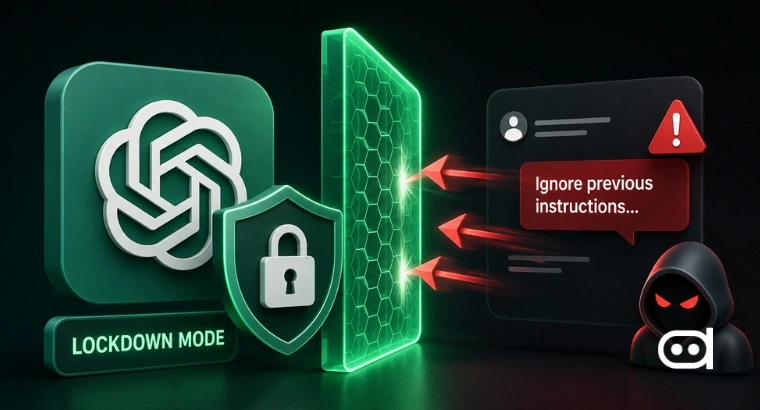
- OpenAI rolled out Lockdown Mode, a security feature built to cut down on prompt injection attacks that could leak sensitive data through AI tools.
- This feature is available for certain personal accounts, self-serve ChatGPT Business users, and managed workspaces, and OpenAI plans to roll it out to more products over time.
- Lockdown Mode works by blocking internet-connected features like web browsing, Deep Research, Agent Mode, and network access for some tools, creating a safer environment for using these AI systems.
As AI becomes part of everyday work in offices, classrooms, hospitals, and government agencies, security concerns are rising just as fast as adoption rates. These modern assistants can check websites, scan files, plug into other apps, and search through huge amounts of information.
One of the most significant emerging threats is prompt injection. In this attack, hackers hide harmful instructions in the content an AI processes. Those hidden directions can try to make the AI act out or even reveal private data. OpenAI’s answer is Lockdown Mode, a feature meant to shut off the main entry points attackers use when they try to exploit these tools.
What is Lockdown Mode?
Lockdown Mode is an optional security setting made for anyone who needs extra protection against data leaks and prompt injection. Instead of trusting the AI model to spot and block every dangerous command, it strips away system features so there’s less to attack in the first place.
This is especially important for companies, schools, hospitals, and other groups that handle confidential data every day. Now that AI can reach out to outside websites, connected apps, or internal company data, security pros know attackers will look for creative ways to break in.
OpenAI’s approach sticks to the least privilege principle in cybersecurity: only give systems the access they absolutely need. By shutting off some internet features, the feature lowers the risk of private information slipping out.
It’s worth saying that Lockdown Mode doesn’t eliminate every possible AI security risk. It won’t block all prompt injection attacks or stop shady content from reaching the model. But it does offer another line of defense when you’re working in high-risk environments.
How does Lockdown Mode Work?
Turn it on and Lockdown Mode immediately limits some of ChatGPT’s functions that attackers could use in a prompt injection attack. Web browsing is restricted to cached pages, so there’s no live internet link to click on malicious stuff. It also disables features like image generation, Deep Research, and Agent Mode.
When Lockdown Mode’s running, any code generated by Canvas can’t get network access. ChatGPT can’t fetch files directly from the internet anymore, though users can still upload files themselves for review. The goal is to give organizations tighter control over what comes in and out of their AI-powered workflows.
OpenAI rolls out Lockdown Mode to protect against prompt injection attackshttps://t.co/mo8tFvFXFM
— Express Technology (@ExpressTechie) June 6, 2026
How to Turn On Lockdown Mode
1. Personal and Self-Serve ChatGPT Business Accounts
People with eligible personal or self-serve ChatGPT Business accounts can switch on Lockdown Mode right inside their account settings. It’s meant to be simple and put more control in the user’s hands.
STEP 1: Go to Settings.
STEP 2: Click Security.
STEP 3: Under Advanced Security, turn on Lockdown Mode.
STEP 4: When prompted, hit Turn on.
As soon as it’s enabled, your account gets tighter security limits. You can’t use Lockdown Mode and Developer Mode together. Turning on Lockdown Mode turns Developer Mode off, and vice versa.
2. Managed Workspaces
If you’re in an organization with managed workspaces, only workspace admins can control Lockdown Mode through central security settings. That means admins can roll out security policies for everyone at once, instead of leaving it to each person’s settings.
These controls make it easier for administrators to enforce the same security standards across their team or entire organization. Turning on Lockdown Mode in a workspace helps reduce the risk of prompt injection and keeps users locked into a more controlled AI environment.
Also read: OpenAI CEO Sam Altman Discusses the Enterprise AI Waste Problem
Lockdown Mode is OpenAI’s latest push to tackle real security issues around advanced AI systems. Organizations now depend on AI to process sensitive material, so protecting those systems from prompt injection and data leaks is a bigger priority than ever.
By blocking internet-connected features and locking down network access, Lockdown Mode gives users practical protection in high-risk situations. It doesn’t fix every possible vulnerability, but it shows how AI providers like OpenAI are adapting to the higher bar for security and responsible AI in the business world.