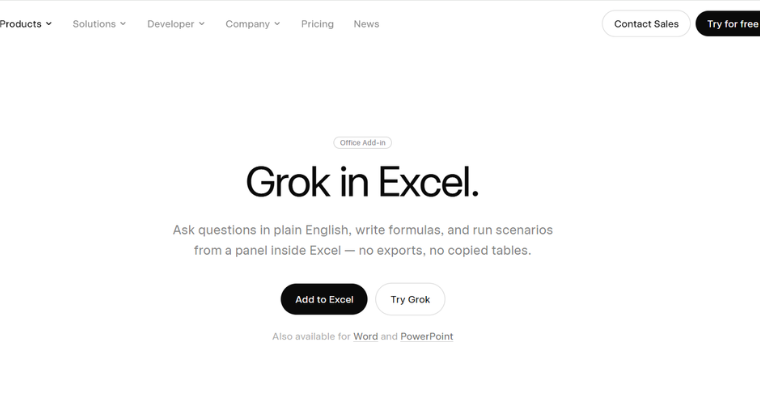
SpaceXAI has brought Grok into Microsoft Excel. Announced today, the free Microsoft 365 add-in lets users ask questions about their data in plain English, write formulas from a description, build charts, and run forecasts without leaving the workbook. It arrived alongside versions for Word and PowerPoint, so this is not a single Excel tool but Grok moving into Microsoft’s entire Office suite.
SpaceXAI says users can work without exporting tables or copying data into a separate chatbot, since Grok runs in the sheet already open. It is a genuinely useful capability. It also raises an obvious question, because the app Grok just entered is one Microsoft has spent two years filling with its own AI.
How Grok for Excel Actually Works
The Grok for Excel add-in works inside the spreadsheet rather than beside it. Select a range and ask what moved, why, and what stands out, and Grok answers with citations pointing to the specific cells the answer came from. That citation detail matters more than it sounds, since the usual risk with AI and spreadsheets is a confident answer you cannot trace back to the data.
Grok for Excel is live.
— Grok (@grok) July 20, 2026
Use Grok 4.5 to build financial models, analyze market data, and generate charts and graphs.
Try it now https://t.co/DeIpX4KkvO pic.twitter.com/0KkyRtOf1D
From a plain-English description, it writes the formula and drops it into the formula bar as a normal edit, so averages, sorts, and fills behave like changes you made yourself. It can test a downside case, rerun a forecast, or close out month-end without rebuilding the sheet by hand. It also taps SpaceXAI’s connectors, meaning it can pull context from recent emails or files in SharePoint or Google Drive when asked. For anyone who lives in financial models or data clean up, the value is straightforward, the AI is where the work already happens.
Why This Is Really About Microsoft’s Turf
The elephant in the room with the announcement for Grok 4.5 for Excel is that Excel already has an AI assistant. Microsoft has been building Copilot into Excel, Word, and PowerPoint for two years, and it owns the platform Grok is now asking to run on. SpaceXAI is not entering an empty room. It is setting up inside a house Microsoft built, competing against the landlord’s own product.
That is the same distribution fight playing out across the industry. The frontier model gap has narrowed to the point where, for everyday tasks like writing a formula, most capable models perform similarly. So the contest shifts from whose model is smartest to whose model is in front of you when you need it. It is the logic behind OpenAI pushing ChatGPT back onto WhatsApp and Google embedding Gemini across Android, both of which drew regulatory and rival pushback. Grok going into Office is SpaceXAI’s version of the same move, reaching users inside software they already open every day rather than waiting for them to visit Grok.
Microsoft allows third-party add-ins, so nothing here is against the rules. But it sets up a direct comparison most users can run themselves. Anyone with both Copilot and the Grok add-in can now ask the same question two ways in the same spreadsheet and see which answer they trust. That head-to-head, inside Microsoft’s own app, is the real story.
Read More: Grok AI Version Comparison
What It Means for Excel Users
For people who work in Excel daily, this is a low-risk thing to try. It is free, it installs from the Microsoft Marketplace, and the cell-level citations make it easier to verify than a standalone chatbot. The practical caution is the same as with any AI in a spreadsheet. Check the formulas and the figures before a model’s output feeds a real decision, because a wrong number in a financial model does not announce itself the way a wrong sentence does.
For the industry, the add-in is another sign that the AI competition has moved from the model layer to the access layer. SpaceXAI shipped Grok 4.5 with strong coding scores days ago, and is now racing it into the places people already work. Whether users prefer Grok’s answers to Microsoft’s own Copilot, in Microsoft’s own app, is a question only they can settle, one spreadsheet at a time. Those who want to add Grok 4.5 for Excel can do so by adding it from the Microsoft Store here.