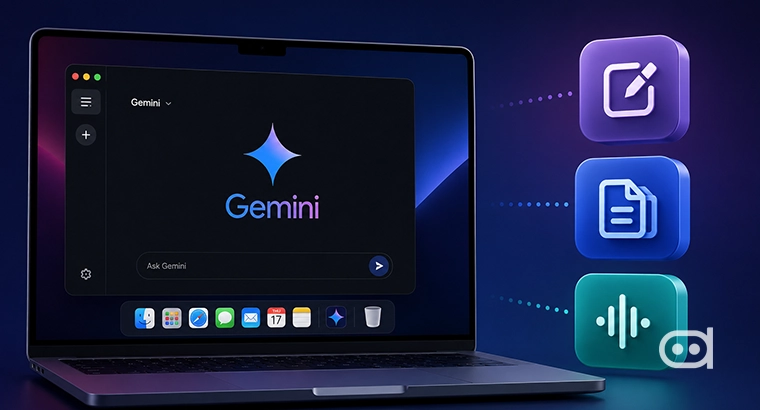
Google keeps pushing to expand the capabilities of its Gemini AI assistant, and the latest updates hint at a bigger plan, which is, making AI feel less like a chatbot and more like a helpful partner right on your desktop. Latest findings reveal that Google is testing some new features for Gemini’s desktop app, especially on macOS. Among them are system wide voice dictation and Magic Pointer. It is clear that Google wants Gemini to go beyond just answering questions; it wants the assistant to integrate itself into your daily computer experience.
Big tech firms are all constantly trying to compete with each other by creating AI tools that feel less robotic and more human, and Google is following the same path. Google is aiming to make Gemini a true productivity booster by exploring voice controls and screen aware interactions. The features are still in the works, but they do give us a hint at how AI could fit more and more smoothly into our work routines each day.
Google Expands Gemini’s Desktop Capabilities
Google is reportedly developing features that let AI interact with the broader operating system. This effort falls in line with Google’s push for multimodal AI tools that blend text, visuals, and speech, moving Gemini from a simple prompt answering bot into an active partner in your workflow.
1. System-Wide Voice Dictation (Speak to Window)
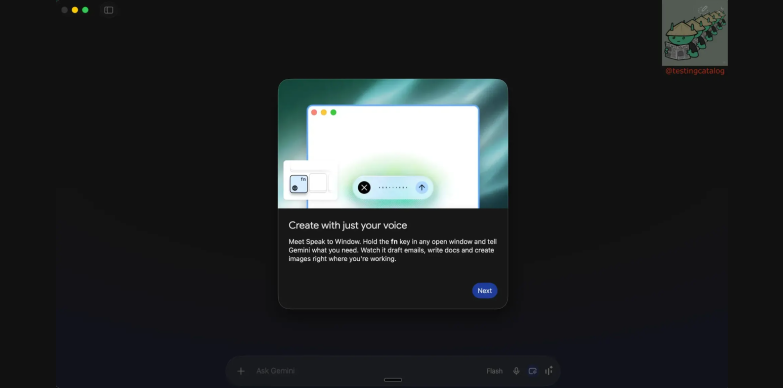
Image Credits: TestingCatalog
One standout feature in this update is system wide voice dictation, called “Speak to Window”. Instead of just typing prompts into Gemini, users could dictate messages, emails, or notes across multiple apps. Now imagine being able to write a document, save a quick note, or draft an email without requiring a keyboard. Letting people work hands free and talk to their computers like you would expect from modern AI is indeed a practical shift.
Google has been pushing for voice first AI interactions for a while now, trying to cut down on typing and let users engage with their devices in a more natural and conversational way so it feels less like talking to a robot.
GOOGLE 🔥: Gemini desktop app for macOS will get a new voice dictation feature called "Speak to Window" that works with any other app.
— 🚨 AI News | TestingCatalog (@testingcatalog) June 24, 2026
> Create with just your voice: Meet Speak to Window. Hold the fn key in any open window and tell Gemini what you need. Watch it draft emails,… pic.twitter.com/xuZYh0kwJp
2. Magic Pointer
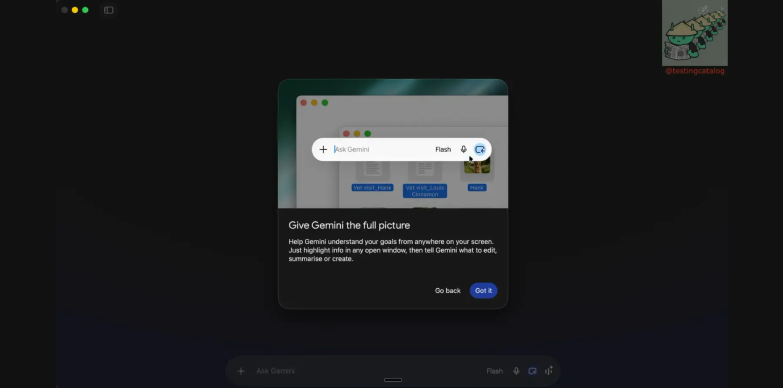
Image Credits: TestingCatalog
The idea behind the reminiscent of the Magic Pointer is to give Gemini some awareness and context of what you are doing on your screen. Users could just point with their cursor anywhere and Gemini would know what they are referencing which will save you from having to spell out what you mean, every time.
This could potentially speed up workflow and make AI feel like it is present at the moment with you and not just waiting for the commands. This kind of interaction also makes the whole process feel a bit smoother and more intuitive.
3. Device Linking Capabilities
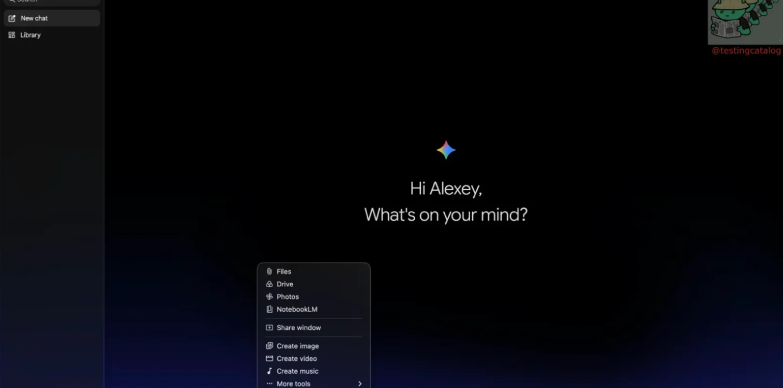
Image Credits: TestingCatalog
TestingCatalog also reported that Googlean image for magic pointer feature in gemini is working on device linking for Gemini desktop. There are not many details yet and neither has Google officially announced anything, but the basic idea is that Gemini could keep up with your work across different devices. You can swap between your phone and your desktop and Gemini will stay right there with you, it will be aware of the context and ready to pick up where you left off. For users who are always switching between screens, this update would potentially be a real game changer.
With testing underway, Google is making a move to turn Gemini into a full fledged desktop assistant, one that listens, sees, and helps you whenever you need it. Even though these features are not live on the platform yet, this effort still shows that Google is clearly committed to build an AI that is more than just a chatbot assistant.
You can also read – Sundar Pichai to Focus On YouTube as It’s Center of Google’s Upcoming AI Strategy