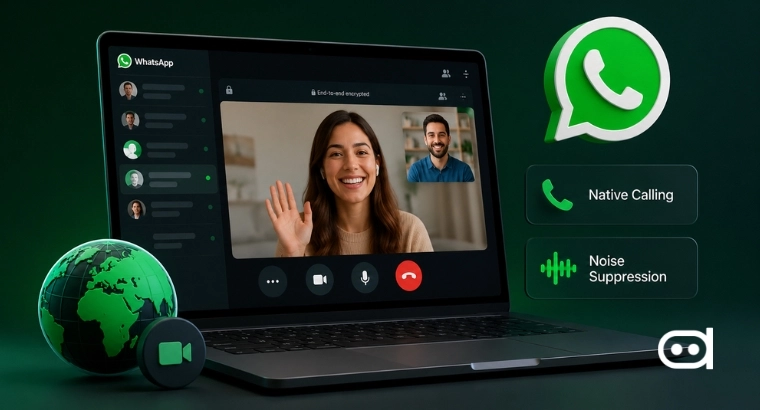
Meta upgraded WhatsApp Web on July 28, 2026, by launching native voice and video calling directly inside WhatsApp Web. This is a significant update because it means that users will no longer have to download the standalone desktop software or rely on their smartphone to handle real-time conversations. On top of browser-native calling, this major update introduces a seamless call transfer tool, automated background noise suppression, and even a virtual waiting room layout to help manage meeting access.
According to the official release notes over on Meta’s newsroom, the goal here is to completely merge the communication experience across mobile, tablet, and computer setups. These new features are rolling out gradually on a global scale, giving millions of users a much more streamlined way to work right inside their active web browser tabs.
What WhatsApp Web’s New Calling Features Do
At its core, this update is all about making it easier to switch between devices throughout the day and making sure the audio quality of the call is much better than before. The brand new call transfer feature, lets you instantly throw an active voice or video call from your mobile phone straight over to an open web browser session. A useful addition with the update is that users do not have to hang up or redial everyone just to switch devices. This seamless handoff is incredibly handy when you are moving around, like when you walk into the office while already caught up in a conversation on the go.
We’re introducing new features that make @WhatsApp calls even easier, like calling from WhatsApp Web, call transfer, background noise suppression, and more. https://t.co/4HKD5xjxZb
— Meta Newsroom (@MetaNewsroom) July 28, 2026
To make browser calls even better, Meta also built in a smart, real-time background noise suppression system. This clever audio filter is designed to pinpoint and isolate your voice while actively drowning out all those distracting background noises around you. This means common workplace or household disruptions like clattering keyboards, side conversations, or loud outdoor traffic get muted automatically right inside your in-call settings menu.
On top of that, the web platform can now handle group video chats with up to 32 people at once, which puts it on par with traditional video conferencing software. To help keep these larger calls organized and secure, the update includes a handy digital waiting room. If you are hosting the call, you can generate invite links that force new people to wait for your approval before they can jump into the meeting. Toss in a dedicated calls tab that keeps track of your history and favorite contacts, and you have a browser setup that easily matches professional standards for quality and management.
How WhatsApp Web Competes With Zoom and Google Meet
By packing these professional-grade tools right into the browser interface, Meta is actively pushing WhatsApp Web away from being a simple texting companion and turning it into a genuine workspace hub. For the longest time, using the web version meant you were stuck with basic text chat and file sharing, while heavy-duty features like routing your camera and microphone were locked away inside downloadable desktop apps. Removing that installation barrier completely changes how people can use the software at work. In a lot of office environments, strict IT security rules completely block employees from downloading or installing unapproved third-party software. Because this runs in the browser, it avoids the install step that IT policies often block, making it instantly accessible on any office desktop or shared computer station.
This major upgrade puts WhatsApp Web in a perfect position to compete head-on for serious business market share against heavy hitters like Zoom and Google Meet. Since WhatsApp already has a massive head start with over two billion active users worldwide, offering a zero-download calling setup makes it incredibly easy for remote teams, freelancers, and small businesses to hop on client calls inside an app they already use all day anyway. This shift ties right into Meta’s bigger strategy to take over daily work communication. Instead of forcing you to open up an entirely separate app just to start a quick video meeting, Meta keeps your entire workflow unified right inside a single open browser tab, completely changing the game for everyday productivity at your desk.