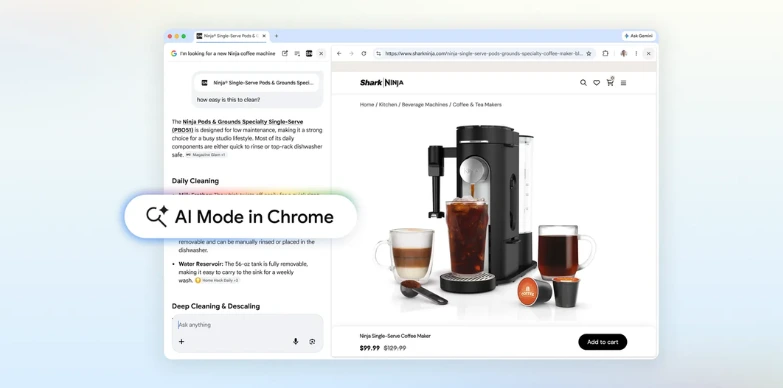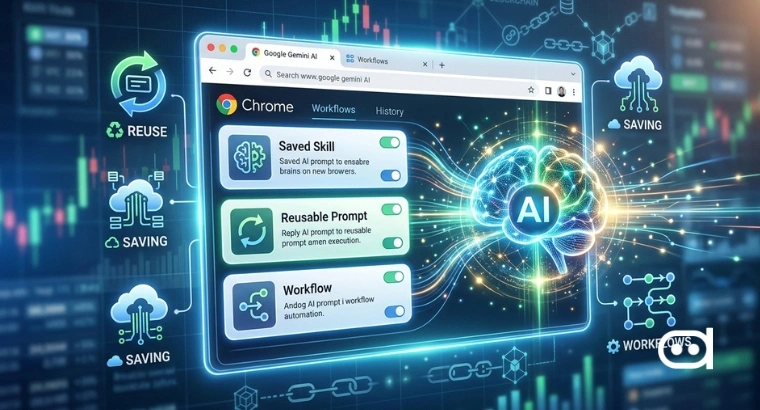
- Google has reportedly, started rolling out a new feature called “Skills” in its Chrome browser, letting users save and reuse AI prompts through its Gemini assistant.
- The update is being introduced gradually, mostly to English-speaking markets, and you can find it in the Chrome sidebar where Gemini is integrated.
- Skills can turn your favourite prompts into reusable commands, letting you automate repetitive browsing tasks across tabs and workflows.
Google is changing the way we think about browsers. Instead of just being a place to access websites, Chrome is trying to become more interactive by introducing “Skills.” The company has made it clear that it wants AI to be part of your everyday browsing, not just something you use in separate chat windows. It will help you create structured, reusable instructions that act more like shortcuts than conversations.
At its core, this feature makes Chrome even more of a productivity hub. With Skills integrated into Google Gemini, Google’s trying to remove as much friction as possible between what you want to do and actually doing it. Now, AI isn’t just waiting for you to ask something, it can easily take care of routine tasks with almost no extra effort.
Turning Prompts into Repeatable Commands
Usually, users have to type the same instructions every time something needs to be done. Skills allow you to save those instructions, polish them if you want, and use them instantly. Those prompts become permanent tools, not just throwaway questions.
For example, if you are comparing products across a bunch of tabs, you could set up a Skill that automatically grabs the specs and summarizes the differences for you, or if you’re digging through academic research, you could make a Skill to simplify complicated text or generate quick notes. The main idea is to make tedious tasks quick with minimal human intervention.
Having all this incorporated into the browser makes a difference. There won’t be need for any add-ons or extra tools, Skills would just live right in Chrome. That means they can be used wherever you are, whether you’re reading an article, shopping, or looking at job posts. It’s seamless, which will make a big difference for easy adoption.
Also read: Google Supercharges Chrome With Gemini 3, Adds Side Panel, Auto Browse & More
Google’s Strategy in the Browser Wars
This move comes at a time when browsers are turning into arenas for AI competition. Rivals are testing similar features, but Chrome’s user base gives Google an edge. Building Skills right into a browser with billions of users means everyday people start seeing what AI-powered workflows can do.
There’s a clear strategy here, too. By tying Skills to Gemini, Google is strengthening its product ecosystem and making users more likely to stick with its services. The more people save and use these custom prompts, the harder it becomes to leave Chrome.
But there are concerns around usability. Early AI tools sometimes fail not because they can’t do useful things, but because people don’t know how to work them into their routine. Prebuilt templates and helpful suggestions could get everyone to use them, but it’ll only last if the system feels genuinely easy and helpful.
Privacy is another big consideration. Since Skills can see and interact with anything you’re looking at in your open tabs, people are right to wonder how their data is handled. Google says it has protections in place, but trust will be essential as the feature spreads.
Wrapping Up
Bringing Skills to Chrome is a subtle but important shift in how we use AI in the future. By turning prompts into repeatable commands, Google is moving past chatbots and into the world of automation which could potentially change how daily tasks are handled.
If lots of people start using Skills, the browser stops being just a door to information and becomes a real assistant for getting things done. For now, the rollout is still limited, and there’s a lot of refining left. Still, you can see where Google is heading: the future of browsers isn’t just about looking things up, but about actually doing something with that information.