Key Highlights:
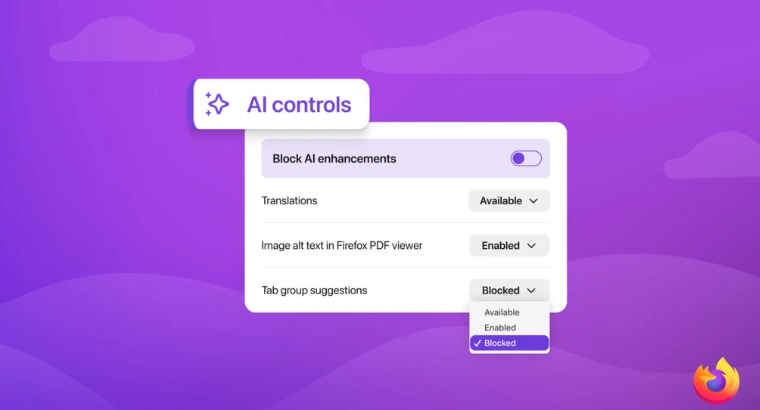
- Firefox 148 will add a simple “Block AI Enhancements” toggle that allows users to disable all AI features in the browser at once.
- With Firefox 148, users can choose to disable specific AI features individually or completely turn off all AI enhancements using a single setting.
- Once AI features are disabled in Firefox 148, the preference remains intact across future updates, ensuring long-term control for users who don’t want AI.
There has been an active debate on the internet about whether tech giants should push AI features to users or let them choose. Microsoft and Google have been two of the notable tech companies that have been increasingly experimenting with AI features. While Google’s implementation is often praised, there’s a section that has been heavily criticizing Microsoft for pushing AI nonsensically all over Windows. Users have complained that rather than fixing Windows 11 at its core, the company is moving in the wrong direction. Well, last week, reports came in hinting that Microsoft has plans to move away from its “AI Everywhere” strategy in Windows 11. Only time will tell if that happens or not.
But there is this one browser company that has taken users’ feedback quite seriously and acted on it quickly. Here, I am talking Mozilla. Although the market share of Firefox doesn’t come close to Microsoft Edge and Google Chrome, it still has over 155 million to over 200 million monthly active users as of late 2024–2025. Among those, many are in favor of AI features, and there’s a section that doesn’t want any AI features at all. Mozilla understands this and is now offering an option to Firefox users on whether or not to use Firefox’s AI features.
Mozilla will let users disable all AI features with a simple toggle starting Firefox version 148
According to an announcement by Mozilla, the upcoming Firefox version 148, which launches on February 24, will introduce a dedicated AI controls section in desktop settings. Mozilla says the feature is designed to allow users to manage how generative AI interacts with their browsing. Whether you want to embrace AI tools or avoid them entirely, Firefox now puts the choice in your hands.
The company notes, “People want very different things from AI. Some want nothing to do with it, while others want AI features that are genuinely useful.” With AI controls, Firefox addresses both sides. When Firefox 148 drops, you can block all AI enhancements or manage individual features. That said, Mozilla isn’t stopping development of new AI features, as it mentions, “we continue to build AI features for those who want them.”
You may also like: Google’s AI Mode Gets Personal Intelligence with Gmail & Photos Integration
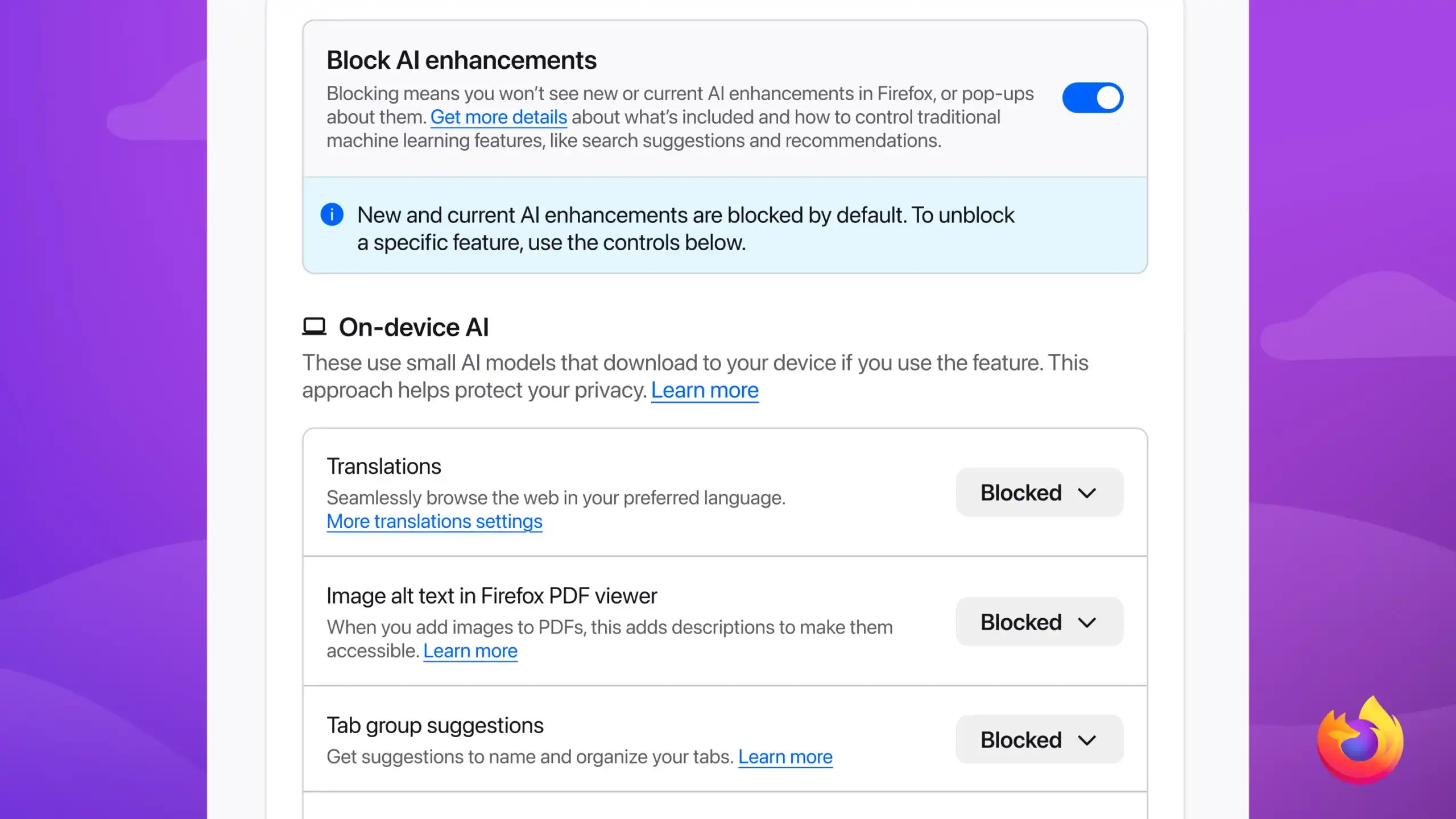
You can choose to block individual features or choose the “Block AI Enhancements” option
The AI controls will allow you to manage multiple AI-powered features listed below:
- Translations, which help you browse the web in your preferred language.
- Alt text in PDFs, which adds accessibility descriptions to images in PDF pages.
- AI-enhanced tab grouping, which suggests related tabs and group names.
- Link previews, which show key points before you open a link.
- AI chatbots in the sidebar, which let you use your chosen chatbot while browsing, including options like Anthropic Claude, ChatGPT, Microsoft Copilot, Google Gemini, and Le Chat Mistral.
If you like one feature and want to block another, you can keep one enabled while disabling others. For those who absolutely dislike AI features in Firefox, there’s also the “Block AI Enhancements” toggle, which, when enabled, blocks all AI features at once. The best part is that once you set your preference, it carries over across future updates. If you want to test the new AI controls early, you can download Firefox Nightly for early access.
So, are you team AI or team no-AI? Let us know in the comments below!