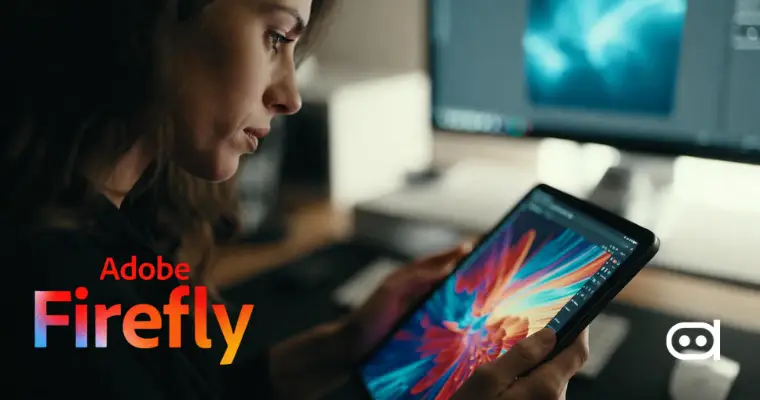
Adobe Firefly is a generative AI tool that is not only powerful but also very user-friendly for designers, and has rapidly become one of the most important tools in this category. It is part of Adobe’s creative ecosystem, and is easy to use, by entering simple commands to generate images, apply text effects, try out styles, and enhance pictures.
Adobe Firefly is one of the best AI design tools made for creative workflows, and it supports all the phases of the creative process, such as idea generation, production, and iteration, without losing the work flow. Adobe Firefly creative uses are various in fields like concept art, branding, marketing visuals, and social media content, and it speeds up the process of designers going from idea to execution.
1. Generate Unique Backgrounds for Visual Projects
Adobe Firefly’s text-to-image feature is one of the most effective means of creating custom backgrounds. Firefly for designers can create the perfect backgrounds that not only resonate with a project’s mood and brand aesthetic, but also the project’s audience by generating images rather than using stock images. This is helpful mostly in websites, posters, presentation slides, and branded merchandise campaigns where originality is key.
By specifying color palettes, textures, and moods in a prompt, Firefly generates high-resolution visuals that are not just generic but feel purpose-built. The designer can make the output better by changing the prompt or the style, making it very easy to quickly and broadly explore the different creative routes.
Prompt Example –
“Create a modern, minimalistic background with soft gradients and abstract shapes for a fashion poster.”
Output –

2. Create Stunning Typography and Text Effects with Firefly
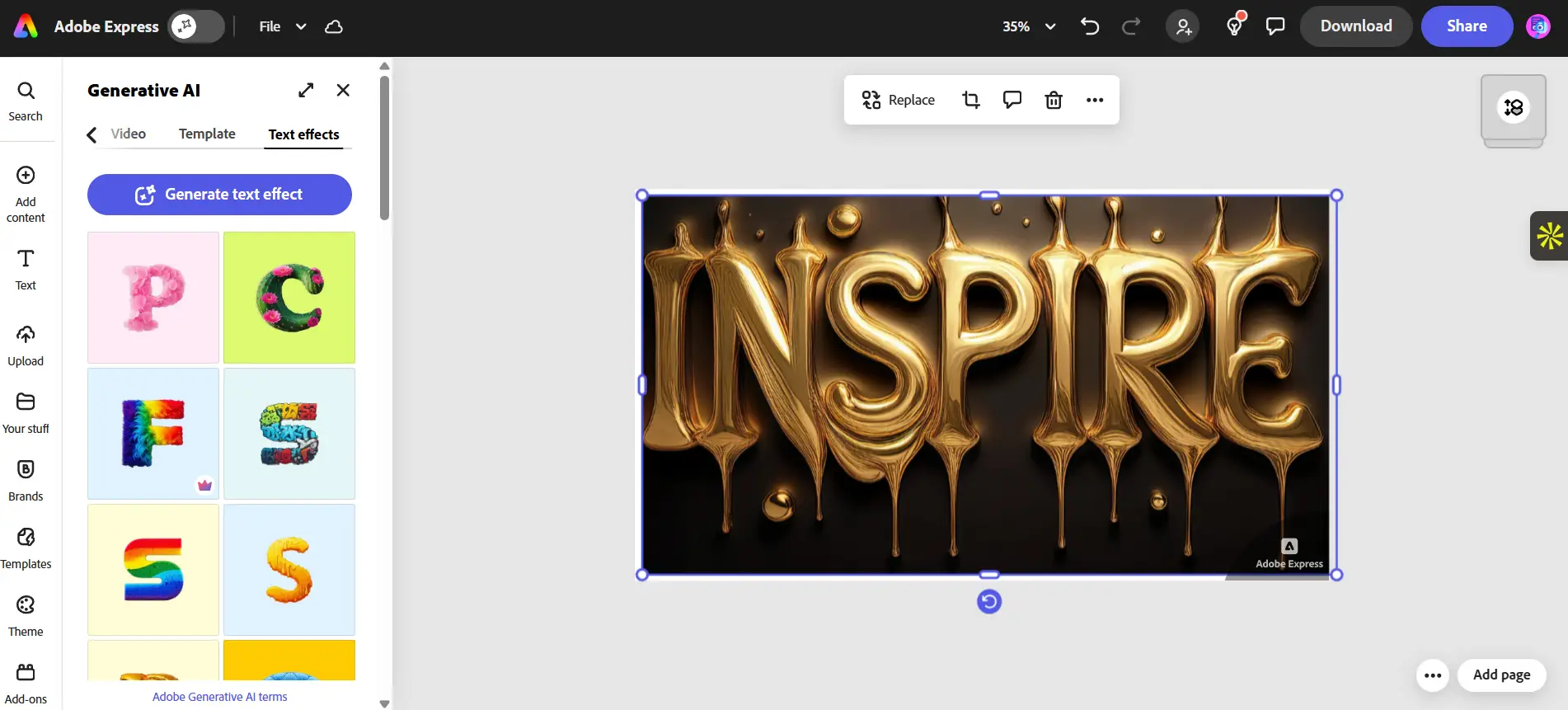
Firefly’s Text Effects functionality is considered a major asset for artists desiring to use imaging but illustration-free typography. It provides a way for characters to be represented in various forms, such as materials, textures, and styles, without losing legibility.
This function is most useful in branding, posters, landing pages, and social media campaigns, where typography is the main element that plays a central role. The artists can play around with their content, try different aesthetics, and sync the visuals of the text with the narration of the brand in no time.
Prompt Example –
“Generate the word ‘Inspire’ made of liquid gold texture with a glossy metallic finish.”
Output –
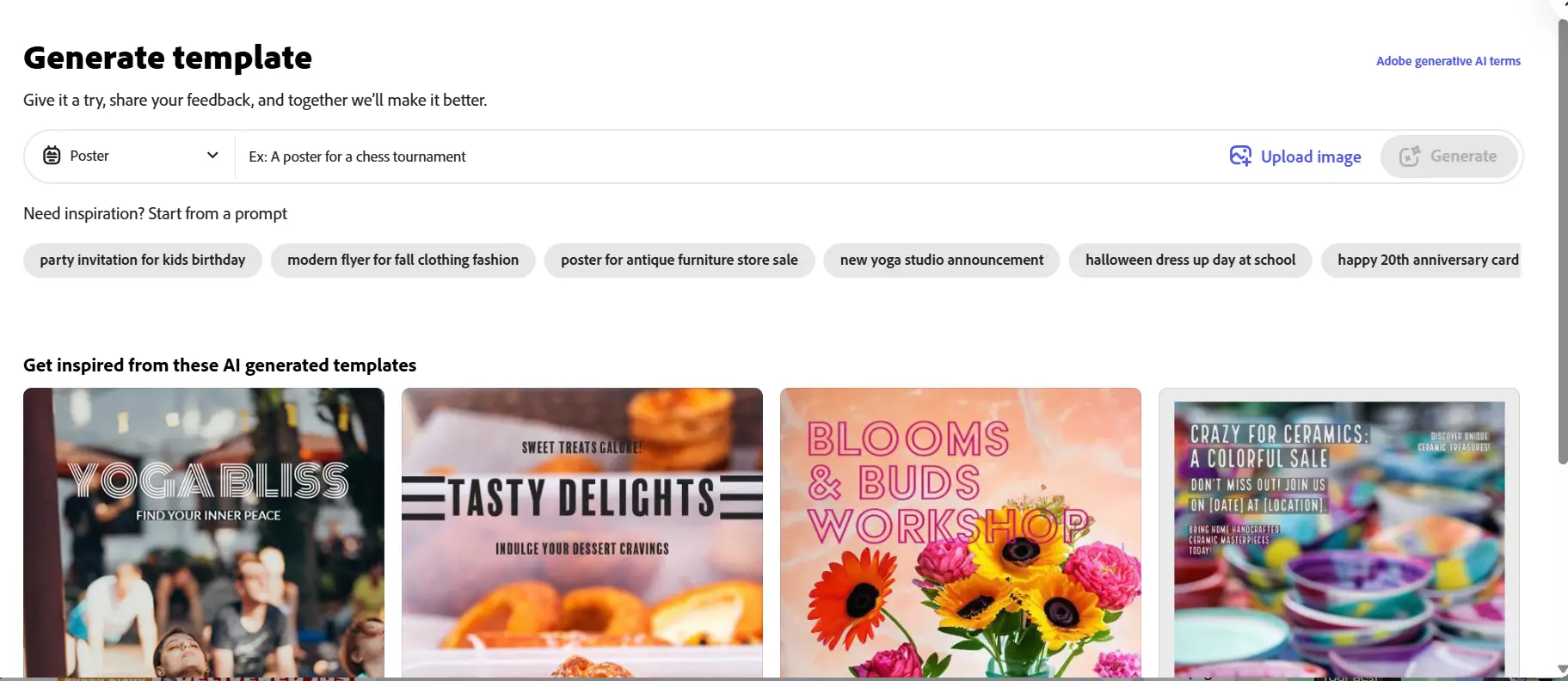
3. Design Social Media Content Faster
Social media content generation gets a major boost in speed with Adobe Firefly’s ability of quick visual generation. The designers can create ready-to-post images, banners, or creative assets using their own prompts or by selecting Firefly’s preset styles. This is a much-needed tools for social media channels with high-frequency posting like Instagram, LinkedIn, and X, where consistency and speed count.
The greatest advantage goes to content creators, small businesses, and influencers, as Firefly lessens the dependency on repetitive design work while still upholding the visual quality. The assets can then be further polished in Photoshop or Illustrator to create the formats specific to the different platforms.
4. Concept Art and Moodboard Creation
Firefly proves to be a great idea generator, especially for developing early-stage concept art and mood boards. Without spending a lot of time on reference searches and sketches, designers can easily and quickly visualize very abstract ideas, emotional tones, or brand directions. Such uses of Adobe Firefly for design are perfectly suited for creative brainstorming sessions, internal alignment, or client presentations. Rather than talking about a concept, designers can visualize it in several ways, thus facilitating the collective refining of the direction. Firefly can shift very unclear artistic ideas to definite visuals in a matter of minutes.
5. Product Mockups and Prototypes
Another powerful application of Adobe Firefly for designers is the creation of lifelike product mockups. Visuals for packaging, clothing, consumer electronics, or lifestyle products can be produced by designers even before the actual prototypes are made.
With Firefly, it is possible to work with different colors, materials, and settings; thus, it becomes much easier to validate visual ideas at an early stage of the design process. This practice cuts down the number of loops and does not make the company rely on expensive mockup photography or intricate 3D modeling for the early phases.
6. AI-Powered Branding Inspiration
Firefly can be a creative ally in the course of developing a new brand. The designers can get logo inspirations, design motifs, visual patterns, and even thematic elements from the app that may ignite new ideas.
Although the outputs from Firefly are not the final brand assets the designers are going to use, they still provide a lot for the activities of exploration and direction-setting. They can continue with fast iteration, recognize what appeals to them, and then use the traditional design tools to further develop the selected concepts into comprehensive branding systems.
7. Storytelling Through Visual Illustrations
Adobe Firefly’s generative AI in design simplifies the process of turning written stories into pictures. Not only authors, but also designers and content creators can make appealing illustrations that go together for different purposes like blogs, articles, presentations, children’s books, or even marketing campaigns.
Firefly ensures visual continuity across numerous pictures by using the same prompts and styles. This becomes the basis for better storytelling, particularly for long-form content or campaign-driven narratives where the visuals need to be thematically aligned.
8. Enhance Photo Editing and Compositing
Firefly proves to be even more powerful when it is partnered with Photoshop and Illustrator. Designers can create items, like objects, textures, or backgrounds, and merge them flawlessly into the original photos.
This combined approach makes it possible to achieve high-level photo manipulation without going through the tedious process of manual editing. Firefly-produced assets merge perfectly with actual photos, resulting in quicker retouching, scene extension, and creative compositing for professional-grade output.
9. Create Marketing Campaign Visuals
The marketing department can take advantage of Adobe Firefly’s generative power to not only come up with ideas quickly but also to produce campaign visuals in no time, among which are banners, posters, and digital ads. Instead of manually doing the designs for each variation, Firefly allows for the fast generation of a number of creative directions.
This method is perfect for A/B testing, concept approval, and ensuring that the brand looks the same across different channels. While Firefly takes care of the visual experimentation and speed, designers can devote more time to strategic storytelling.
10. Explore 3D and Generative Fill for Immersive Design
Firefly works hand in hand with Adobe applications, for instance, Photoshop’s Generative Fill, allowing designers to smartly extend the scene, remove distractions, or add elements. When Firefly is used alongside Illustrator and other Adobe applications, it supports really immersive and experimental design workflows like never before. The whole system works particularly well for very futuristic designs, spatial compositions, and visuals that have a rich storytelling, where the depth and realism are crucial.
Tips to Get the Most Out of Adobe Firefly
Here are some Adobe Firefly tips to get better results:
- Write very descriptive prompts: The more specific the style, mood, lighting, colors, and composition details are the more Firefly’s output will resemble your creative vision.
- Iterate with prompt variations: The first result should not be the end of the process. Even slight changes in wording can lead to drastically different visuals, allowing quick exploration of different creative paths.
- Use Firefly for ideation first: Consider it a brainstorming machine that generates concepts, layouts, and styles before you get into the final production stage.
- Refine outputs in Adobe tools: Merge assets that Firefly has generated with Photoshop or Illustrator to work on details, typography, and composition.
- Maintain prompt consistency: Repeating similar prompt formats aids in maintaining visual unification across campaigns or brand assets.
- Experiment with styles and effects: Artistic styles, textures, and effects can be tested to find the most appropriate and the least expected creative solutions.
- Think of Firefly as a co-worker: Transform it into a power of creativity and speed, but never to be a substitute for human design decisions.
Wrapping Up
Adobe Firefly is a great example of generative AI in design blended with professional workflows that open up new creative avenues. It can support designers in creating faster, and still exploring more creative paths in the process, from the very beginning of the process to branding and marketing, storytelling, and more. Firefly isn’t taking away the role of creative intuition, but rather facilitating it by lessening the friction and broadening the trials.
Adobe Firefly is a powerful means of redefining how ideas are transformed into visuals for designers who are open to AI being part of their toolkit. Begin by experimenting, improve your prompts, and let Firefly be the one to guide you in your next design adventure!