
10 Best AI Avatar Generators of 2026: Free & Paid
-
 Devanshi Kashyap
Picture of Devanshi Kashyap
Devanshi Kashyap
Picture of Devanshi Kashyap
- Last Updated: September 29, 2026
The best AI avatar generators have become mainstream in 2026 as a practical way to create video content without actors, sets, or big teams. People are using these tools for business training, marketing, customer service, education, social media, and creative projects. Some platforms focus on realistic talking presenters while others focus on ad creation, interactive avatars, or cinematic video.
Not all the major platforms work the same way. D-ID combines AI avatar video with interactive and conversational agents. Colossyan and Synthesia are meant for training and business messaging, while Arcads and Creatify are meant for advertisers.
Elai and HeyGen offer flexible business video options, Pictory pairs avatars with a broad set of video editing tools, Vidnoz aims to make avatar content accessible, and Runway is for creative experimentation. Features and prices vary a lot. Whichever of the best AI avatar video generators of 2026 has to offer you choose, the right pick depends on the kind of content you want to make.
Key Takeaways
- The best AI avatar generators let you create avatars that you can use on various online platforms, including video games and virtual reality experiences.
- These AI-generated virtual avatars can often be a cheaper alternative for small-budget projects like advertisements or short films.
- The technology can be easily integrated across multiple AI-powered workflows, helping create videos from simple scripts.
Best AI Avatar Generators That You Can Try
| AI AVATAR GENERATOR | PRICE |
|---|---|
| D-ID |
Free trial available (14-day limit) Lite – $4.7/month Pro – $16/month Advanced – $108/month |
| Colossyan |
Free plan available Professional – $59/month, billed annually |
| Arcads |
Lite – $29/month Starter – $110/month Creator – $220/month Pro – $550/month |
| Creatify |
Starter – $39/month Pro – $99/month |
| Elai |
Free plan available Creator – $29/month Team – $125/month |
| Synthesia |
Basic – free Starter – $29/month Creator – $89/month |
| HeyGen |
Free plan available Creator – $29/month Pro – $49/month Business – $149/month |
| Pictory |
Starter – $29/month Professional – $59/month Team – $199/month |
| Vidnoz |
Starter – $19.99/month Business – $56.99/month |
| Runway |
Free plan available Standard – $12/month Pro – $28/month Max – $76/month |
Pricing checked on September 16, 2026. Prices are monthly rates unless otherwise stated and may vary by billing cycle, region, usage, seats, or promotional offers.
What are AI Avatar Generators?
AI avatar software use artificial intelligence to create digital people or characters that talk, move, and deliver information. They are used in videos, social media, marketing, education, gaming, customer service, and other digital projects. Instead of hiring actors or booking a studio, an AI avatar video generator lets you create an avatar and turn a script into a finished video.
These platforms can combine technologies such as generative models, text-to-speech, voice cloning, lip-syncing, and facial animation. Depending on the platform, you can pick a stock avatar, design a custom one, or build a digital version of yourself. Depending on the platform being used, features can include multilingual speech, full-body movement, gestures, and interactive conversations.
Here is what makes an AI avatar generator good:
- Realistic appearance: The avatar should feel natural, not plastic or fake.
- Natural movement: Facial expressions, eye contact, head turns, and gestures can make an avatar feel more convincing.
- Voice quality: Realistic speech, emotion, accents, and voice cloning level up the experience.
- Language support: Multilingual support lets you reach a global audience.
- Easy editing: Templates, simple script editors, and media libraries save you time.
- Customization: Personalized avatars, outfit selection, digital twins, voice, and branding add control.
- Automations: Batch generation, APIs, and URL-to-video features make scaling content possible.
- Useful integrations: LMS, CRM, ad tools, and other workflow connections make content easier to use.
- Reasonable pricing: Compare edits, video minutes, seats, overages, and included features before paying.
Top 10 AI Avatar Generators of 2026
AI avatar generators have moved well beyond simple talking head videos. Leading platforms now meet needs ranging from corporate training and multilingual communication to ad production and cinematic video. The real question is not just how lifelike an avatar appears. What matters is what you can actually do with each platform.
This comparison covers avatar quality, customization, language support, video features, ease of use, integration, pricing, and suitability for different use cases.
D-ID

Introduction
D-ID blends AI avatars with video creation and real-time conversational agents. Its conversational agents can listen to users and respond in real time, while its avatar tools can also generate scripted videos. The platform supports both scripted content and interactive video, setting it apart from tools that just do one-way presentations. D-ID also handles multilingual video translation and personalized campaigns. The platform focuses on natural facial movement and lip-syncing. Teams can also use the API to integrate avatar video into their own products.
Best For
Real-time, conversational avatars, interactive video, sales outreach, and social content.
Pros & Cons
Pros
- The interface is intuititve and can help beginners create avatars without much difficulty. The learning curve around this tool isn’t too difficult either.
- A single text prompt is enough to generate accurate lip-syncing.
- The tool can easily localize speech across multiple languages without much difficulty.
Cons
- More often than not, credits are deducted even if the render quality is bad or unusable.
- Still photo inputs and prompts tend to generate distorted avatars.
- It’s primarily a face animation tool, so it doesn’t come with major video editing capabilities.
Pricing
- Free trial available (14-day limit)
- Lite – $4.7/month
- Pro – $16/month
- Advanced – $108/month
Introduction
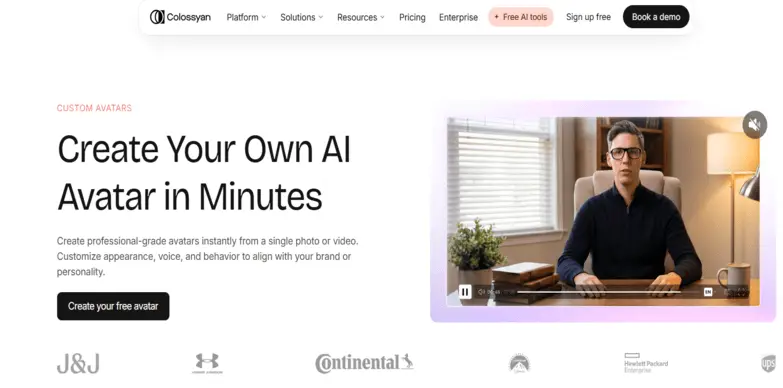
Colossyan is built mainly for business training, e-learning, onboarding, and internal communications. It converts documents, PowerPoints, and scripts into finished training videos with AI avatars. The platform offers 300+ stock avatars and supports 100+ languages. The platform also features quizzes, branching paths, course creation, analytics, and SCORM exports for learning management systems. You can create custom avatars and clone voices too. Colossyan is not built for cinematic production, it is designed for structured learning, which is ideal if you need regular training, compliance, or localized materials without organizing shoots.
Best For
Corporate training, e-learning, onboarding, and LMS compatible learning content.
Pros & Cons
Pros
- The interface is based inside your browser, so you don’t need to download and install additional software.
- It supports over 50 languages, which adds to Colossyan’s global reach.
- Despite being an avatar generator, this AI tool can easily convert PDFs and notes into videos.
Cons
- The avatar library that this platform has to offer is smaller than the rest of the competitors on the market.
- Facial expressions can get dull, repetitive and less expressive.
- Dialogue formatting and non-English language words can often yield awkward lip-syncing results.
Pricing
Free plan available
Professional – $59/month, billed annually
Colossyan


Introduction
Arcads is made for UGC style ads and performance marketing. Instead of focusing only on corporate videos, Arcads creates clips that look like influencers or real customers. You get 1,000+ AI actors and can direct their emotions with text prompts. Avatars can hold products, use props, or appear in product demonstrations. Arcads also lets you edit in B-roll, music, captions, and transitions, and upscale your video. Brands and media buyers who need a ton of ad content and control over how AI actors perform will find this useful.
Best For
Performance marketing, UGC style ads, and product demonstrations.
Pros & Cons
Pros
- Best for creating videos to batch-test multiple hooks, scripts, or languages for advertisements on social media.
- AI-generated results are highly realistic with accurate and engaging facial expressions, and the overall workflow is very quick.
- The interface is clean and easy to use, especially for individuals with little to no editing experience.
Cons
- Generated avatars tend to get distorted whenever they try to hold or unbox an object.
- The tool is solely a video generator. You’ll have to export the generated videos and then edit them in a third-party app, even if you’re trying to do something as simple as adding a caption.
Pricing
- Lite – $29/month
- Starter – $110/month
- Creator – $220/month
- Pro – $550/month
Arcads


Introduction
Creatify targets AI powered ads, mainly for ecommerce, agencies, and app marketers. Its standout feature is the ability to enter a product URL and automatically generate UGC-style video ads. Marketers can test different hooks, avatars, languages, and calls to action. The Aurora model brings realistic lip sync, full body moves, hand gestures, and emotional range. You get 1,500+ lifelike AI avatars and 75+ languages. Batch video creation and automatic localization make it an efficient tool for brands who need lots of ad variations, not just a couple of videos.
Best For
Ecommerce ads, agencies, app marketing, and high volume UGC ad production.
Pros & Cons
Pros
- The avatars that this AI tool generates are extremely realistic and can often be mistaken for actual people.
- Integrates with your ad accounts, so you can publish your generated videos to popular social media sites like Instagram and TikTok.
- Lets you generate multiple videos at the same time so that you can easily test multiple hooks.
Cons
- The tool comes with a no-refund policy and sometimes, you can be charged despite canceling your subscription.
- Some avatars can be distorted and poor lip-sync, which needs to be fixed manually.
Pricing
- Starter – $39/month
- Pro – $99/month
Creatify


Introduction
Elai keeps things simple for business training, presentations, onboarding, and internal messaging. No filming or advanced editing needed, just pick an AI presenter and drag-and-drop your video together. Choose from 80+ avatars: selfie, studio, photo based, and animated mascots. Elai supports multilingual voice cloning and automated video translation in 75+ languages. Turn articles or PowerPoints into videos, build AI storyboards, and script avatar dialogues for scenario learning. Elai is about clarity and consistency, great for teams who need straightforward, repeatable business videos.
Best For
Business training, presentations, onboarding, and internal messages.
Pros & Cons
Pros
- This is one of the few tools on the market tailored to e-learning.
- It supports over 75 languages and can quickly convert a prompt into an AI avatar.
- It also comes with multiple interactive elements that you can include while making your avatar.
Cons
- The tool comes with very strict minute limits, so you might run out of them quickly during multiple iterations.
- The avatars that you generate with this tool, have limited facial expressions, which makes them less realistic
Pricing
- Free plan available
- Creator – $29/month
- Team – $125/month
Elai


Introduction
Synthesia is well known for professional corporate and training videos. Itis designed for structured content: training, onboarding, demonstrations, or internal communications. Synthesia offers a large avatar library and support for 140+ languages, and a slide-based video editor with templates and branding tools. Users can translate and dub videos, collaborate, track analytics, and connect to LMS platforms for seamless learning management. Synthesia is focused on one-way communication, not live interactions. Enterprise plans add features aimed at larger teams, including security and workflow controls.
Best For
Corporate training, professional presentations, and scalable business video.
Pros & Cons
Pros
- You do not need to get in front of a camera to create an avatar with this tool. A simple prompt can do the job.
- The tool offers a wide variety of AI avatars, which makes localization convenient.
- If you have any embedded landing pages within the tool, it automatically updates it to those pages whenever you update a video.
Cons
- Despite their localization, the avatars lack expressions, which makes them appear unrealistic.
- Although it works on prompts, scalability is an issue. So, you’ll need to manually generate one video after another.
Pricing
- Basic – free
- Starter – $29/month
- Creator – $89/month
Synthesia


Introduction
HeyGen is a flexible AI video tool for marketing, sales, education, customer service, and social media. There are hundreds of AI avatars, and you can even create digital twins for real people. HeyGen supports 175+ languages and dialects. Make talking head videos from scripts and dress avatars in different outfits. Templates, brand kits, and automated workflows help speed up production. Its stand out feature is video translation with automatic lip syncing.
Best For
Multilingual marketing, sales videos, social content, and custom digital avatars.
Pros & Cons
Pros
- This tool is mainly known for its ability to create avatars that resemble natural human-like microexpressions.
- The workflow is very user-friendly and can appeal to individuals across various experience levels.
- It allows in-platform translation to 175+ languages, while adjusting the AI-generated avatar’s expressions to match that translated language.
Cons
- The built-in voice packs aren’t natural and sound robotic.
- Subscriptions can become very expensive if you’re using it for high-volume projects
Pricing
- Free plan available
- Creator – $29/month
- Pro – $49/month
- Business – $149/month
HeyGen


Introduction
Pictory offers more than just talking avatars: it can turn scripts, blog posts, and other written content into videos. You can break content into scenes, drop in stock footage, add voiceover, and use avatars, all in one place. Its avatar capabilities are less specialized than those of dedicated avatar platforms.
Best For
Content creators and small teams, making many different types of AI videos.
Pros & Cons
Pros
- The tool lets you edit the avatars it generates by just editing the text prompt that you’ve used to generate it.
- The paid plans on this platform includes various stock images from libraries like Getty Images, free of cost.
- The tool can also generate subtitles accurately, which adds to its accessibility.
Cons
- The built-in AI voiceovers can sound unnatural and robotic.
- Sometimes, the AI misinterprets the prompt to select mismatched stock footage and images for your generated avatars.
Pricing
- Starter – $29/month
- Professional – $59/month
- Team – $199/month
Pictory


Introduction
Vidnoz gives you realistic AI avatars for marketing, courses, tutorials, and structured videos. It offers AI avatars with lip-syncing, expressions, gestures, and movement. Vidnoz is positioned as a middle-ground option for users who want more than basic tools, but who do not need heavy duty business features. The platform is a solid fit for educators and small businesses making marketing or course videos.
Best For
Small businesses, educators, marketing clips, and course content.
Pros & Cons
Pros
- The tool offers a lot of built-in features like face swappers and vocal removers.
- The asset library is massive, with over 1700 stock AI avatars.
- Supports over 1,830 natural-sounding voices.
Cons
- The free tier limits exports to 720p only, which isn’t the highest of video qualities.
- You cannot preview the fully synchronized avatar movement, until you’ve completely exported the view.
- The tool relies heavily on prompts, so the chances of getting poor-quality avatars from bad prompts are exceptionally high.
Pricing
- Starter – $19.99/month
- Business – $56.99/month
Vidnoz


Introduction
Runway takes a different approach. It is not focused on traditional talking avatars, instead, it is a creative AI video platform for filmmakers, artists, and anyone doing stylized characters, scenes, or visual storytelling. Tools include text-to-video, motion controls, inpainting, and green screen. Users can build unique avatar scenes and set their own visual tone. More creative input is required; the trade-off is a steeper learning curve, but way more flexibility for cinematic or experimental work.
Best For
Filmmakers, artists, and anyone creating stylized or cinematic AI videos.
Pros & Cons
Pros
- Can produce highly realistic AI avatars.
- Since everything runs on the cloud, you don’t need to install anything on your system.
- Includes built-in tools like background removal, motion tracking, and upscaling.
Cons
- The learning curve is very steep.
- The testing experience is very expensive because it consumes credits quickly, unlike most tools.
Pricing
- Free plan available
- Standard – $12/month
- Pro – $28/month
- Max – $76/month
Runway

Best AI Avatar Generator for Different Use Cases
The right tool depends heavily on what you want the avatar to do. A platform that works well for corporate training may not be the best choice for advertising, while a creative video platform may be necessary for a simple business presentation.
Here is how different tools fit different use cases:
- Business/Customer Service: For business and customer-facing content, D-ID, Synthesia, HeyGen, Colossyan, and Elai all stand out. D-ID is useful for interactive conversations, while Synthesia, Colossyan, and Elai specialize in polished, structured content. HeyGen bridges both business and marketing communications. Platforms with conversational or interactive avatar features can also be used for customer support, product guidance, and virtual assistants.
- Advertisements/Marketing: Advertising values speed, realism, and variation. Creatify and Arcads are made for high volume ads and UGC style clips. Creatify generates ads from product URLs and lets you test multiple versions. Arcads gives you over 1,000 controllable AI actors and emotional controls. D-ID and HeyGen are also effective for marketing and social video.
- Education/Healthcare: In education, avatars act as tutors, lecturers, or guides, delivering courses or patient information clearly and consistently. Colossyan is especially good for structured learning, with quizzes, scenarios, and SCORM exports. Synthesia and Elai fit educational video production too. In healthcare, AI avatars can be used for patient education, information delivery, onboarding and support workflows.
- Content Creation: For social videos, explainers, and faceless content, several tools work well. D-ID is great for social and short-form video. HeyGen manages both talking head and multilingual content. Pictory is an all-rounder that combines avatars with robust editing tools. Runway is for creators making stylized or cinematic work.
- Gaming: Game developers use avatars for lifelike characters and immersive experiences. Interactive avatars personalize reactions to players choices. Runway’s creative features help with stylized characters and storytelling, while 3D avatars work for game environments.
How to Choose the Best AI Avatar Generator
No single AI avatar generator is best for everyone. Before paying for a platform, identify the content you need and compare each tool against those requirements.
- Check avatar quality: look for stable faces, expressive eyes and hands, natural gestures, and overall realism. Consistency is key.
- Compare voices and languages: check for natural voices, voice cloning, emotion controls, and the language options your audience needs.
- Look at the workflow: templates, editors, brand kits, batch creation, and automation speed up production.
- Check integrations and business features: learning and marketing teams need LMS/LXP or ad system connections. Developers look for APIs.
- Understand the pricing: review included minutes, credits, seats, overages, and feature limitations, not just the monthly price.
Common Mistakes When Creating Custom AI Avatars
Even with the best AI platform, smallest mistakes can affect your results. Here is what to avoid:
- Uploading only smiling photos: The system may assume that a smile is the person’s normal expression, which might result in an avatar that looks unusually cheerful.
- Mixing photos from different time periods: This confuses the AI and can produce weird results.
- Using messy backgrounds: Clean backgrounds yield better avatars.
- Using poor source material: Low-quality, inconsistent, or poorly framed source images can affect the quality of custom avatars.
- Stopping after one generation: Run a few batches to find the best one.
- Choosing the wrong type of avatar: Stock avatar, custom avatar, and digital twins serve different needs. Choose the format that matches your project.
AI avatars are easier to create than ever, but convincing results depend on the right platform, suitable source material, and some trial and error. The best AI avatar creator is the one that lines up with your actual project, whether that means business training, rapid ad testing, multilingual content, or creative video production.
FAQs
What is the most realistic AI avatar generator?
The most realistic AI avatar generator depends heavily on what your usecase is. HeyGen and Synthesia lead the industry in natural micro-expressions and lip-sync accuracy. However, tools like Creatify and Arcads produce a convincing emotional range, which is important in user generated content for advertisements on social media.
How to make your custom avatar?
To create your custom avatar on any of these apps, you’ll need to enter an appropriate prompt with proper instructions on how you want your character to look. Some tools let you use stock images as the foundation for your custom AI avatar, but it still relies heavily on the prompts.
WhatsApp lets you create your own avatar?
Yes, WhatsApp lets you create your own avatar, which you can use as your profile picture on the platform.
Can I create a talking AI avatar from a photo?
Yes, you can create a best AI talking avatar from a photo. Tools like Creatify or HeyGen let you create these. All you need to do is upload a photo, a voice recording of the script, and the tool takes care of the rest.
Are AI-generated avatars safe to use commercially?
Yes, under normal circumstances, AI-generated avatars are safe to use commercially. However, safety depends heavily on the platform they’re used on and the policies that platform follows.
Can I use AI avatars for YouTube and social media?
Yes, you can use AI avatars for YouTube and on social media. However, given the latest policies that the platform follows, whenever you use an AI avatar or any AI-generated content, the video or the content will be labeled accordingly.
SHARE
Related Articles