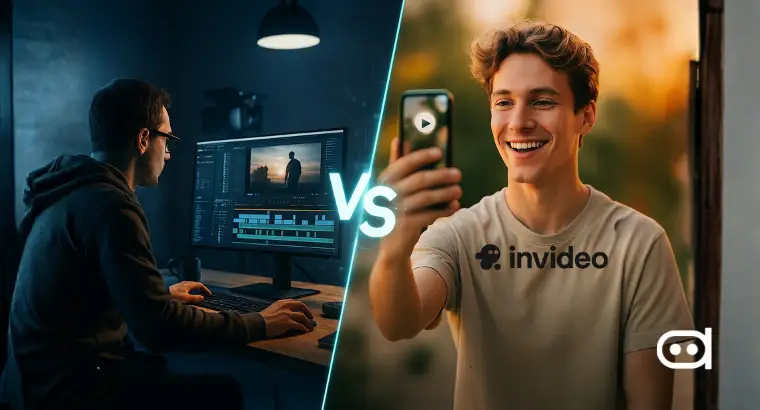

9 Best AI Video Generators for 2026: Top Tools Compared
-
 Arshiya Kunwar
Picture of Arshiya Kunwar
Arshiya Kunwar
Picture of Arshiya Kunwar
- Last Updated: July 31, 2026
By 2026, an AI video generator will be considered a standard tool across the board, and everyone from individuals to businesses will love to have it as their creative asset. From tutorials to marketing campaigns to reels – best free AI video generator tools can help everyone turn simple text into stunning videos within minutes.
Think of them as magic wands that turn simple text prompts into great eye-catching videos of studio quality in no time, having all the motion graphics, voiceovers, subtitles, and background music along with them. What once took days or weeks to complete by a full-scale production team is now being done by AI in minutes. These top AI video generator tools are absolutely necessary for brands that want to expand their audience through storytelling, engagement, and customization across platforms.
Key Takeaways
- Find out about the most advanced Best AI video generation tools of 2026 that perform the whole process of editing, making soundtracks, creating motion graphics, and building 3D scenes in minutes.
- Compare the prices, features, and recommended uses of Gemini Omni, KlingAI, LTX Studio, Hailuo AI, Pika 2.5, Runway Gen 4.5, InVideo AI, Vidu and Luma Dream Machine to understand which suits you best.
- AI video automation can considerably reduce scriptwriting and post-production loads.
- Professional-looking AI-generated videos that are suitable for any platform.
Best AI Video Generators in 2026: Top Picks Reviewed
| AI Video Tool | Best For | Prices | Platform Compatibility |
|---|---|---|---|
| Gemini Omni | Conversational AI video creation with native audio |
|
Web, Gemini app, Google Flow, YouTube Create |
| KlingAI 3.0 | Cinematic text-to-video generation |
|
Web, Mobile, Desktop, API |
| LTX Studio | AI filmmaking and storyboard creation |
|
Web, Desktop |
| Hailuo AI | Fast, realistic AI video generation |
|
Web, Mobile, Desktop |
| Pika 2.5 | Creative short-form social media videos |
|
Web, Mobile, Desktop |
| Runway (Gen 4.5) | Professional video editing & generative AI |
|
Web, Windows, Mac |
| InVideo AI | Marketing videos & social media content |
|
Web |
| Vidu | Consistent character and multi-reference videos |
|
Web, Mobile, API |
| Luma Dream Machine | 3D/immersive video & motion graphics |
|
Web |
Let's explore the Top 9 AI Video Generators in detail:
Introduction
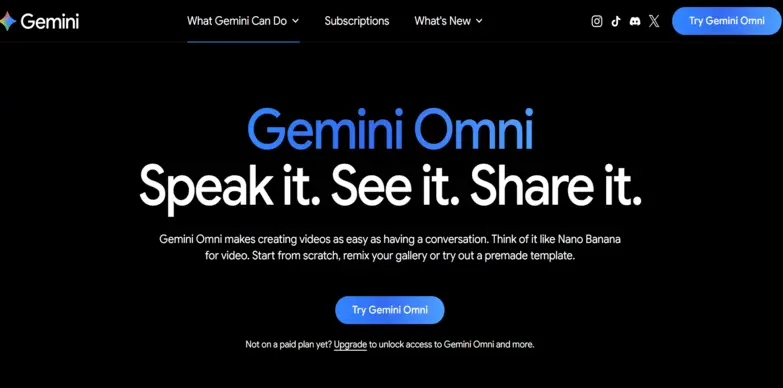
Omni is Google’s newest multimodal AI video generator, which was officially introduced in May 2026. Unlike the older text-to-video setups, Omni can create and edit videos by mixing text, images, audio, and even existing video clips, all in one go. It also manages to produce synchronized dialogue, sound effects, and ambient audio. It’s integrated with Gemini, Google Flow, and YouTube Create, enabling conversational video editing so users can refine scenes naturally instead of repeatedly rewriting prompts. Also, its grounding in Gemini’s world knowledge helps make the output more contextually accurate, touting it as one of the best AI video generators.
Key Feature
- Add, remove, or swap objects.
- Change the weather or time of day, or replace the background entirely.
- Tweak scene lighting, add fresh light sources, and let Omni use its built-in physics knowledge so the action sequences feel real.
- Produce animated 3D text titles and moving subtitles that sync with what’s happening on screen, without lag.
- Add animated motion graphics for short-form clips, and automatically generate sound effects that match the scene.
- Merge up to 10 photos at a time into a single cohesive animated video montage.
- Record a selfie video in the mobile app to create a highly accurate custom avatar, then use it in different video scenes without filming anything yourself.
- The model generates speech and audio natively, which makes it easier to keep dialogue synced with your avatar’s movements.
Pros & Cons
Pros
- Excellent prompt understanding
- Generates synchronized dialogue and sound effects
- Fast rendering speeds
- Deep integration with Google’s AI ecosystem
Cons
- Requires a paid Google AI subscription for full access
- Currently limited to supported regions
- The maximum video duration remains shorter than what traditional editing software can handle.
Pricing
Included in Google AI subscription plans
- Free – $0/month
- Google AI Plus – $4.99/month
- Google AI Pro – $19.99/month
- Google AI Ultra – $99.99/month
Gemini Omni


Introduction
Kuaishou’s Kling AI 3.0 launched in 2026, and it feels like the company’s most advanced and best AI video generation tool. Compared with earlier versions, it brings a big upgrade in realism, smoother camera movement, stronger prompt adherence, better character consistency, and native audio generation. On top of that, Kling 3.0 now includes multi-shot storyboarding, reference-based character generation, and high-res outputs up to 4K for cinematic AI filmmaking. And because its benchmark results look so solid, professional creators have been taking notice for visually realistic video outputs.
Key Feature
- Make up to 15 seconds of footage with several separate shots in one go, jump cuts, and little camera shifts.
- Take a still character image and turn it into a moving clip using a motion reference video or one of the built-in presets.
- Get director-grade camera controls by just telling it what you want using natural language and camera terms, and it will follow along.
- Match the audio to what’s happening on-screen, including character-level lip sync and multilingual dialogue support.
- Get character consistency when mixing scenes by stopping the AI from warping the subject too much.
- Text on screen appears much sharper, so whatever you put there stays clear and readable.
- Draft mode is for quick tests and faster generation with fewer credits, while Pro mode delivers maximum quality and full Omni physics simulation.
Pros & Cons
Pros
- Really strong visual realism
- Good camera motion control
- Solid character consistency
- Works well with professional filmmaking workflows
Cons
- Premium features need a paid subscription
- More complex scenes can take longer to generate
- Some moderation limits apply to generated content
Pricing
- Basic – Free
- Standard – $6.99/month
- Pro – $25.99/month
- Premier – $64.99/month
- Ultra – $127.99/month
Kling AI 3.0


Introduction
LTX Studio, developed by Lightricks, is an AI-powered filmmaking platform built for creators who want to make complete videos rather than just work with individual clips. Over the last few updates, it has added advanced storyboarding, AI-assisted editing, camera controls, and ways to keep character and visual continuity steady. There’s also scene management, so instead of focusing on one single scene like a lot of text-to-video tools do, LTX Studio lets you build full video projects. You can stack multiple shots, add transitions, drop in voiceovers, and run the whole editing workflow all from one interface. That makes it one of the best AI video generation tools, especially useful for marketers, creative agencies, educators, and even independent filmmakers who do longer-form visual work. Plus, the collaborative workspace and export options make it more fitting for production teams that want to tighten up pre-production and post-production without losing too much time.
Key Feature
- The AI storyboard generator takes your text prompt or script and turns it into a more organized visual storyboard.
- Give exact instructions for angles and movement, start and end frames, add keyframe camera motion, tell objects where they’re headed, and even use AI video models.
- The timeline video editor lets you trim clips, shuffle scenes, sync audio, and adjust video speed all within the workflow.
- Works from audio content and includes integrations with audio models, aiming to line up visuals with dialogue or music tracks.
- Handles idea building, scene-by-scene iteration, and timeline assembly inside one project file without switching platforms.
Pros & Cons
Pros
- A complete end-to-end AI filmmaking platform
- Great storyboard and scene organization
- Easy collaboration for creative teams
- Supports professional editing workflows
Cons
- There’s a bit of a learning curve for first-time users
- Some advanced rendering features need a higher-tier plan
- The video generation speed depends a lot on how complex the project is
Pricing
- Free – $0/month
- Lite – $15/month
- Standard – $35/month
- Pro – $125/month
- Enterprise – Custom billing
LTX Studio


Introduction
Developed by MiniMax, Hailuo AI has been one of the fastest-growing AI video generation platforms, largely because it can churn out realistic, cinematic videos from plain-text prompts. It places a lot of weight on natural human movement, expressive facial acting, and steady camera motion, all within a short output time. Hailuo AI is touted as one of the best free AI image to video generators in 2026 for its consistency with reference images and multilingual prompts, so it works across different languages. The interface feels intuitive so that beginners can use it easily. Still, the resulting quality appeals to marketers, social media creators, advertisers, and other creative professionals who want punchy video content without relying on traditional video-editing software.
Key Feature
- Turns descriptive text into dynamic cinema or animated clips up to 10 seconds long and rendered in 1080p.
- Image-to-video gives life to still images such as portraits, AI-generated artHailuo AI, or landscapes by animating them into a moving scene.
- Camera controls let you tell the camera exactly what to do, like push in, pull out, truck left, truck right, or pan and tilt.
- Audio generation includes solid text-to-speech, with multiple voices, different languages, and options for emotion and pitch tweaks, so the delivery feels more natural.
- An audio isolator separates background noise or music from spoken audio and vocals.
Pros & Cons
Pros
- Great realism in human subjects
- Quick video generation
- Simple, easy-to-use interface
- Solid prompt adherence
Cons
- You get only limited advanced editing controls
- If you want higher resolutions, you’ll need the paid plans
- Commercial usage depends on the subscription tier
Pricing
- Free – $0/month
- Standard Plan – $9.99/month
- Pro Plan – $34.99/month
- Master Plan – $79.99/month
- Max Plan – $199.99/month
Hailuo AI


Introduction
Pika 2.5 is the best AI video generation platform from Pika Labs. Its easy-to-use interface is designed so that high-quality video generation feels within reach, even if you’re not a professional. The model builds on earlier versions with improved prompt accuracy, smoother motion, better physics, and enhanced object transformations. One of the platform’s biggest strengths is the creative editing toolkit, which lets users animate images, modify existing videos, add or remove objects, and generate stylized visual effects using natural language prompts. The platform is especially popular among content creators, marketers, and social media teams producing short-form videos for platforms like TikTok, Instagram Reels, and YouTube Shorts. The interface is pretty intuitive, and rendering feels quick, which makes it a good pick for anyone wanting fast creative outcomes without spending weeks learning editing tools.
Key Feature
- Responds well even when the text prompts get complex, capturing character actions, emotions, and detailed surroundings without difficulty.
- Use first-class camera controls such as Pan, Tilt, Zoom, Dolly, and Orbit to steer the scene while maintaining temporal stability.
- Upload one static photo and an audio script, and it animates a very realistic lip-synced spokesperson, almost like a virtual presenter.
- Pika Effects is a signature feature that does dramatic, physics-based alterations. You’ll see effects such as melt, explode, squish, inflate, crush, and cakeify.
- Users can create extra frames to extend the visual timeline beyond the original clip boundaries.
- Built-in sound effects, generated automatically so they line up exactly with what you see on screen, synchronized perfectly.
Pros & Cons
Pros
- Beginner-friendly workflow
- Fast generation times
- Excellent creative editing tools
- Regular feature updates and model improvements
Cons
- Limited video duration compared to professional tools
- Advanced features require a paid subscription
- Less suitable for complex cinematic productions
Pricing
- Basic – Free
- Standard – $10/month
- Pro – $35/month
- Fancy – $95/month
Pika 2.5


Introduction
Runway’s Gen 4.5 leads the market as one of the best free ai video generator tools 2026 which emphasises on the film, design, and marketing sectors. Its combination of editing and generative AI lets users create finished videos from ideas, seamlessly. It also supports various live collaboration, motion tracking, and cinematic effects features, all of which are AI-driven.
Key Feature
- Motion brush tool for object manipulation
- Background removal and scene generation
- Advanced AI video software editing suite
- Text-to-video and inpainting capabilities
Pros & Cons
Pros
- Professional-grade output quality
- Excellent AI-assisted editing tools
- Cross-platform support
- Great for storytelling and ads
Cons
- Slight learning curve for beginners
- Export time can be longer on large projects
Pricing
- Free – $0/month
- Standard – $15/month
- Pro – $35/month
- Max – $95/month
- Enterprise– Contact for Pricing
Runway
InVideo AI

Introduction
InVideo AI, a beginner-friendly AI video generator, was mainly developed for social media marketers and small businesses. Its user-friendly interface allows users to create and share branded content just by entering a little text. The best ai video generation tool is equipped with built-in templates, avatars, and script automation, making it a preferred choice for video makers.
Key Feature
- AI voiceovers and script generator
- Extensive library of stock clips and templates
- It is best free AI video generator tool for personalized brand content
- Multi-platform publishing (YouTube, TikTok, Instagram)
Pros & Cons
Pros
- Perfect for social and ad videos
- No special skills needed
- Collaborative workspace for teams
- Includes ready-to-use assets
Cons
- Watermark in the free plan
- Limited customization in lower tiers
Pricing
- Free – Available
- Plus – $20/month
- Max – $100/month
- Generative – $200/month
- Elite – $1000/month

Introduction
Developed by ShengShu Technology, Vidu has quickly become one of the top AI video generator platforms, especially for creators who want consistent characters and a solid storyline across multiple scenes. Since it launched, Vidu has updated image-to-video generation, support for multi-reference inputs, more realistic motion, and tighter cinematic camera controls. What stands out is how well it maintains the character’s identity from scene to scene, which is useful for animated storytelling, advertising campaigns, educational content, and branded clips. Vidu also offers text-to-video generation, reference-image inputs, and multilingual prompts, enabling creators to produce polished videos with little or no additional manual editing. That mix of quality, speed, and affordability has made it popular for both solo creators and enterprise teams.
Key Feature
- Takes natural language scripts and turns them into cinematic videos in just a few seconds.
- Brings still images to life, adding believable motion and smooth visual effects based on what you describe.
- Upload multiple reference images of characters or objects, so you get strong multi-shot consistency across a multi-scene video.
- Share the starting and ending images, and Vidu AI fills the in-between transitions and motions naturally.
- The Story Grid tool helps you plan multi-scene short films or campaigns while keeping characters’ emotions and actions aligned across the entire timeline.
- Generate synchronized audio right along with your video, with AI sound effects, voiceovers, and automatic lip sync, for up to 16 seconds of continuous cinematic output.
- Start faster using the built-in templates, so you don’t need to craft prompts from scratch.
Pros & Cons
Pros
- Character consistency stays solid across scenes
- Cinematic outputs look high quality
- The interface is simple and intuitive
- Works for personal and commercial projects
Cons
- Some advanced features need paid plans
- Your generation credits can get used up pretty quickly for longer runs
- A few features are still gradually rolling out depending on the region
Pricing
- Free – $0/month
- Standard – $10/month
- Premium – $35/month
- Ultimate – $99/month
Vidu


Introduction
Luma Dream Machine is a best ai video generation platform that specializes in immersive 3D and AI-generated videos with dynamic camera movements. For creative studios, advertisers, and designers, it is a great choice, as they can professionally and realistically transform environments or create animated content without going through the long and complex process of learning traditional 3D software.
Key Feature
- 3D animation and motion AI video generation tools
- Enables photo-realistic rendering
- Text, image, and sound-to-video functionalities
- Rapid frame interpolation results in smoother transitions
Pros & Cons
Pros
- Incredible 3D quality output
- Appropriate for VR/AR production
- Quick rendering engine
- Pricing is within the reach of many
Cons
- Rendering with heavy 3D requires high-performance systems
- Sometimes artifacts appear in motion
Pricing
- Free – $0
- Lite – $9.99/month
- Plus – $29.99/month
- Unlimited – $94.99/month
Luma Dream Machine
Quick Guide on Best Free AI Video Generators
What is an AI Video Generator and How Does It Work?
An AI video generator employs artificial intelligence to convert different input types, such as text, audio, and images, into video. These systems understand the given instructions, create the necessary frames, and set the sound to the images. They can even control the lighting or movement in the design automatically. The majority of present-day AI video generation platforms depend on deep learning models and generative diffusion networks to create realistic motion and contextually aligned visuals.
Difference Between Traditional and AI-Generated Videos
| Aspect | Traditional Video Creation | AI-Generated Video Creation |
|---|---|---|
| Time | Hours or days | Minutes |
| Tools | Manual editing & rendering | Automated AI video software |
| Cost | High production expense | Low-cost AI video automation |
| Skill Level | Requires expertise | Beginner-friendly |
Main Uses of Best AI Video Generators
- Marketing and advertising campaigns: Companies produce ad content in huge quantities, creating a variety of different ads and personalized ads for their various customer segments.
- Educational explainer videos: Teachers use automated animations and tutorials to create visually appealing content that is easy to understand.
- Social media content creation: Videographers make quick, short videos for TikTok and Instagram using the latest effects and captions.
- Animated storytelling: Novelists use character automation to present their stories without needing special skills.
- Product demonstrations and showcases: Online retailers make lively videos showing off the good points and uses of their products.
- Training and onboarding videos: The Human Resources department produces video tutorials from documentation for uniform staff training.
- Personalized video messages: The sales department creates individual communication that includes the name of the client for a more personal and large-scale connection.
Types of AI Video Generators
The best ai video generation tools come in multiple formats, with each serving specific creative needs.
Text-to-Video Generators
Transform written prompts or scripts into video content.
Use Case: Changing a narrative blog topic to a product video.
AI Avatar Video Generators
Provide videos with very human-like digital presenters.
Use Case: Conducting virtual training sessions with avatars.
Animation & Cartoon Video Generators
They add stylized or animated visuals to the video.
Use Case: Children’s educational storytelling through cartoons.
Best AI Image-to-Video Generators
They convert still photos into dynamic sequences.
Use Case: Ad animation for product photography.
Audio-to-Video Generators
Visuals are created to correspond with the audio or voice-over.
Use Case: Transforming a podcast into video format.
How to Choose the Best AI Tool for Video Generation
The selection of the best AI video generation platform should not be based solely on brand names, but rather on what every tool can offer for your specific needs. Evaluate the price range first, because some tools are designed for individual creators while others are made for enterprise-scale production. Investigate the editing capabilities, like the customization options for templates, voiceovers, and visual effects. Determine the output speed and how capable the tool is in rendering high-quality images efficiently. Lastly, make sure to look at its integration with digital marketing platforms, team collaboration features, and user-friendliness to guarantee that it is perfectly in sync with your content creation goals.
Key Features of AI Video Generators
- Transformation of text into video
- Generation of subtitles and voiceover automatically
- Motion tracking and scene recognition
- Cloud-based editing interface
- Figures and models created by users and templates
- Tools for group collaboration
- Exporting to various formats
Tips to Make AI-Generated Videos Look More Professional
- Give detailed prompts to get the visuals right
- Pick the same voice and tone styles
- Incorporate background music and slow transitions
- Make colors and branding elements unique
- Review output for realism before publishing
Our Verdict
By 2026, the AI video generation industry will be full of the best video AI generator tools catering to every single artistic requirement. Gemini Omni stands out for its quick video production, accompanied by excellent audio synchronization, while Runway Gen 4.5 is a tool for professional-grade editing and cinematic effects. InVideo AI is the market leader in social media content creation, and on the other hand, Luma Dream Machine is the specialist in 3D animation and immersive VR/AR production.
However, one needs to consider their specific requirements: budget, technical skills, content type, and quality of output. Analyze the pros of each AI video generation platform against the demands of your workflow to discover the perfect AI video generator for 2026.
FAQs
Can anyone create videos with AI without prior experience?
Yes, beginner-friendly AI video generators like InVideo AI are made for users who lack the technical ability to create videos.
How much time does it take to make a video with AI?
AI videos can be made in a matter of minutes, depending on their length and intricacy.
Are AI-generated videos high-quality?
Yes, the best tools like Runway and Sora provide 1080p or even higher resolutions with very realistic motion.
What platforms offer AI video generation tools?
Popular platforms include Google Veo 3.1, Runway, Luma Dream Machine, InVideo AI, and OpenAI Sora 2.
Are AI-generated videos copyright-free?
Most AI video creation tools allow users to retain the copyright for the output, but it is always recommended to check the licensing policy of each platform before making a decision.
What are the limitations of AI video generators?
They can sometimes misinterpret complex scenes or lack emotional depth compared to human editing.
Table of Contents
- Key Takeaways
- Best AI Video Generator Tools Explained
- Quick Guide on Creating Videos with AI
- AI Video Generator & its Working
- Traditional and AI-Generated Videos
- Uses of AI Video Generators
- Types of AI Video Generators
- Choose the Best AI Tool for Video Generation
- Features of AI Video Generators
- Tips to Make AI-Generated Videos
- Our Verdict
- FAQs
SHARE
Related Articles