The rapid development of AI tools for creating images and videos has changed the way creators and marketers produce visual content. Prompts, together with an advanced model, have made the traditional production process quick and efficient. The platforms that stand out in 2026 include Krea AI and Kling AI image generation because they deliver new features and productivity through fast development cycles and high-quality results.
The core debate often comes down to control versus cinematic realism. Some creators want granular editing and real-time iteration, while others prioritize high-fidelity video generation with minimal effort.
What is Krea AI? Platform Overview
The Krea AI photo editor can help users create their own visual content through its real-time creative platform, which provides absolute control over image and video generation. Unlike many tools that rely purely on prompt-based workflows, Krea emphasizes interactive editing, allowing creators to adjust visuals dynamically as they generate. The system enables designers, creative teams, and marketers to develop their work through quick development cycles.
The platform provides users with access to a unified system that enables them to create images, improve existing ones, upscale, and even test videos. Its standout capability is the real-time canvas, where users can refine composition, lighting, and style without restarting generations. Krea provides users with enhancement tools that enable them to enhance image quality, supporting both creative brainstorming and production work using the Krea AI image generator and the Krea AI enhancer.
What is Kling AI?
Kling AI is one of the most sophisticated video production systems available in 2026 because it creates highly realistic motion and cinematic sequences. Developed with a focus on physics realism and temporal consistency, it has quickly become a go-to tool for filmmakers, advertisers, and creators seeking near-production-ready video outputs using the Kling AI video generator.
The platform transforms text and images into extended video content, which displays smooth motion and authentic environmental settings. The system enables users to create complex environments through automated processes, requiring no more than basic operating skills. Kling AI image-to-video transforms static images into animated videos using its conversion system. Kling AI also provides superior visual quality, which makes it suitable for creating storytelling content, cinematic projects, and powerful marketing materials.
Feature-by-Feature Comparison
Image Generation Quality
The Krea AI image generation system produces artistic results through its highly flexible design, which enables users to create various visual styles while maintaining precise control over their work. Kling AI produces high-detail images that achieve realistic motion through its Kling AI model.
Video Generation Capabilities
Kling leads in cinematic realism and supports longer sequences aligned with Kling AI’s video length limit, which defines its maximum duration. Krea allows users to test video content, but it works best with short video segments, which enable users to discover new creative possibilities instead of telling complete stories.
Real-Time Editing
The Krea AI platform clearly dominates here with its interactive canvas and instant adjustments, reinforcing its strength. Kling uses prompt iteration as its main operational method, which creates delays when users want to improve their work.
Ease of Use
Krea feels intuitive for designers familiar with visual tools, while Kling has a steeper learning curve but rewards users with high-quality outputs once users master using the Kling AI prompt guide.
Output Style Control
The Krea system enables users to control every detail of their visual presentation through its advanced style and composition management system. Kling uses automated realism technology to create natural movement patterns, while users are not able to manually change their settings.
Unique Features
Krea AI: The combination of real-time canvas editing, which provides instant feedback and its built-in enhancement tools, and its fast iteration workflows enables creators to work effectively with Krea AI features.
Kling AI: Kling AI video generation model uses advanced motion realism technology, extended video generation capacity, and cinematic lighting capabilities to stand out from the competition.
Real-World Testing: Krea AI vs Kling AI
Krea performs best during rapid ideation tests, which require developers to create multiple design options within minutes. Designers can edit prompts through visual tools while they create new designs and work through existing projects, enabling them to work faster on creative projects.
The Kling AI video generator produces its best results when it creates high-quality video material. The tests with cinematic prompts demonstrated more realistic lighting, smoother motion effects, and improved scene coherence when compared to most competing products. The process of completing an iteration cycle requires more time because of the combined effects of rendering delays and reduced interactive editing capabilities.
Image Result: One prompt was used on both the tool with a different canvas.
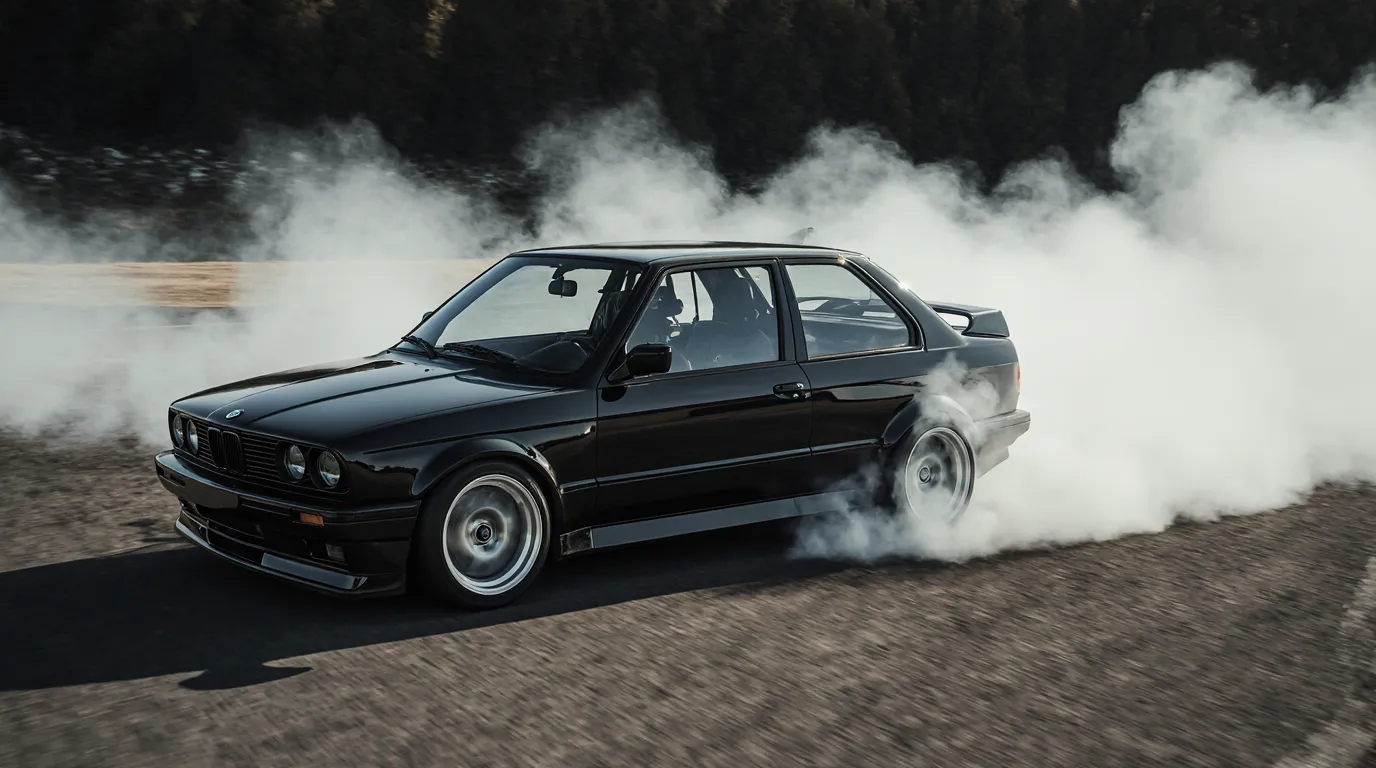
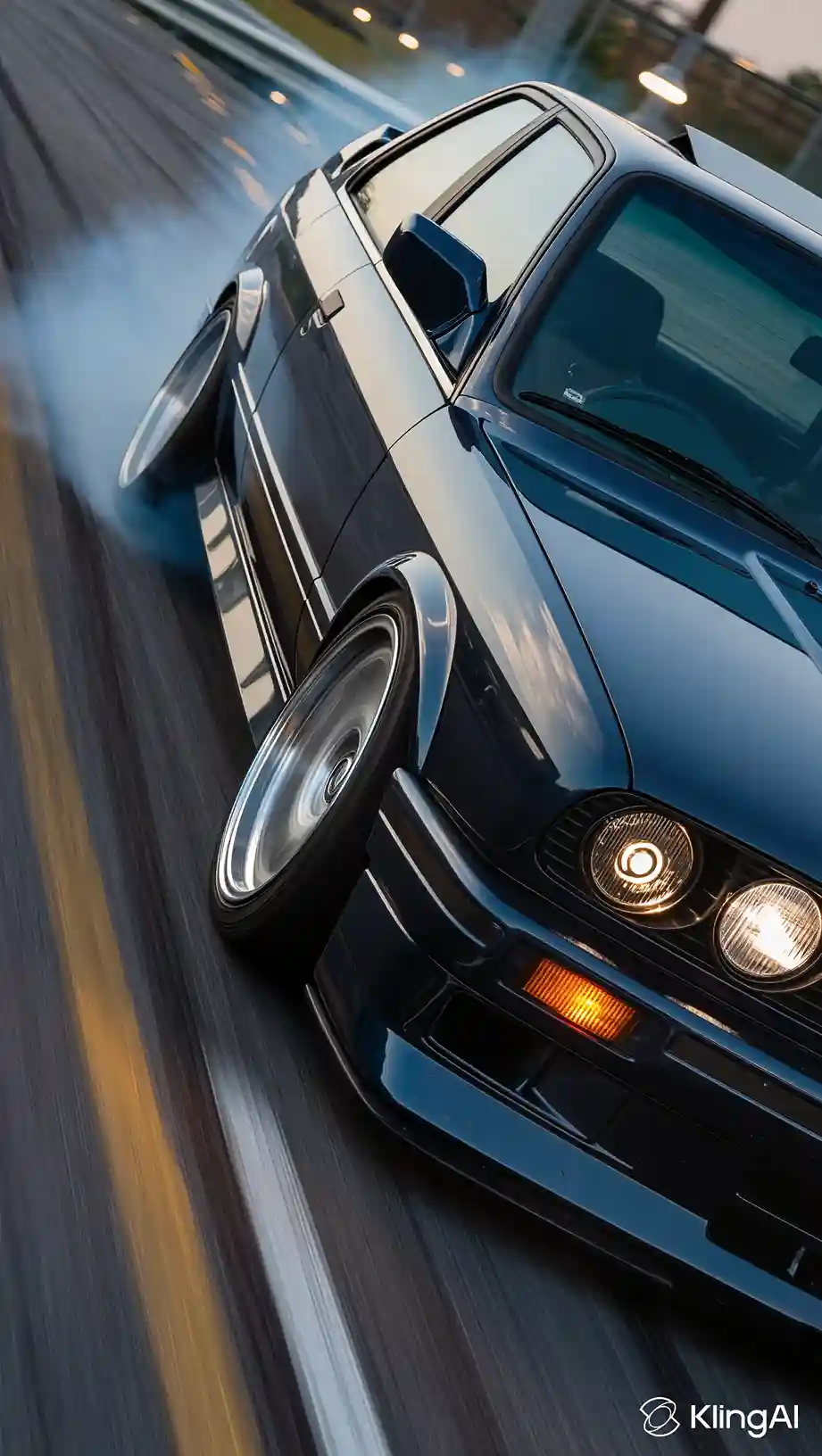
Video Result: Kling AI video generation performed better than Krea AI as compared with physics and sound.
Krea AI vs Kling AI at a Glance
| Metric | Krea AI | Kling AI |
| Core Focus | Real-time creative control | Cinematic realism |
| Primary Output Type | Images and short videos | High-fidelity video |
| Real-Time Editing | Yes | Limited |
| Video Length Support | Short to moderate | Longer sequences |
| Learning Curve | Moderate | Higher |
| Best For | Designers and marketers | Filmmakers and studios |
Pricing, Access & Platform Compatibility
Krea AI pricing uses a tiered system, with free as well as paid plans that provide higher resolution outputs and faster processing. The browser-based interface enables users to access the system without needing advanced hardware specifications, and on iOS/iPadOS.
- Free – $0/mo (100 units)
- Basic – $9/mo (5000 units)
- Pro – $35/mo (20000 units)
- Max – $105/mo (60000 units)
- Business – $200/mo (80000 units)
- Enterprise – contact Krea AI
The Kling AI pricing depends on the number of usage credits and the generation duration. The platform offers its premium tiers to professional creators and studios who need extended access to its features. It also attracts regular users through Kling AI free daily credits and the Kling AI affiliate program.
- Trial Package – $9.79 (100 units)
- Trial Package – $97.99 (1000 units)
- Package 1 – $4200 (30000 units)
- Package 2 – $5670 (45000 units)
- Package 3 – $6720 (60000 units)
- Customized Resource Package – contact Kling AI
FAQ
What are the alternatives to Kling AI and Krea AI?
Runway and Pika serve as alternatives that provide workflow functionality that resembles Krea AI video generation but differ in the depth of realistic output and video editing capabilities.
How to write prompts for Kling AI image to video?
Create descriptions that describe every scene element together with its camera movements, lighting conditions, and all subject movements. The system generates better motion output and realistic results from specific prompts that use its Kling AI text-to-image capabilities.
How long does Kling AI take to generate video?
The time required for Kling AI to create video content depends on the length and complexity of the video segments, which take approximately several minutes to create standard content, while high-resolution cinematic sequences extend the processing time.