- Manus rolled out Scheduled Tasks 2.0, a smarter automation system that lets AI workflows keep their memory, files, and project context during recurring tasks.
- You can schedule ongoing AI operations right inside task threads, project workspaces, and Manus-built apps, and you’ll have real-time tracking for everything like execution history, workflow activity.
- It’s a pretty big step, signaling a shift across the AI industry as we’re moving toward autonomous agents that can handle those long-running tasks with hardly any manual effort.
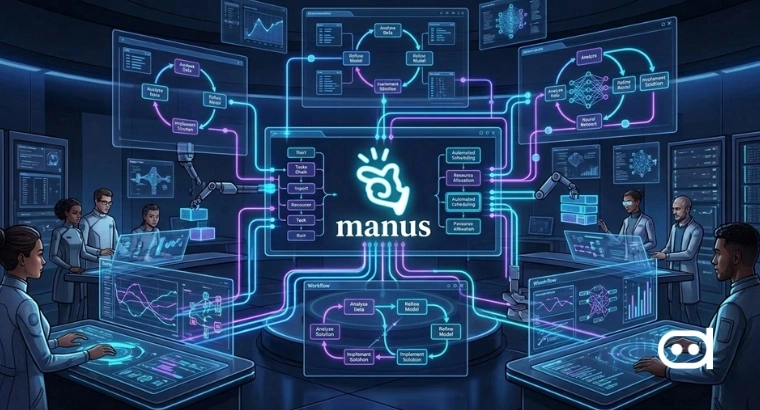
Manus is ramping up its automation game with Scheduled Tasks 2.0 that is a system built to make recurring AI workflows more persistent and context-aware. The big idea is that scheduled tasks keep working within the same environment, remembering past conversations, uploaded files, instructions, and outputs. So, every scheduled run isn’t treated like a brand-new process anymore. Now, the platform supports workflow continuity across tasks and projects.
Manus is saying the new scheduling system helps users automate repetitive operational work without having to restate the context or restart workflows constantly.
What is Scheduled Tasks 2.0
Introducing Scheduled Tasks 2.0 — a major upgrade to recurring work in Manus.
— Manus (@ManusAI) May 18, 2026
Scheduling is no longer just about running something at the right time. It is about running it in the right place, with the right context.
Now scheduled work can continue in the same task, power… pic.twitter.com/2G4CRjMUdi
Scheduled Tasks 2.0 is Manus’ upgraded system for recurring AI-powered tasks. Unlike traditional scheduling that just triggers commands at regular intervals: daily, weekly, etc., the Manus approach is about context that sticks around.
These recurring workflows keep their link to the same task thread, project workspace, or Manus-built app, so the AI can look back at earlier outputs, remember its instructions, access uploaded data, and keep refining the process. No more hitting the reset button at every execution.
There are new workflow management tools now, too. You get an execution history, calendar-style scheduling views, and easy access to past outputs, all right from the dashboard. Plus, you decide if a scheduled task should continue to use the current context, or start over completely.
One of the standout features is scheduled automation inside Manus-powered apps. Developers and teams can set up background operations like refreshing datasets, generating reports, updating dashboards, and processing various tasks, without needing to activate them manually every single time.
Also read: China Opens Export Control Probe Into Meta’s $2 Billion Manus Acquisition Deal
How to Use Scheduled Tasks 2.0: Step-by-Step Tutorial
Step 1: Create or open a workflow
Start by creating a new workflow, task thread, or project in Manus. Or just use an existing project, especially if you want to automate work that already has files, instructions, or outputs.
Step 2: Define the recurring task
Figure out what the AI should do on repeat like report generation, dashboard updates, info monitoring, data summarization, operational workflow management. You can upload files and give instructions, and the AI will keep these handy for future runs.
Step 3: Set up the schedule
Once your workflow is set, pick how often the task should run. Manus supports daily, weekly, or custom intervals, depending on what fits your needs.
Step 4: Choose context settings
Decide if the scheduled workflow should keep past context or start fresh every time. Enable context, and the AI will build on previous outputs and keep continuity from one run to the next.
Step 5: Add integrations and execution controls
You can set up integrations, cloud resources, and customize execution. Trusted workflows can skip manual confirmations, letting recurring tasks roll out more smoothly.
Step 6: Monitor workflow activity
When your schedule activates, track everything from the Manus dashboard, see scheduling overviews, check run-history logs, revisit past outputs. Troubleshooting and efficiency both get a boost.
Step 7: Enable scheduling in Manus-built apps
Developers can activate recurring background processes right inside their Manus-powered apps, refreshing datasets, updating analytics, generating reports, maintaining operations, without needing to reopen the app manually.
Wrapping up
Scheduled Tasks 2.0 shows how quickly AI platforms are moving past basic chatbots and becoming full-on operational tools. Manus is combining recurring automation with memory, project continuity, and execution controls to build AI workflows that act more like steady digital assistants than one-off tools. This upgrade puts Manus right in the competition to build autonomous agents that handle ongoing workflows with almost no hands-on involvement.