




Top 5 AI Transcription Tools That Deliver Fast and Reliable Text Output
Businesses, creators, and professionals today rely heavily on AI Transcription Tools to convert spoken content into accurate written text. From meetings and interviews to podcasts and legal recordings, the demand for fast and dependable transcription has grown dramatically. The best AI transcription tools now deliver near real-time processing, speaker identification, multilingual support, and productivity platform integrations. The correct platform selection for your needs will enhance both efficiency and documentation precision when you need AI voice-to-text tools for meetings or automatic transcription software for media production.
Key Takeaways
- Modern AI transcription software delivers fast, scalable, and cost-effective speech-to-text conversion.
- The best speech-to-text tools provide users with immediate transcription results together with speaker recognition capabilities and cloud-based system connections.
- Different industries require specialized AI audio transcription tools to maintain compliance standards and operational processes.
- The selection of the appropriate AI transcription app requires the assessment of accuracy, language capabilities, cost factors, and security measures.
Top AI Transcription Tools Explained
| Tools | Best For | Pricing | Platform Compatibility |
|---|---|---|---|
| Sonix | Fast, accurate automated transcription with multi-language support |
Standard – $0/month (Transcription billed at $10 per hour) Premium – $22/month (Transcription billed at $5 per hour) Enterprise – Custom Pricing (Tailored plans for teams & organizations) |
Web-based (Works on Windows & macOS via browser) |
| Otter.ai | Live Meeting transcription, real-time collaboration, and note-taking |
Basic – Free Pro – $16.99/user/month Business – $24/user/month Enterprise – Custom Pricing |
Web-based, iOS & Android app available, and Chrome Extension Support |
| Trint | AI transcription with team collaboration and advanced editing |
Pro – $100 per seat/month Team – $90 per seat/month Business – Custom pricing |
Web-based (Browser access on Windows & macOS) |
| Fireflies.ai | Automated meeting recording & CRM integration |
Free – $0 forever Pro – $18 per seat/month Business – $29 per seat/month Enterprise – $39 per seat/month |
Web-based; Integrates with Zoom, Google Meet, Microsoft Teams, iOS & Android app available |
| Rev AI | AI + Human transcription for high accuracy needs |
Free – Limited free Access Essentials – $29.99 per seat/month Pro – $59.99 per seat/month Unlimited – Custom pricing |
Web-based; Mobile app available |
Let's explore the Top 5 AI Transcription Tools in Detail:
Introduction
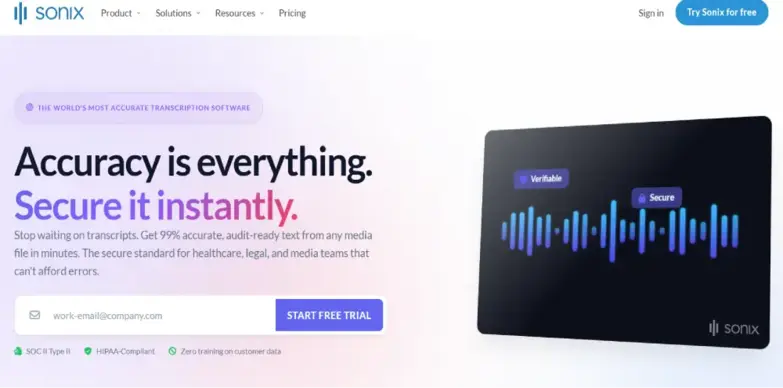
The Sonix AI transcription tool stands out as one of the most dependable international audio transcription services. Sonix provides organizations with a platform for fast performance, easy operation, and multiple language support. Global teams use the solution, which supports 40 languages, to handle interviews, webinars, podcasts, training, and business communication needs. The design of Sonix speech-to-text software shows its dedication to producing accurate outcomes through streamlined user workflows. The platform provides a browser-based editor that enables users to access transcripts that synchronize with audio waveforms for fast content verification and adjustment. The tool proves valuable to journalists, content creators, and marketing professionals who need accurate transcripts for their publication and content reuse needs.
Key Feature
- Provides exact transcription results through its automated transcription system with high precision.
- Can process multiple languages.
- Includes a transcript editing tool that users can access through their web browser.
- Automatically creates subtitles for all video content.
- Recognize different speakers in audio material.
Pros & Cons
Pros
- Provides excellent multilingual capabilities
- Offers rapid response times
- Presents a user-friendly design for easy navigation
- Multiple options for exporting content
Cons
- Per-hour pricing can lead to increased costs
- Usage of premium features requires higher plans
Pricing
- Standard – $0/month (Transcription billed at $10 per hour)
- Premium – $22/month (Transcription billed at $5 per hour)
- Enterprise – Custom Pricing (Tailored plans for teams & organizations)
Introduction
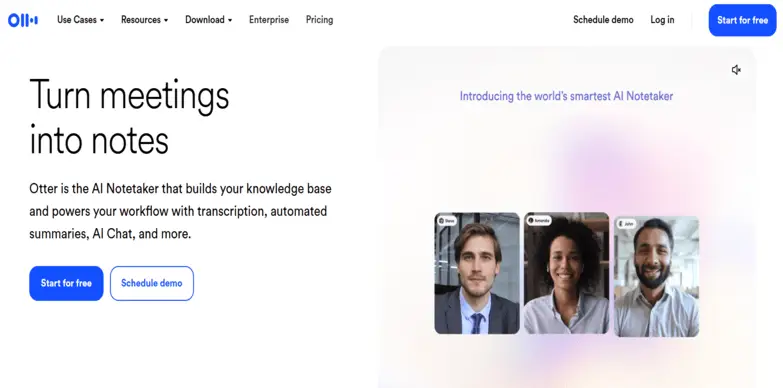
Otter.ai focuses on developing its product for business users, educational institutions, and remote work groups. The platform provides organizations with seamless integration capabilities, enabling them to use embedded AI speech-to-text tools throughout their communication systems. Otter AI voice-to-text produces immediate transcripts, which permit meeting attendees to conduct searches, create highlights, and leave comments throughout their discussions. The system establishes documentation standards, enhancing both accuracy and subsequent review procedures. The feature permits remote teams to work without needing to document their work manually, while it enables automatic recording of critical decisions made during their work process.
Key Feature
- Provides users with upcoming meeting events through its real-time transcription service.
- Generates meeting summaries without human input.
- Identify different speakers in a conversation.
- Provides users with search capabilities through its transcription output.
Pros & Cons
Pros
- Works exceptionally well for teams who operate from different locations.
- Offers users real-time transcription capabilities.
- Tools that make it easy to work together with others.
- Easy design enables users to navigate its functions with ease.
Cons
- Only basic tools for editing content.
- System performance drops in environments that produce high levels of background noise.
Pricing
- Basic – Free
- Pro – $16.99/user/month
- Business – $24/user/month
- Enterprise – Custom Pricing
Introduction
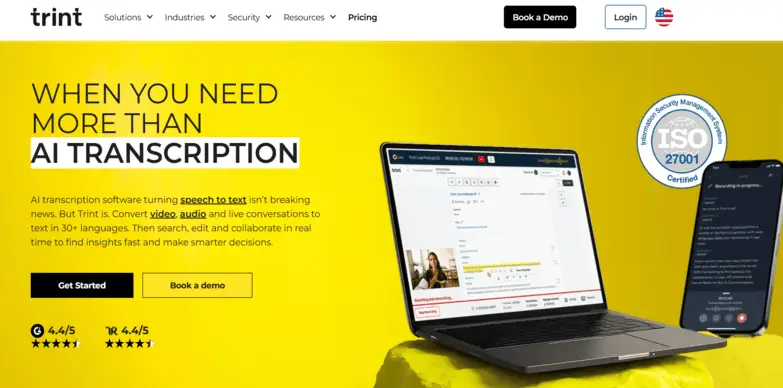
Trint AI transcription software delivers AI audio transcription tools that enhance newsroom collaboration for journalists, media houses, and enterprise clients. The platform provides organizations with an accurate and secure multilingual system, allowing them to manage sensitive interviews and worldwide content creation. Trint’s interface enables users to upload their audio and video content, which will then be transformed into organized transcripts within a short time. The built-in editor enables users to verify and correct content through synchronized playback of audio and text. The software enables users to work in multiple languages, while its translation features enhance its effectiveness for international news reporting and cross-border team operations.
Key Feature
- Provides automated transcription services
- Supports multiple languages
- Users can work together in real time
- Secure storage through cloud services
- Includes translation capabilities
Pros & Cons
Pros
- Performs well in newsroom settings
- Security features protect enterprise data
- Effective tools for team collaboration
- User-friendly interface for editing purposes
Cons
- Requires users to pay higher prices for its advanced features
- Users need to make manual changes when they deal with complicated audio material
Pricing
- Pro – $100 per seat/month
- Team- $90 per seat/month
- Business – Custom pricing

Introduction
The AI transcription tool from Fireflies.ai operates as an advanced system that provides real-time meeting transcription, automatic note-taking, and spoken content analysis. Fireflies.ai enables users to record and transcribe their meetings automatically in live mode because it supports various video conferencing platforms, including Zoom, Microsoft Teams, Webex, and Google Meet. The system sets itself apart from other voice-to-text AI tools through its dedication to improving teamwork and work efficiency. Transcripts function as dynamic text components that users can search through because the content includes topic detection, keyword tagging, sentiment analysis, and actionable summaries.
Key Feature
- Immediate meeting transcription for all major platforms.
- Generates automatic summaries while identifying essential action points.
- Connects to CRM systems and various productivity applications.
- Transcripts that users can search and access through dedicated indexes.
Pros & Cons
Pros
- Connect with Zoom, Teams, and Meet through its live integration feature.
- Advantages for business operations and sales personnel.
- Enhances productivity through its ability to create summaries and identify important tasks.
- Search capabilities that can be used to find and distribute transcripts.
Cons
- Struggles to maintain accurate real-time performance when people speak with strong accents or when there is background noise.
- Users need to purchase advanced plans to use premium functionalities.
Pricing
- Free- $0 forever
- Pro – $18 per seat/ month
- Business – $29 per seat/month
- Enterprise – $39 per seat/month
Introduction
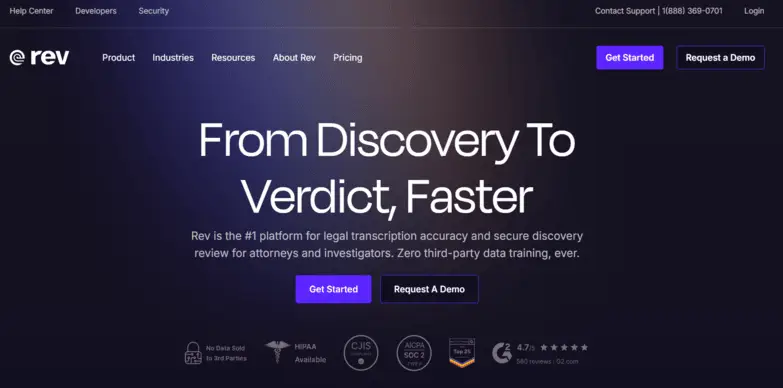
Rev AI transcription tool bridges the gap between fully automated AI transcription software and human-reviewed transcription solutions. Known for its reputation in the professional transcription market, Rev offers both AI-generated transcripts and optional human editing for higher accuracy needs. This hybrid approach makes it especially popular among legal professionals, researchers, and media production teams who require precise documentation. Unlike many standard AI voice-to-text tools, Rev emphasizes reliability in complex audio conditions. Its AI engine is optimized for clear audio but can also handle interviews, panel discussions, and recorded calls with reasonable accuracy. Users can upload audio or video files and receive fast turnaround transcripts, which can then be refined through human review if needed.
Key Feature
- Offers AI and human transcription options
- Comes with API integration
- Quick and helpful subtitle and caption generation
- Multiple export formats available for users
Pros & Cons
Pros
- High accuracy with human review offered
- Flexible pricing options for every use
- Reliable brand reputation and trusted usage
- Offers enterprise API support
Cons
- Human transcription can be costly and time-consuming
- AI-only mode may require edits
Pricing
- Free – Limited free Access
- Essentials – $29.99 per seat/month
- Pro – $59.99 per seat/month
- Unlimited – Custom pricing
Quick Guide On AI Transcription Software
How AI Transcription Tools Work
Most AI transcribing tools follow a structured process:
- The tool records or uploads audio and video content during the initial stage.
- AI models analyze waveform patterns through deep learning.
- Natural language processing identifies words and context through its language processing capabilities.
- Advanced models use speaker differentiation technology to identify different speakers.
- The system produces editable text through its Text Output Generation process.
- The system generates automatic post-processing that adds punctuation and formatting, together with summaries.
Types of AI Transcription Tools
Various apps to transcribe audio provide solutions that address different requirements across multiple situations:
Real-Time Transcription Tools
The AI transcription app enables users to transcribe real-time spoken content during their meetings and webinars. The applications Otter.ai and Fireflies.ai demonstrate strong performance as they provide remote teams with immediate access to meeting documentation and searchable meeting records.
Pre-Recorded Transcription Tools
The app to transcribe audio to text processes audio files that users upload to their system for transcription. Sonix and Rev enable media production teams to accelerate their workflows through fast batch processing capabilities.
Industry-Specific Tools
The best transcription app solutions create documentation that meets compliance requirements while their programs recognize specialized terminology for healthcare and legal fields.
Multilingual Transcription Tools
These AI-to-transcribe audio platforms enable users to transcribe audio content in multiple languages, making them suitable for international businesses and content creators who want to reach worldwide audiences.
Key Features to Look for in an AI Transcribing Tool
When choosing from the top AI transcription tools, prioritize:
- The AI transcription tool needs to deliver correct speech-to-text results for various accents, dialects, and all specialized terms.
- The advanced AI speech-to-text software needs to support several languages because it needs to allow users from different countries to communicate and create documents.
- The strong AI meeting transcription platforms offer users the ability to capture instant notes through their live speech-to-text system during calls.
- The AI voice recognition software works effectively by using automatic methods to find and identify all speakers in interactions.
- The automatic transcription software needs to provide users with keyword search capabilities and filtering options, enabling them to quickly find specific information.
- The current AI meeting transcription tools use artificial intelligence to create meeting summaries that include both essential information and specific tasks.
- The AI transcription platform needs to work with conferencing tools and CRM systems while it provides protection through encryption and data security, which meets regulatory standards.
Benefits of Using AI Transcription Tools
Using AI meeting transcription tools offers several benefits, such as:
- The implementation of AI transcription tools results in faster documentation processes because it allows users to create precise written records from meetings, interviews, and recordings within a shorter time period.
- The process of automated AI meeting transcription enables teams to concentrate on their discussions and decision-making process because it removes the need for manual note-taking.
- Advanced AI speech-to-text software systems minimize human errors while producing transcription results that maintain high-grade accuracy throughout all transcriptions.
- The use of automatic transcription software results in decreased operational expenses for businesses because it replaces the need for conventional manual transcription services.
- The outputs from AI audio transcription tools become searchable and shareable, enabling team members to work better together while maintaining work visibility.
- AI voice recognition software provides smart summaries and keyword detection, enabling users to extract important information about decisions, tasks, and key highlights.
- AI transcription platforms operate on cloud systems and possess the capability to expand their operations in order to process extensive audio data and fulfill the transcription demands of large business organizations.
AI Transcription Tools for Different Industries
Different industries use AI transcription software to enhance their operational processes.
Healthcare
Medical professionals use AI tools to document patient consultations and clinical notes efficiently, which helps them reduce administrative tasks while achieving better documentation results.
Legal
Law firms use transcription software to create searchable documents from depositions, hearings, and interviews while maintaining compliance standards.
Media & Journalism
Journalists use the best AI video transcription tools to transform interviews and press conferences into content that can be published.
Education
Educators use transcription apps to create lecture notes, improving accessibility and supporting multilingual students.
Corporate
Businesses use AI audio transcription tools to record their meetings while also tracking action items and increasing team efficiency.
AI Transcription vs Human Transcription
| Feature | AI Transcription | Human Transcription |
|---|---|---|
| Speed | Very Fast | Slower |
| Cost | Lower | Higher |
| Accuracy | High (depends on audio) | Very High |
| Scalability | Unlimited | Limited |
| Context Understanding | Improving | Excellent |
| Turnaround Time | Instant | Hours/Days |
Common Challenges in AI Voice-to-Text Tools
Even AI voice-to-text tools face challenges:
- AI voice-to-text tools fail to deliver accurate results because their performance decreases when they encounter background noise, overlapping speech, and substandard audio quality.
- AI transcription software struggles to achieve precise results because it cannot handle multiple accents, regional dialects, and code-switching situations.
- Advanced AI speech-to-text tools fail to recognize specialized terms because they misread technical vocabulary, acronyms, and domain-specific terms.
- The AI audio transcription tools struggle with proper identification and speaker labeling in instances where multiple speakers are talking rapidly during discussions.
- Automatic transcription software requires organizations to implement robust encryption systems alongside compliance standards for safeguarding confidential dialogues.
How to Choose the Best Speech-to-Text Tools
Selecting the best speech-to-text tools requires identifying your specific usage requirements. The selection process requires you to assess the following factors:
- Choose speech-to-text tools that demonstrate high transcription accuracy across accents, speaking speeds, and technical vocabulary.
- The assessment of AI speech-to-text software requires you to check its capacity for accurate transcription during live meetings.
- The best AI transcription tools should integrate seamlessly with video conferencing platforms, CRMs, and cloud storage systems.
- Automatic transcription software needs to provide encryption and secure storage, with compliance with data protection standards.
- AI voice-to-text tool pricing structure needs to be examined through subscription layers and usage limits because it will determine your financial capacity and future growth requirements.
- The selection of AI audio transcription platforms requires you to evaluate their usability and technical assistance programs.
Final Insights on Apps to Transcribe Audio
The advancement of transcription applications will depend on their ability to comprehend context better, their capability to handle multiple languages more effectively, and their ability to work more closely with team-based software systems. The ongoing development of AI modelsRev will lead to higher accuracy rates, resulting in reduced operational expenses for businesses.
Businesses and creators can achieve productivity improvements through proper investment in AI Transcription Tools, which help optimize documentation activities. The crucial task involves choosing a platform that matches your business needs in terms of industry requirements, operational needs, and business size.
FAQs
What are AI transcription tools?
AI Transcription Tools serve as software solutions that utilize artificial intelligence and speech recognition technology to transform spoken audio content into written text.
How accurate are AI transcribing tools?
The system achieves high accuracy, but its performance depends on audio quality, accent clarity, and background noise levels.
Can AI transcription tools handle multiple languages?
Yes, many AI transcription software platforms support multiple languages and dialects.
Are AI transcription tools secure?
Yes, they are secure. Most enterprise-level tools provide encryption features, protected cloud storage, and security compliance certifications.
How much do AI transcription tools cost?
The cost of tools ranges from free options to subscription-based plans, which charge users either monthly fees or per-minute usage fees.
What file formats do AI transcription tools support?
The system supports most common audio and video formats, including MP3, WAV, and MP4, along with export capabilities like TXT, DOCX, and SRT.
Table of Contents
- Key Takeaways
- Top AI Transcription Tools Explained
- Quick Guide On AI Transcription Software
- How AI Transcription Tools Work
- Types of AI Transcription Tools
- Key Features to Look for
- Benefits of Using AI Transcription Tools
- AI Transcription Tools for Different Industries
- AI Transcription vs Human Transcription
- Common Challenges
- How to Choose the Best Speech-to-Text Tools
- Final Insights
- FAQ's
SHARE
Related Articles





Latest Posts
