The issue of limited resources alongside great ideas is one of the common problems faced by early-stage startups. UI/UX designs are the perfect example of a resource that is usually hard to come by. As a co-founder who worked on a Unified Social Feed app that pulls together trending posts from Instagram, Facebook, X, and TikTok, I was looking for a quick way to draw flows and validate user journeys without going through an entire design team. Google Stitch AI came in as a savior. Stitch was promoted as an experimental AI tool for UI UX design that would give fast screens, neat layouts, and quick changes.
What Is Google Stitch?
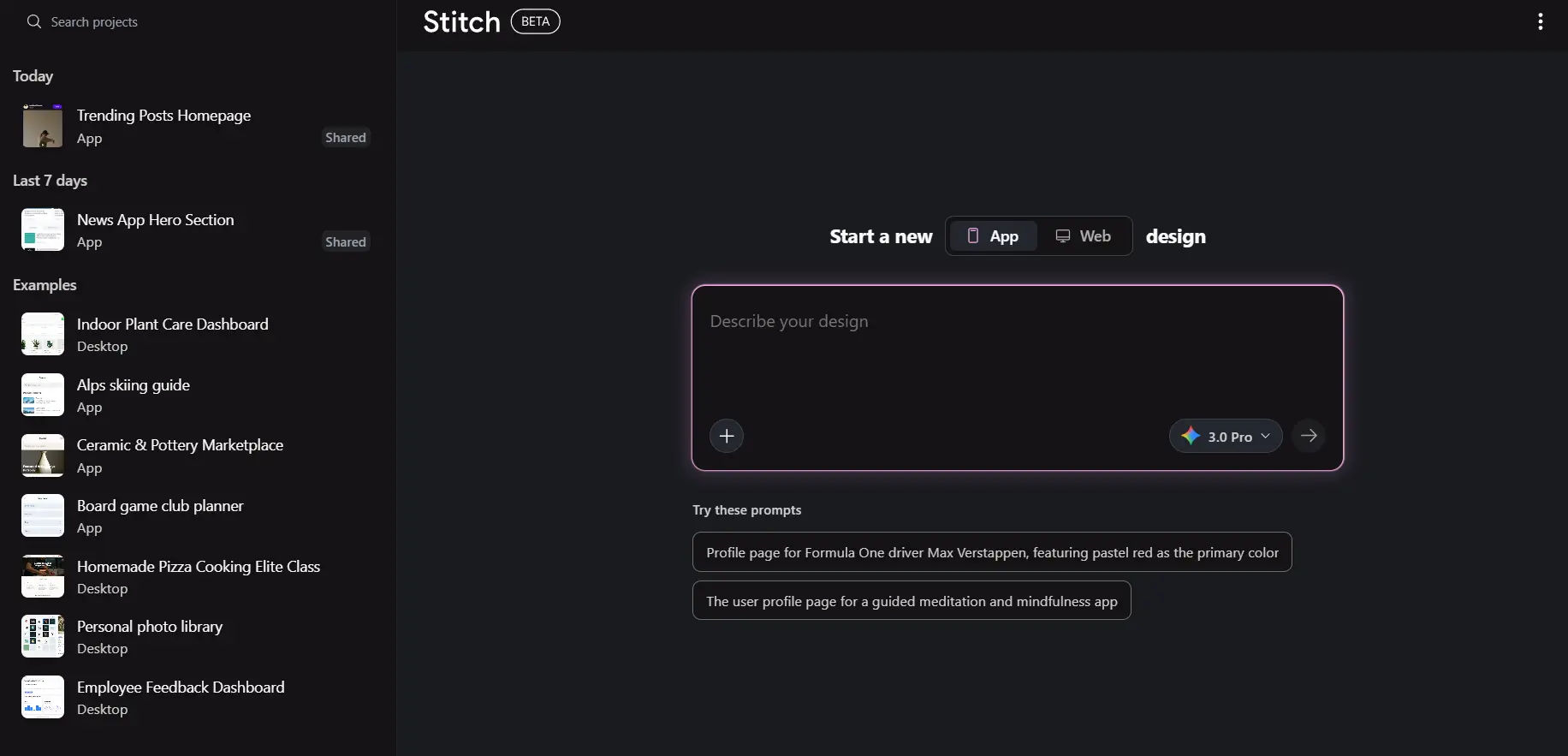
Google Stitch is a new AI tool that helps designers and developers design and test app interfaces quickly. At the same time, it’s a mixed workspace for ideation and layout generation, where it employs a powerful Gemini-based reasoning to render your prompts as interactive mockups. Google Stitch sticks to the basic principle of clarity: just tell it what you need, submit a rough drawing, or a picture, and within a few seconds, Stitch will provide you with the screens. For startup founders who are eager to test their ideas right away, Stitch is the ideal compromise between brainstorming and complete product design.
Features of the UI/UX Wizard
- Daily Credits & Redesign Credits
Google Stitch features keep you engaged with daily credits of up to 150, along with 4 daily redesign credits, which allows even more changes during the whole development period. - Two Output Options: App & Desktop
It’s possible to create UI for either app interfaces or desktop platforms, providing great flexibility for various social media app UI design scenarios. - Three Modes of Creation
Rapid – Fast mockups for brainstorming
Pro – Intermediate Detailed screens
Redesign – Google’s Nano Banana agent helps to refine the layout - Upload Options
Users have the option to upload images or paste URLs as a reference for their designs, a feature that is particularly beneficial in case of pointing out competing apps or drawing upon brand guidelines. - Export to Google AI Studio
The most advanced feature is the ability to export to Google AI Studio, which allows you to transform your UI into working prototypes that are driven by Gemini 3. This is when Stitch turns from merely an AI app design tool into something that can accelerate a real product development process. - Pre-Created App Templates
For novices, Stitch provides pre-built apps for understanding the workflow, which makes it one of the most user-friendly AI UI/UX design tool options with a quick learning curve.
Recent Updates on Stitch
Google Stitch has evolved rapidly, and its recent updates significantly improve usability.
- Prototype
With the prototype feature, visualizers can connect various screens together showing their flow on all three layouts of mobile, desktop, and tablet. This feature gives the start-up team and designers the ability to see the users’ journeys as if they were the creators of the mock-ups which speeds up and makes the whole process of validation more user-friendly and intuitive. - Predictive Heatmap
In case of AI-driven behavior modeling, this feature can highlight where users are likely to engage most on the display. It gives early-stage teams a data-informed way to prioritize CTAs, navigation elements, and content placement before real users even test the product.
- Regeneration
You can regenerate screens with minor prompt alterations rather than restarting from scratch. This speeds up the process of iteration and promotes creativity without getting designers frustrated by having to recreate entirely.
- Variation
In case you are not sure which layout or UX path to take, Stitch will create numerous design variations for the same screen. Comparing different visual hierarchies, interaction styles, and patterns becomes easier when they are shown side by side before making a decision.
- Edit Theme
With the Edit Theme feature, one can modify the whole color scheme, typography, and visual character of the entire screen within moments. It is particularly beneficial for budding companies that are examining various branding avenues or are making changes in design for different target audiences or platforms.
- Export Options
Now, Stitch has the ability to export designs in formats suitable for Google AI Studio, Jules or as a .zip file. This adaptability allows the designers to work with the developers effortlessly, regardless of whether they are using traditional or AI workflows in their development pipelines.
- Code Visibility
Designers and developers can view the generated code for any screen or section directly within the tool. This bridges the gap between design and engineering, making Stitch particularly valuable for technical founders and product teams.
You can visit the Stitch X account for all recent updates.
Startup Use Case: Designing a Social Media App
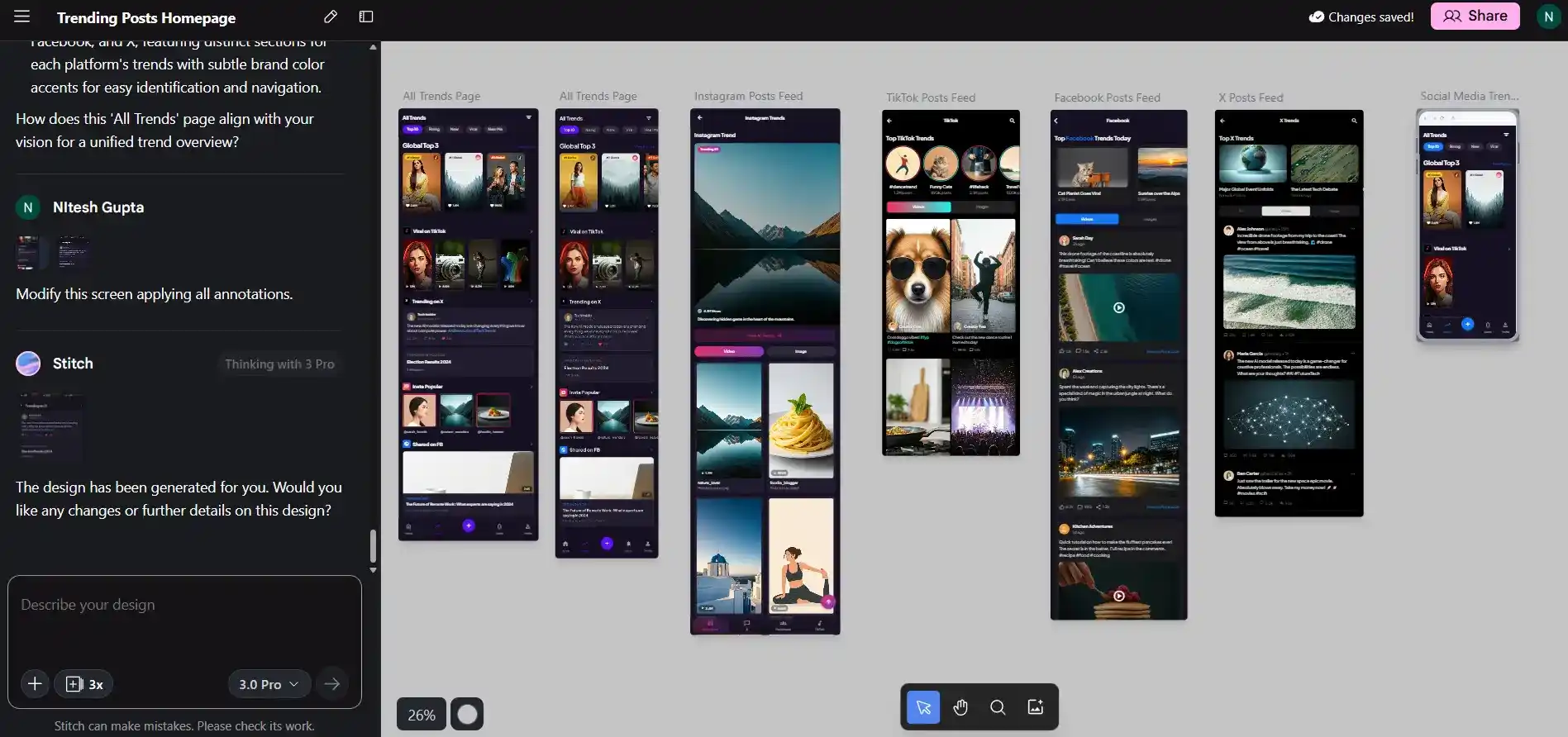
Our application idea was a single feed that showed the most popular posts from different social media sites such as Instagram, Facebook, X, and TikTok. The main business aim was to enable very easy discovery of the content over different platforms and to present it to the users in a way that content sorted by algorithm would be available with minimum clutter. Thus, we decided to use Google Stitch for app design to quickly produce user flows, test layouts, and visually define the navigation experience of the product. Stitch allowed us to consider minimalist feed designs, grid views, and rapid-switch tabs that suited our content-heavy model.
Output of the Design: https://stitch.withgoogle.com/projects/3544040525421815645Social app wireframe created by Google Stitch app
Stitch App Strong Hold
Stitch has an excellent capacity to understand natural language prompts, and that is why it supports the founders in expressing product ideas without using design terms. The output of the design process looks so ready that it could be presented to investors or developers. Edits are easy, and the system is fast at processing prompts, making it a perfect tool for quick iteration. With Google Stitch for startups, this rapid pace becomes the greatest advantage.
Areas of Improvement
One of the issues is that when a new design is created by Stitch, the workspace does not automatically move to the most recent screen, which is a small but quite annoying interruption in the process of rapid ideation. Zooming in and panning across the workspace can also be quite difficult, particularly with several screens involved. A more fluid interaction with the canvas will greatly enhance the user experience.
What’s Our Take on It?
- We do not consider Stitch as a danger to the professional design world, as complexity still needs human input.
- Google Stitch AI is of enormous assistance for start-up founders who wish to communicate their concepts and needs instantly without incurring the cost of a designer.
- The tool is at the beta stage, signifying that it is still very far from being able to use the whole-scale professional workflow.
- Stitch is a brilliant idea that will likely take the place of a designer’s main tool, as it will speed up the process of idea generation, wireframing, and early concept production, and it has the potential to be a major resource of all designers.
Conclusion
Using Google Stitch AI design tool to design our startup’s Unified Social Feed app was an impressive experience that highlighted the growing potential of AI tools for UI UX design. While it isn’t perfect, and certainly not a replacement for professional designers, Stitch offers unparalleled speed for founders who need clarity fast. Its mix of AI-driven ideation, export capabilities, pre-built templates, and great reasoning gives way to a new age of design-first product development. As the tool develops, it could easily become the most significant asset for early-stage entrepreneurship and fast-paced startups.